Precautions on Regulations and Standards
7
- Digital Microscope VHX-5000 User’s Manual -
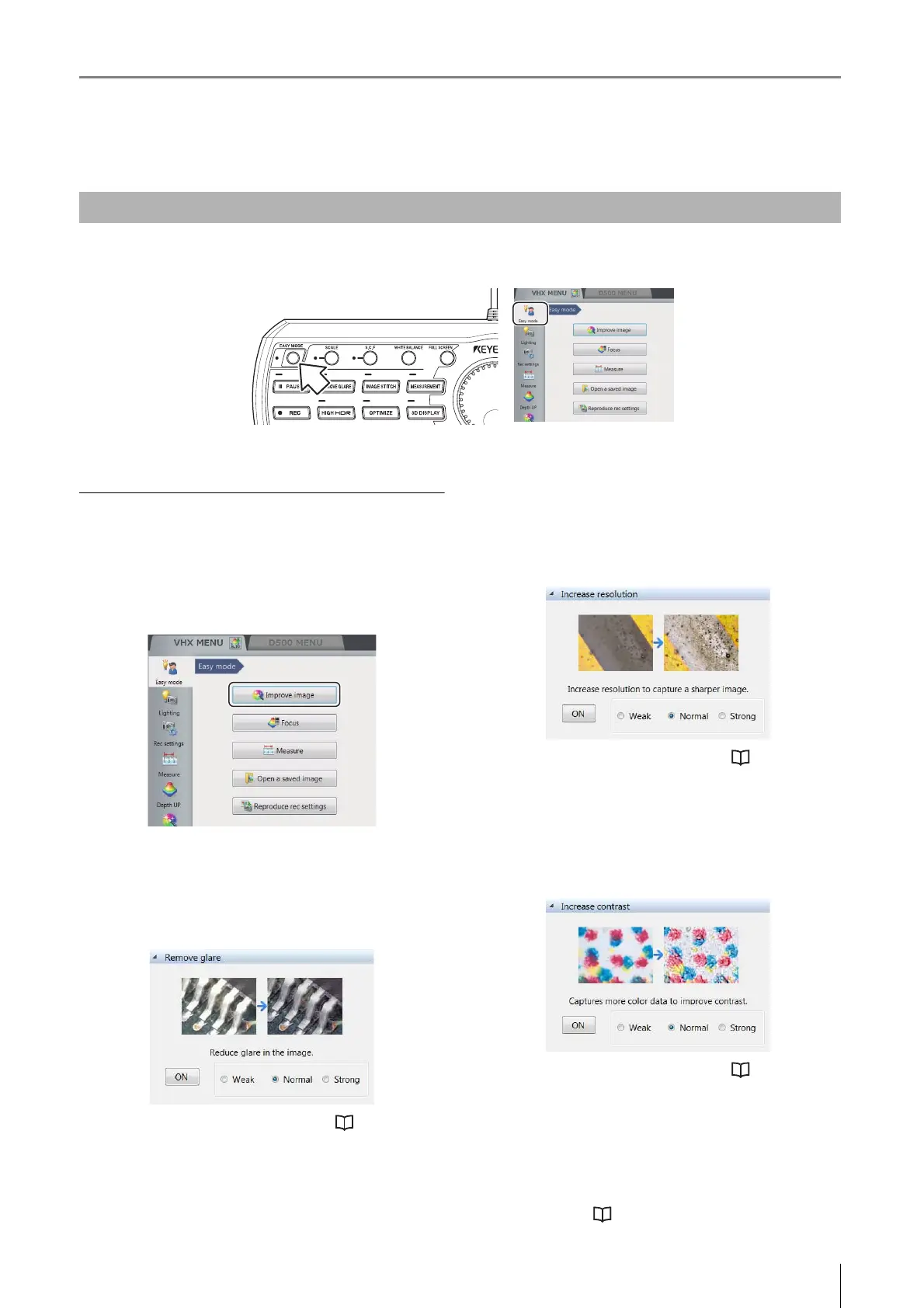
Improve image
Functions used to improve the image quality are described
below.
Click the [Improve image] button from the [Easy mode]
menu.
Remove glare
By using this function can reduce glare in the image.
Intensity effect of this function can be selected to [Weak],
[Normal] and [Strong].
For details of the fine adjustment, refer to "Removing
Glare" (Page 7-6).
Increase resolution
By using High Resolution HDR can observe a high
resolution image. Intensity effect of this function can be
selected to [Weak], [Normal] and [Strong].
For details of the fine adjustment, refer to "Enhancing
Resolution and Increasing Gradation" (Page 7-2).
Increase contrast
By using HDR observation can observe an optimized
image. Intensity effect of this function can be selected to
[Weak], [Normal] and [Strong].
For details of the fine adjustment, refer to "Enhancing
Resolution and Increasing Gradation" (Page 7-2).
[Select best image from preview] button
The setting (processing) best suited to the application can
be selected under 9 different settings in a 9-way split
screen.
For details, refer to "Selecting an Image from 9 Different
Settings (Optimize)" (Page 7-10).
Easy mode
This allows you to easily call useful functions.
Press the [EASY MODE] button or click the [Easy mode] tab.
[Easy mode] menu displays.



 To Next Page