Precautions on Regulations and Standards
8
- Digital Microscope VHX-5000 User’s Manual -
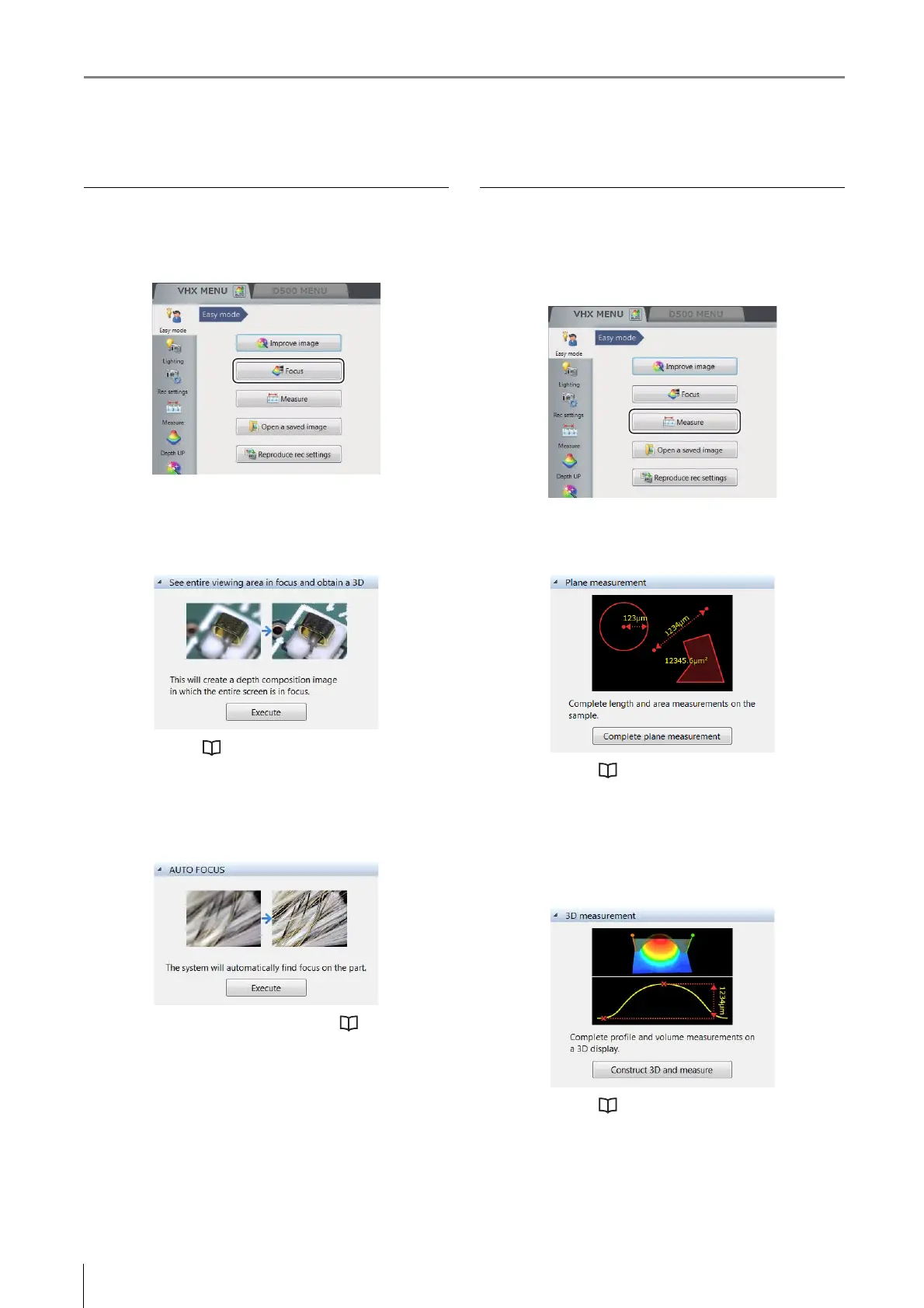
Focus
Functions used to adjust the focus are described below.
Click the [Focus] button from the [Easy mode] menu.
See entire viewing area in focus and obtain a 3D
Create a depth composition image in which the entire
screen is in focus. After that, the 3D image displays.
For details, refer to "Live Depth Composition" (Page 10-
3).
AUTO FOCUS
Execute the AUTO FOCUS to find the focus on the part.
For details of the fine adjustment, refer to "Using auto
focus" (Page 10-39).
Measure
Plane measurement and 3D measurement functions are
described below.
Click the [Measure] button from the [Easy mode] menu.
Plane measurement
Measure the length and area of the sample.
For details, refer to "Measuring Dimensions and Area"
(Page 9-1).
3D measurement
Display the 3D image of the depth composition image
sample, and measure the profile and volume.
For details, refer to "3D Profile Measurements
(Optional)" (Page 10-24).


 To Next Page