- Digital Microscope VHX-5000 User’s Manual -
VHX-5000 Communication Software
14-10
Connecting to an External PC
Displaying in 3D
Displaying 3D image files in 3D.
1 Select the 3D image file and click [Playback].
The confirmation message appears.
2 Click [3D playback].
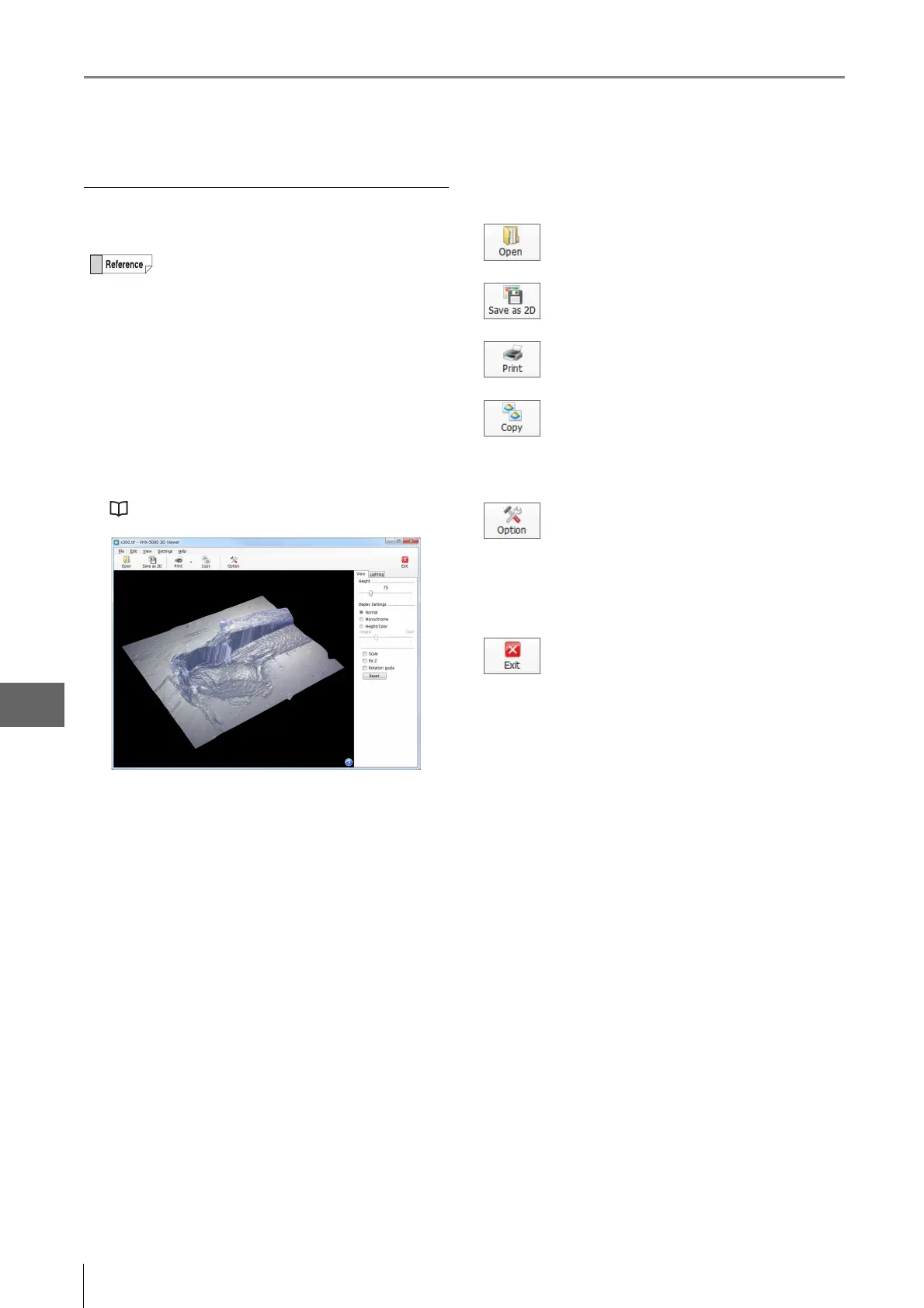
3 The displayed 3D image can be edited.
The displayed 3D image can be manipulated by turning
it, zooming in and out, and moving it.
"Manipulating the 3D View" (Page 10-15)
Toolbar
Thumbnails of 3D image files will have a red 3D
symbol in the lower right.
Select the image to display in a new 3D view.
Saves the displayed image as a 2D image.
Prints (Page 12-2) the displayed image via the
printer connected to the computer.
Stores the displayed image on the PC's
clipboard.
The copied image can be pasted into
commercially available software.
Opens the [Option settings] dialog box. Setting
of the following items is available.
• Color (scale line, scale assistance line,
background)
• Unit (m/mm/m/in/mil)
•Number of decimal
Exits the 3D view.



 To Next Page