- Digital Microscope VHX-5000 User’s Manual -
One-Click Automatic Measurement
9-41
Measuring Dimensions and Area
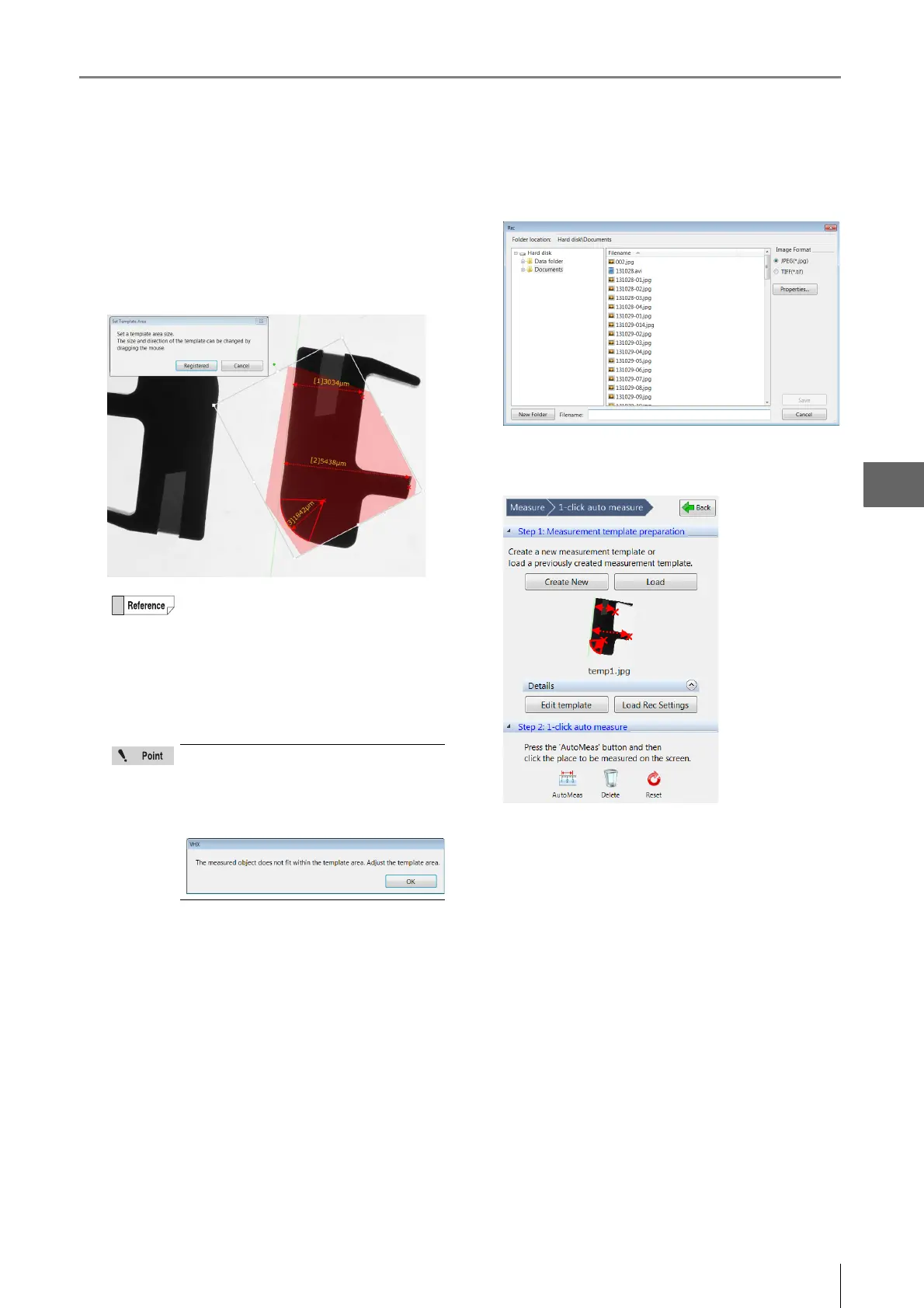
5 Click [Save template].
The template area will become transparent, zoom in
and rotate handles will appear.
At the same time the [Set Template Area] dialog box
appears.
6 If necessary, adjust the template size and
orientation and click [Registered].
The [Rec] dialog box appears.
7 Enter the file name and click [Save].
The measurement template area is displayed in the
operation area and Step 2 is enabled.
When the [Set the template automatically after
saving] checkbox is selected, a thumbnail is
displayed in the operation area.
If the measurement object protrudes out
from the template area, the following
message will be displayed. Please ensure
that the measurement object is contained
within the template area.



 To Next Page