- Digital Microscope VHX-5000 User’s Manual -
Recording/Saving Still Images
5-4
Recording (Saving) Images
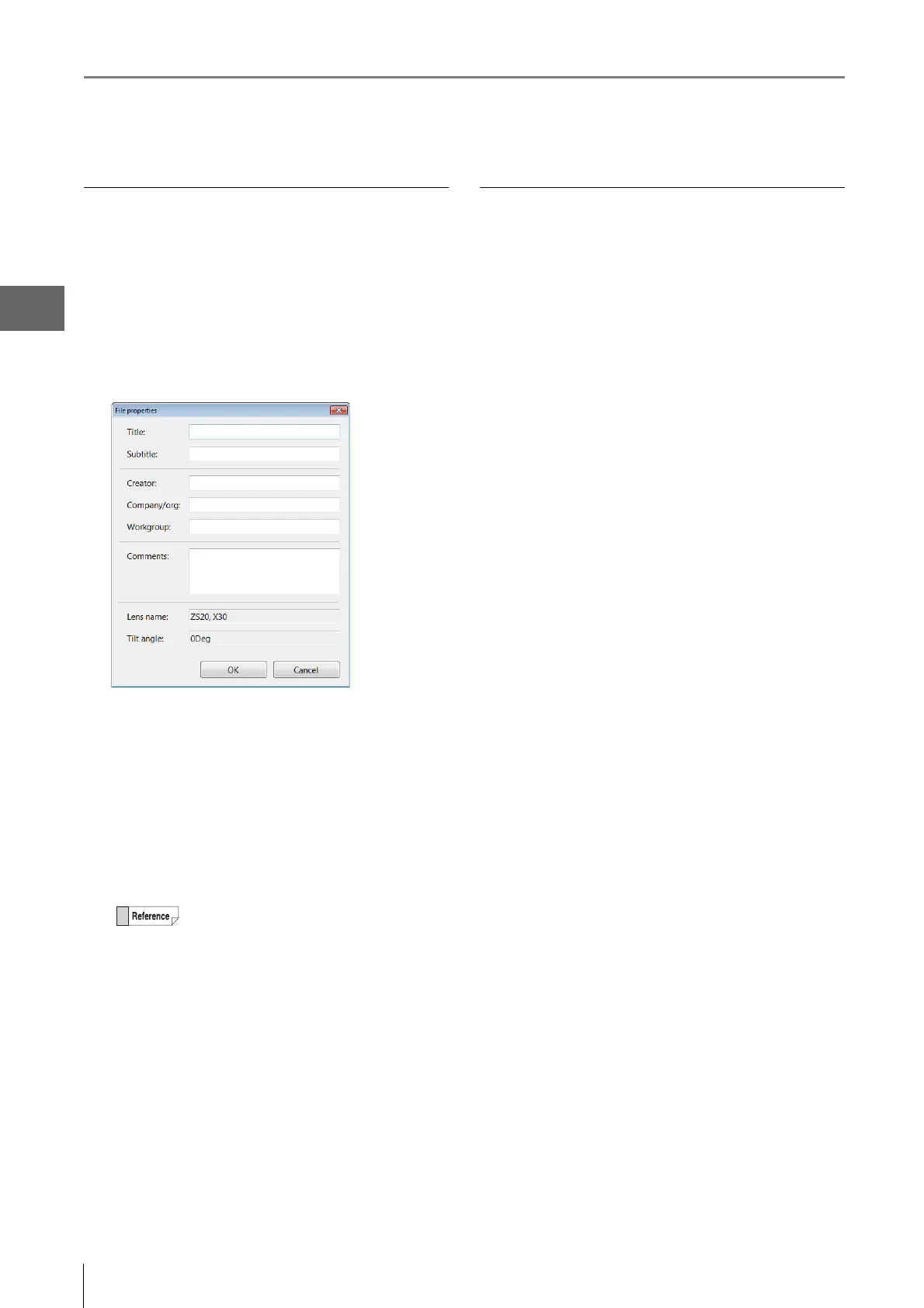
Entering properties
Comments can be added to image files. The information
entered here is saved as part of the image files recorded
hereafter.
Enter information in the properties as needed.
1 Click the [Properties] button.
This brings up the [File properties] dialog box.
2 Enter a title, subtitle, and any other information as
needed.
Each field accepts up to 31 characters (comments can be
up to 63 characters). Both double-byte or ASCII
characters can be used.
3 Click [OK].
The settings are saved and the dialog box closes.
Creating a new folder
1 Click the folder where the new folder is to be
created.
2 Click [New Folder].
A [New Folder] is created in the specified folder
enabled for entering a folder name.
3 Enter a folder name and press the Enter key on the
keyboard.
• The information entered in the property
fields remain until the power is turned OFF
and are reflected into all image files
subsequently recorded. Restarting the
microscope erases the information in the
property fields.
• The information entered in the property
fields is displayed in the preview area (Page
6-2) of the Album function (Page 6-2).
• Searches can be performed on the
information entered in the property fields.



 To Next Page