- Digital Microscope VHX-5000 User’s Manual -
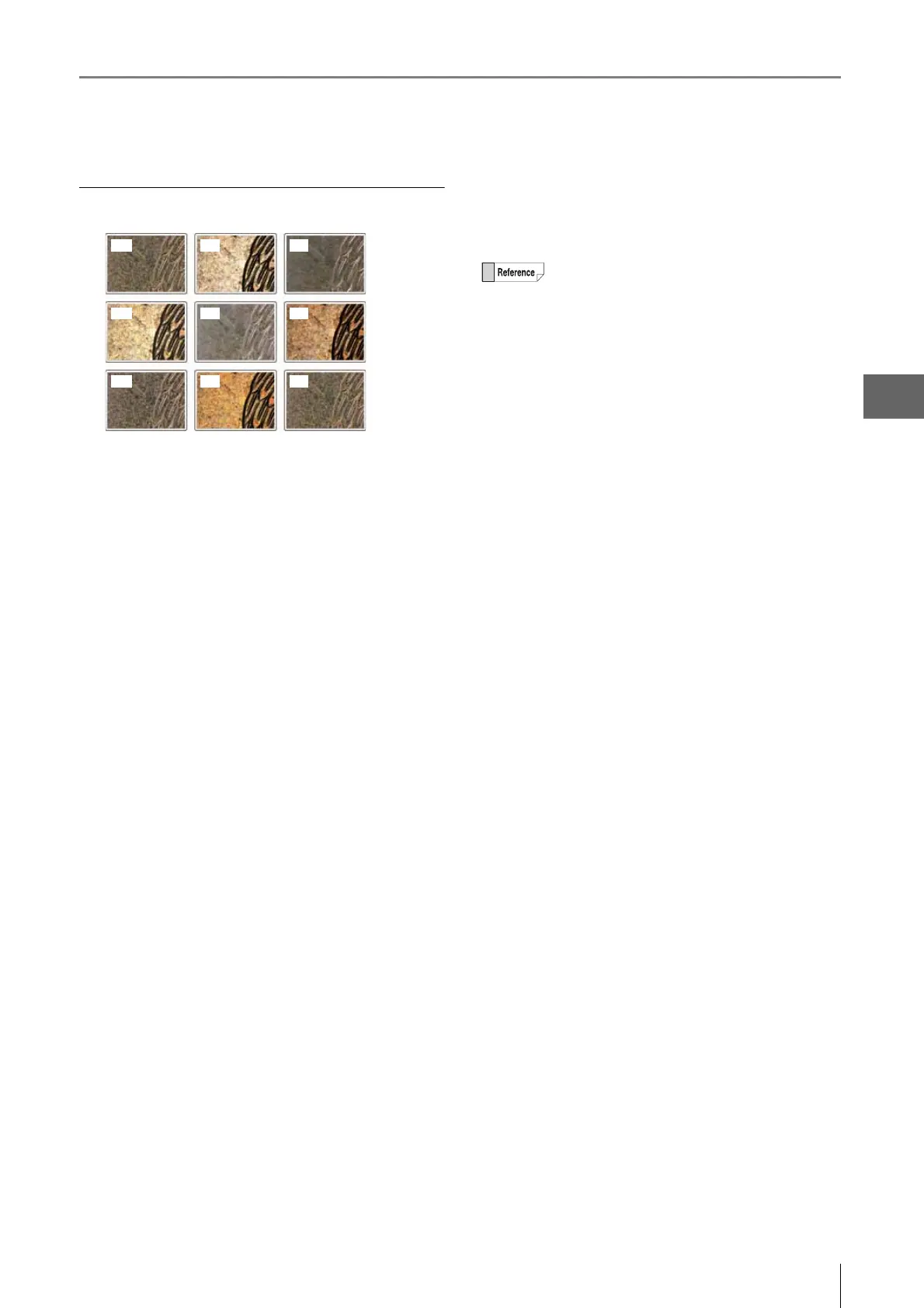
Selecting an Image from 9 Different Settings (Optimize)
7-11
Improving Images
Settings of the 9 image types
(1) Normal mode
For observing using normal settings.
(2) Normal mode + Light shift (Page 7-8)
For observing with partial illumination. This emphasizes the
minute height differences on the object.
(3) Sharpening Image mode (Page 7-7)
For observing with vivid color enhancements and profile
emphasis.
(4) Sharpening image mode + Light shift
For observing with partial illumination. This emphasizes the
minute height differences on the object and allows
observing with vivid color enhancements and profile
emphasis.
(5) Glare removal (Page 7-6)
Removes glare caused by reflected light from the target
object.
(6) Glare removal + Light shift
For observing with partial illumination and removing glare
caused by reflected light from the target object.
(7) HDR (clear image)
The HDR function is used to increase the texture on
samples with bright spots or dark spots or low contrast
samples.
(8) HDR (clear image) + Light shift
For observing in high dynamic range with partial
illumination. The lighting increases the gradation levels,
making it easier to observe minute height differences.
(9) High Resolution HDR (Page 7-2)
For observing a surface in detail by using HDR observation
and High resolution observation together.
(1) (2) (3)
(4) (5) (6)
(7) (8) (9)
When using VHX-5020, (9) is a monochrome
image.



 To Next Page