Digital Channels 6
Keysight InfiniiVision 2000 X-Series Oscilloscopes User's Guide 107
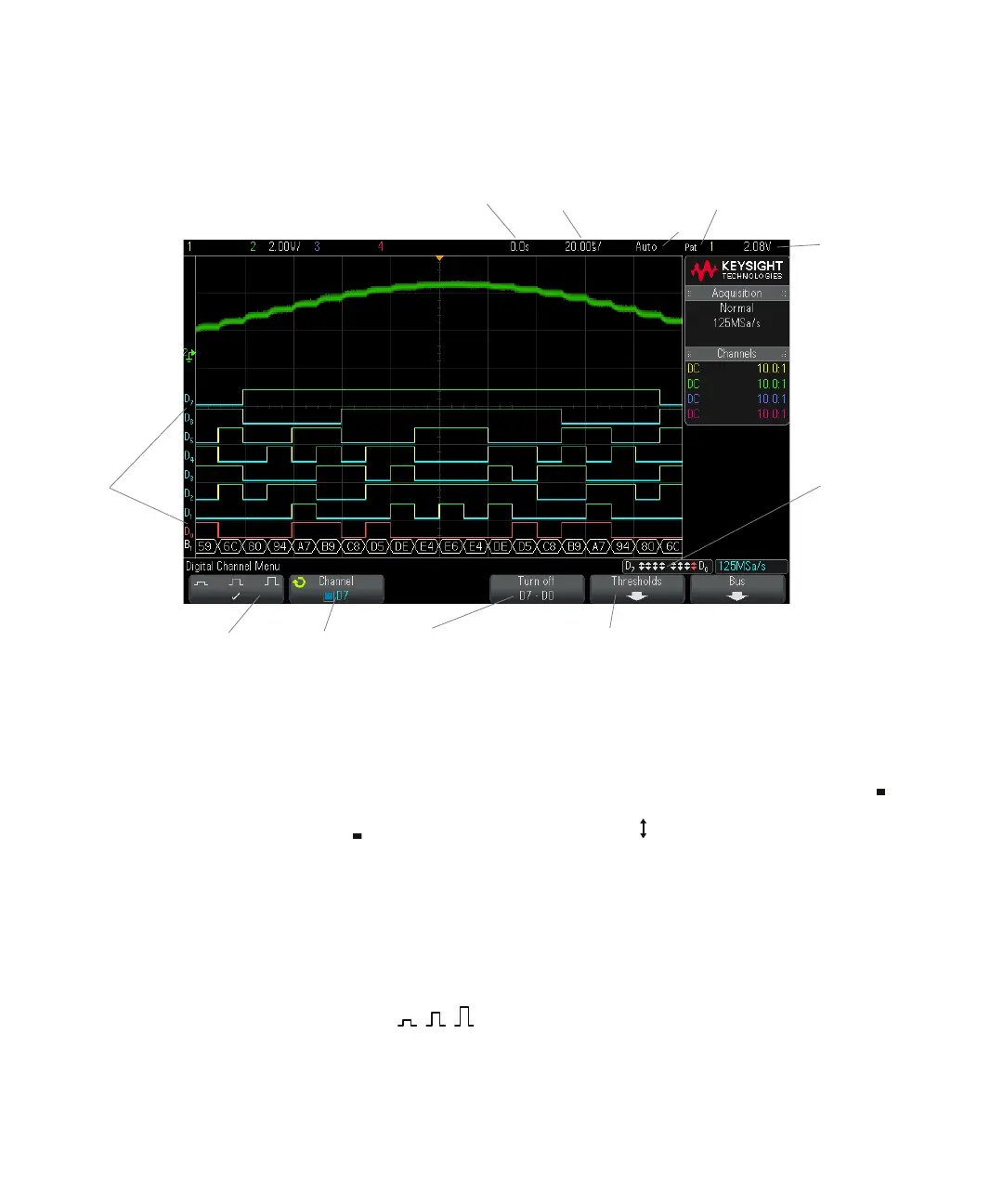
Activity indicator When any digital channels are turned on, an activity indicator is displayed in the
status line at the bottom of the display. A digital channel can be always high ( ),
always low ( ), or actively toggling logic states ( ). Any channel that is turned off
will be grayed out in the activity indicator.
To change the displayed size of the digital channels
1 Press the [Digital] key.
2 Press the size ( ) softkey to select how the digital channels are
displayed.
Activity
indicators
Delay
time
Time/
div
Trigger
type and
source
Threshold
level
Digital
channel
identifiers
Waveform
size
Turn
individual
channels
on/off
Turn
groups of
channels
on/off
Threshold
menu key
Trigger
mode or
run status



 To Next Page
 Loading...