Labels 9
Keysight InfiniiVision 2000 X-Series Oscilloscopes User's Guide 133
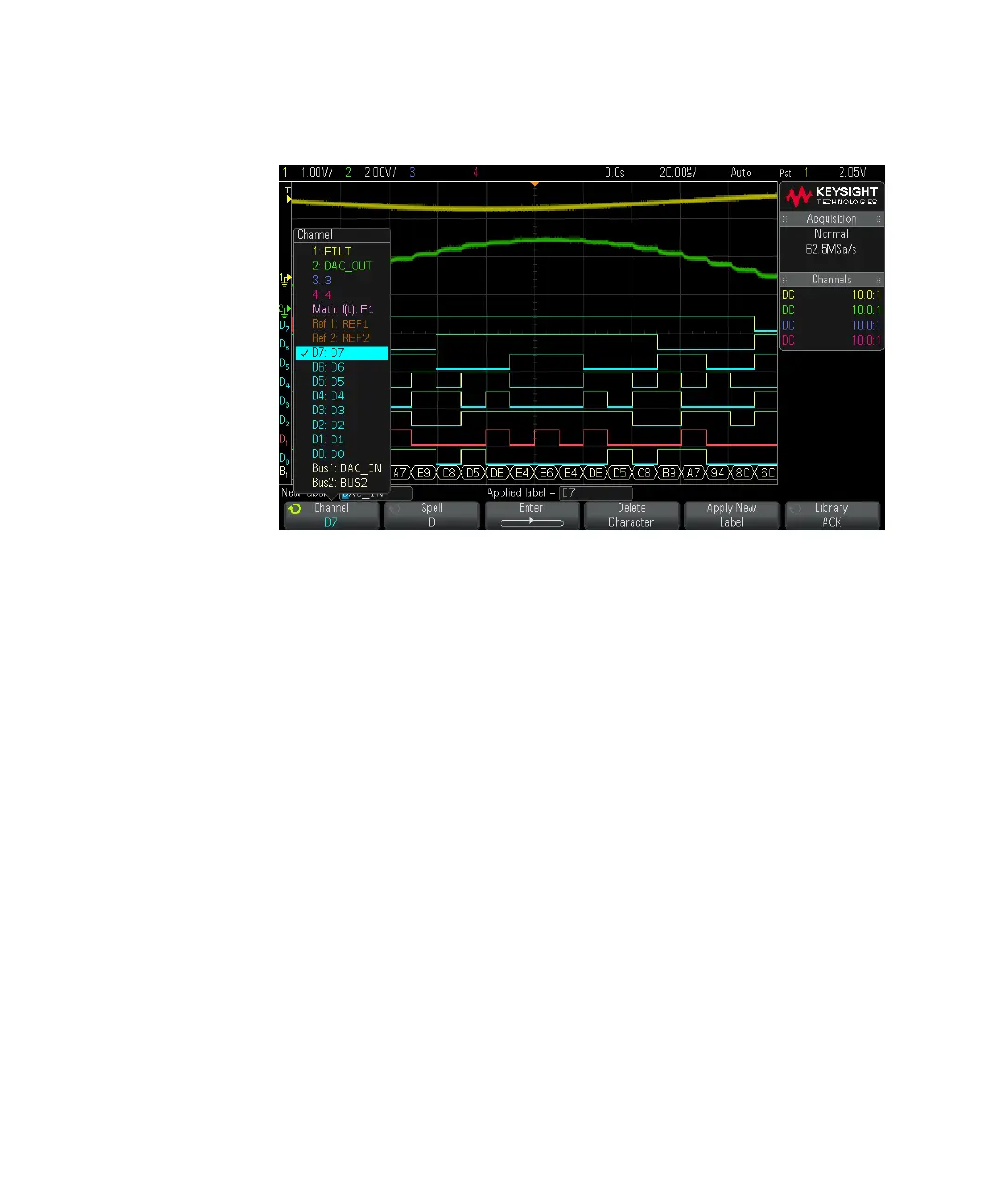
The figure above shows the list of channels and their default labels. The
channel does not have to be turned on to have a label assigned to it.
3 Press the Library softkey, then turn the Entry knob or successively press the
Library softkey to select a predefined label from the library.
4 Press the Apply New Label softkey to assign the label to your selected channel.
5 Repeat the above procedure for each predefined label you want to assign to a
channel.
To define a new label
1 Press the [Label] key.
2 Press the Channel softkey; then, turn the Entry knob or successively press the
softkey to select a channel for label assignment.
The channel does not have to be turned on to have a label assigned to it. If the
channel is turned on, its current label will be highlighted.
3 Press the Spell softkey; then, turn the Entry knob to select the first character in
the new label.



 To Next Page
 Loading...