A75UM3EC (Ver. E.2)
3-77
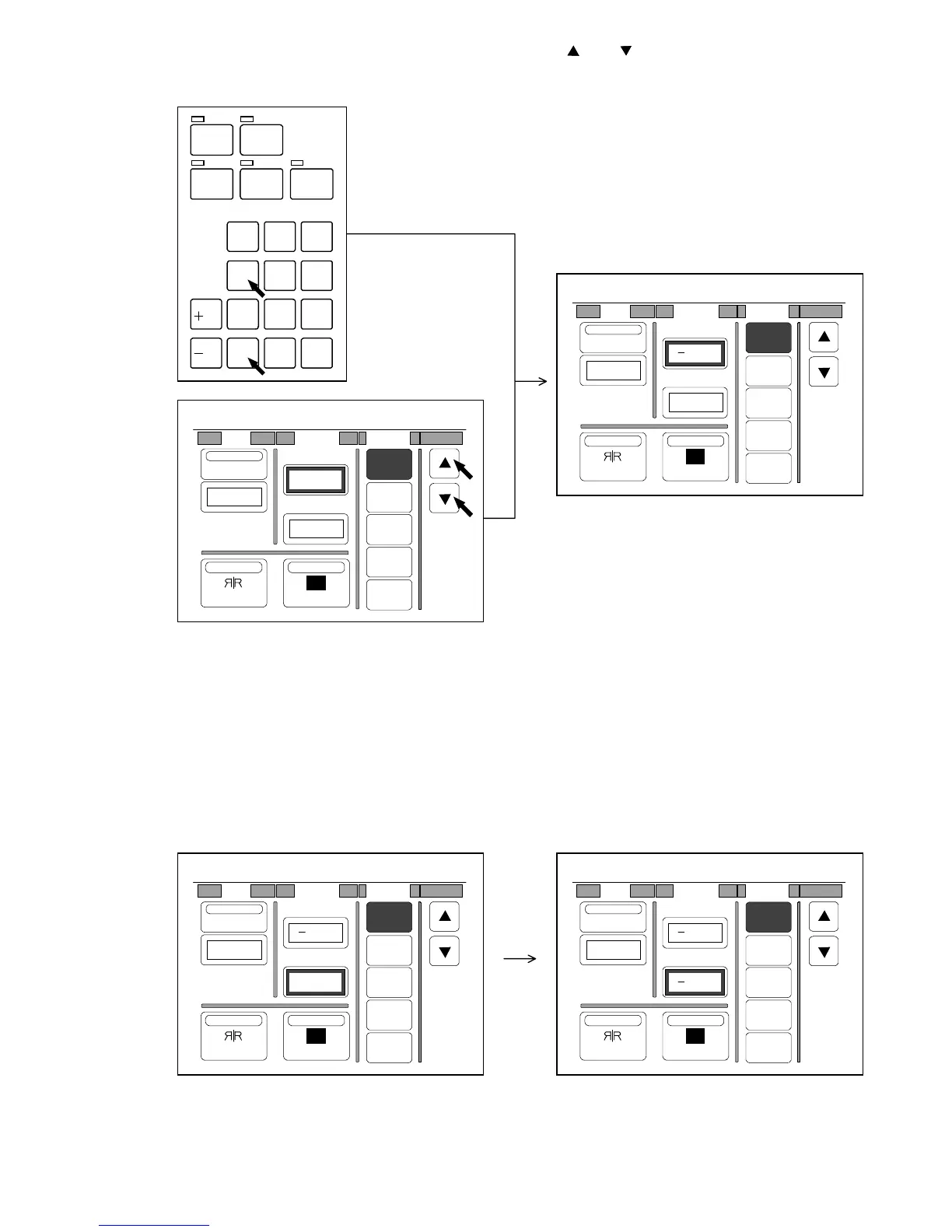
4) Select your required amount of Leading Edge pressing and .
Or input the amount directly pushing Ten Keys.
The selected amount is indicated on the LCD.
Note : If you inputted a wrong amount of Leading/Trailing Edge with Ten Keys, clear it pushing the
Clear Key.
If you do so, [0.00”] is indicated again.
Then, input the correct amount.
5) If you press the value below “T. Edge”, it also becomes possible to specify the amount for the
Trailing Edge.
Change the setting value in the same way as you did for the Leading Edge if necessary.
It is possible to specify the setting value for each Leading Edge and Trailing Edge
separately because they are independent setting items.
/
L
/
R
SET COPY
ROTATE
AUTO ZOOM AUTO PAPER
CON CURRENT
PRINT
0
1
4
7
.
2
5
8
C
3
6
9
0%
001
R
Shift Margin Folder
OFF
1
2
3
4
Centering
0.00"
NegativeMirror
T. Edge
L. Edge
0.00"
0.00"
0%
001
R
Shift Margin Folder
OFF
1
2
3
4
Centering
0.00"
NegativeMirror
T. Edge
L. Edge
1.00"
0.00"
0%
001
R
Shift Margin Folder
OFF
1
2
3
4
Centering
0.00"
NegativeMirror
T. Edge
L. Edge
1.00"
0.00"
0%
001
R
Shift Margin Folder
OFF
1
2
3
4
Centering
0.00"
NegativeMirror
T. Edge
L. Edge
1.00"
0.50"



 To Next Page