EasyManua.ls Logo

KIP 2080 - Page 161

KIP 2080
252 pages
Print Icon
To Next Page IconTo Next Page
To Previous Page IconTo Previous Page
Loading...
A75UM3EG (Ver. E.2)
3-116
(Notes)
1. It is possible to scan originals to make the Set Copy Job although the printer is printing out
another Copy Job.
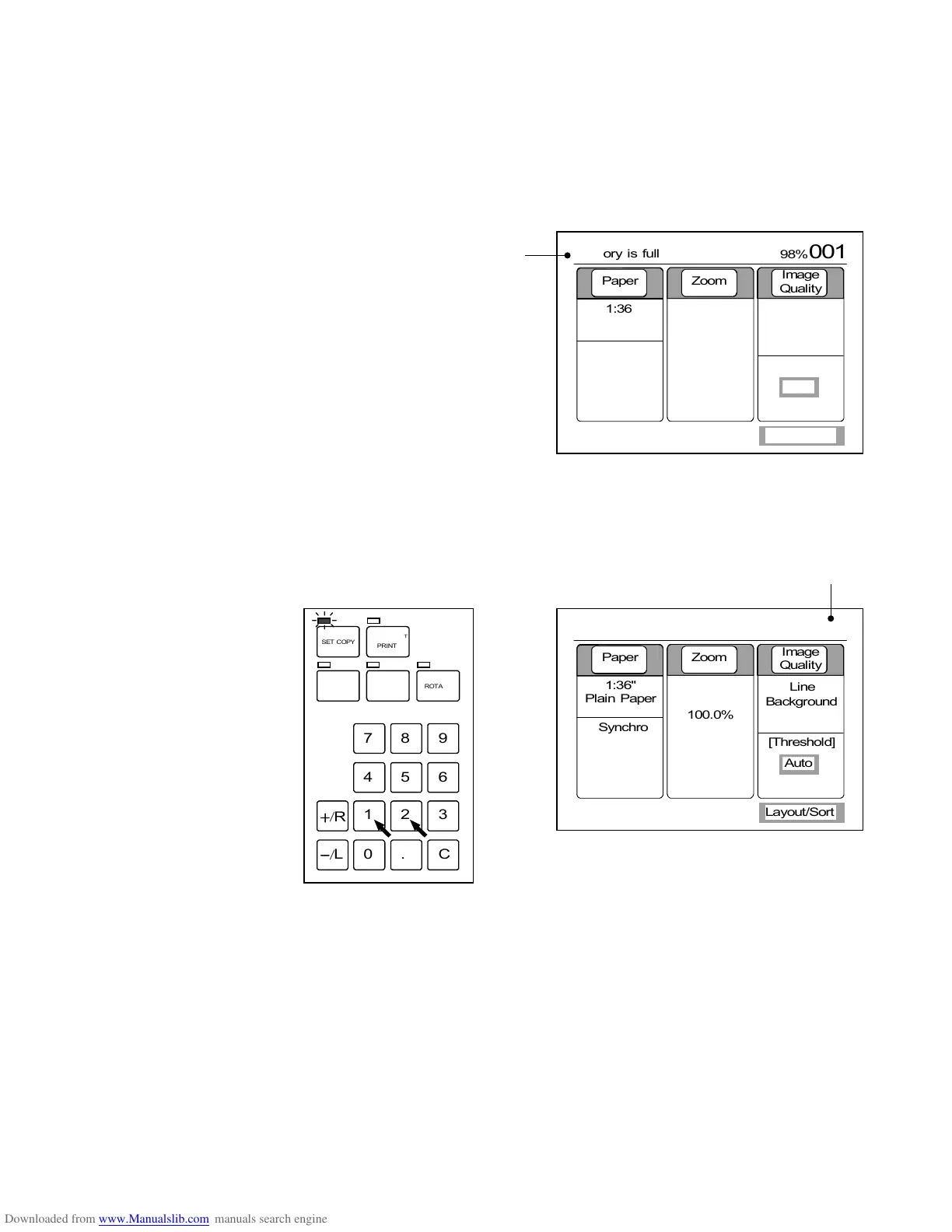
2. If the memory is fully occupied with the image data during scan of some original, the LCD
indicates the error message “Memory is full”.
The image data of that original is not included in the Set Copy Job.
As for formerly scanned originals, their image data are stored and it is possible to print them
out pushing the Start Key.
(Error message)
9) Pushing Ten Keys in the Basic Screen in the same way as you decide the Copy Count, decide
how many sets of copies are printed.
The maximum number of sets is 999.
(12 sets of copies are printed.)
35%
012







Paper Zoom
Image
Quality
1:36"
Plain Paper
100.0%
Line
Background
[Threshold]


Auto
Synchro
Layout/Sort
98%
001









Paper Zoom
Image
Quality
1:36"
Plain Paper
100.0%
Line
Background
[Threshold]


Auto
Synchro
Layout/Sort
Memory is full
/
L
/
R
SET COPY
ROTATE
AUTO ZOOM AUTO PAPER
CON CURRENT
PRINT
0
1
4
7
.
2
5
8
C
3
6
9

Table of Contents

Related product manuals