3-56
Common Operations > Using Various Functions
File Format
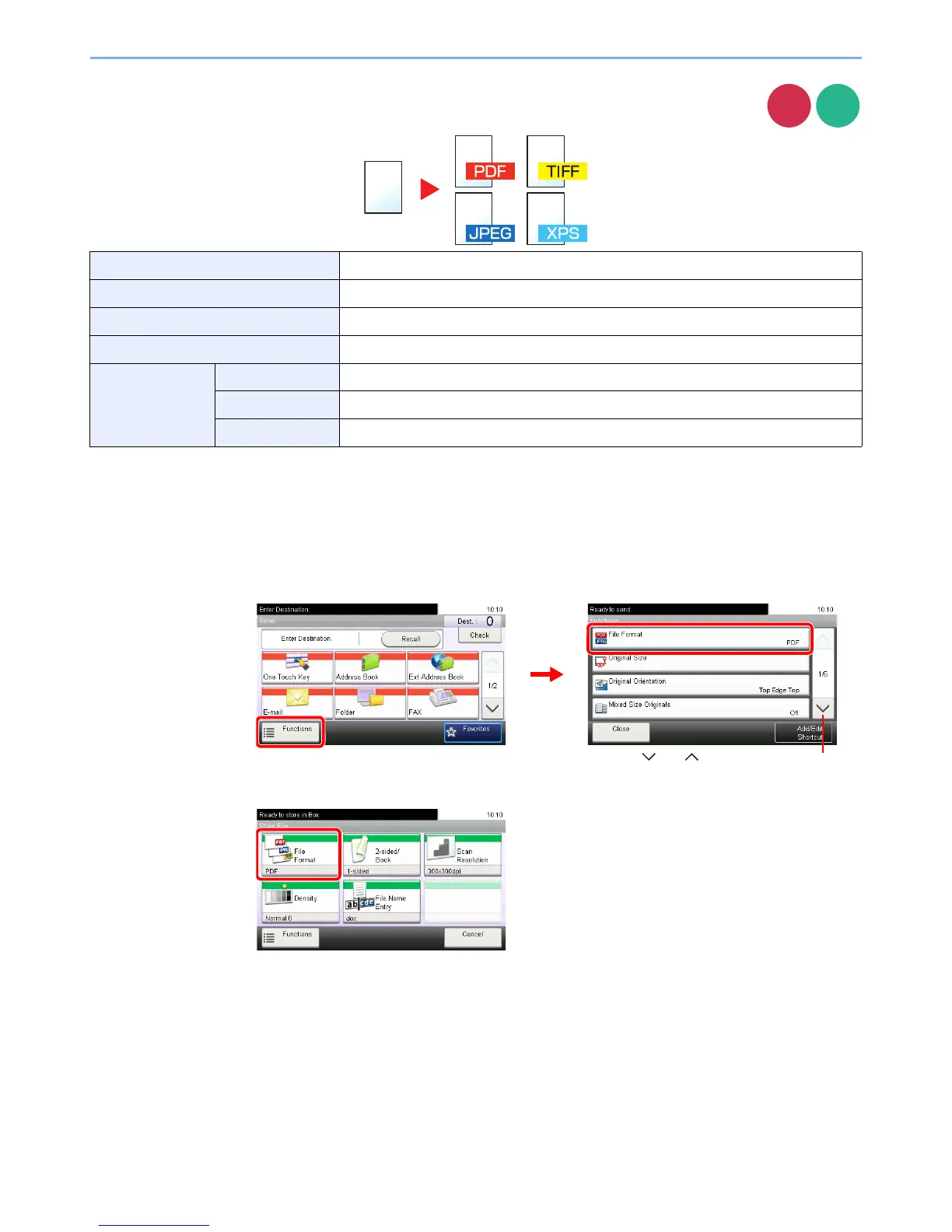
Specify the image file format. In addition, you can adjust the image quality level.
1
Display the screen.
1 Referring to Using Various Functions on page 3-29, display the screen.
2
PDF Saves a PDF file. You can specify the format that comply with PDF/A.
TIFF Saves a TIFF file.
JPEG Saves a JPEG file. Each page will be saved individually.
XPS Save a file in XPS.
Others File Format Select from PDF, TIFF, JPEG, and XPS.
Image Quality Set the image quality from [1 Low Quality] to [5 High Quality].
PDF/A*
* This setting is displayed only when [PDF] has been selected as the file format.
Set PDF/A from [PDF/A-1a] and [PDF/A-1b].













 To Next Page