7-11
Document Box > Functions for Document Box
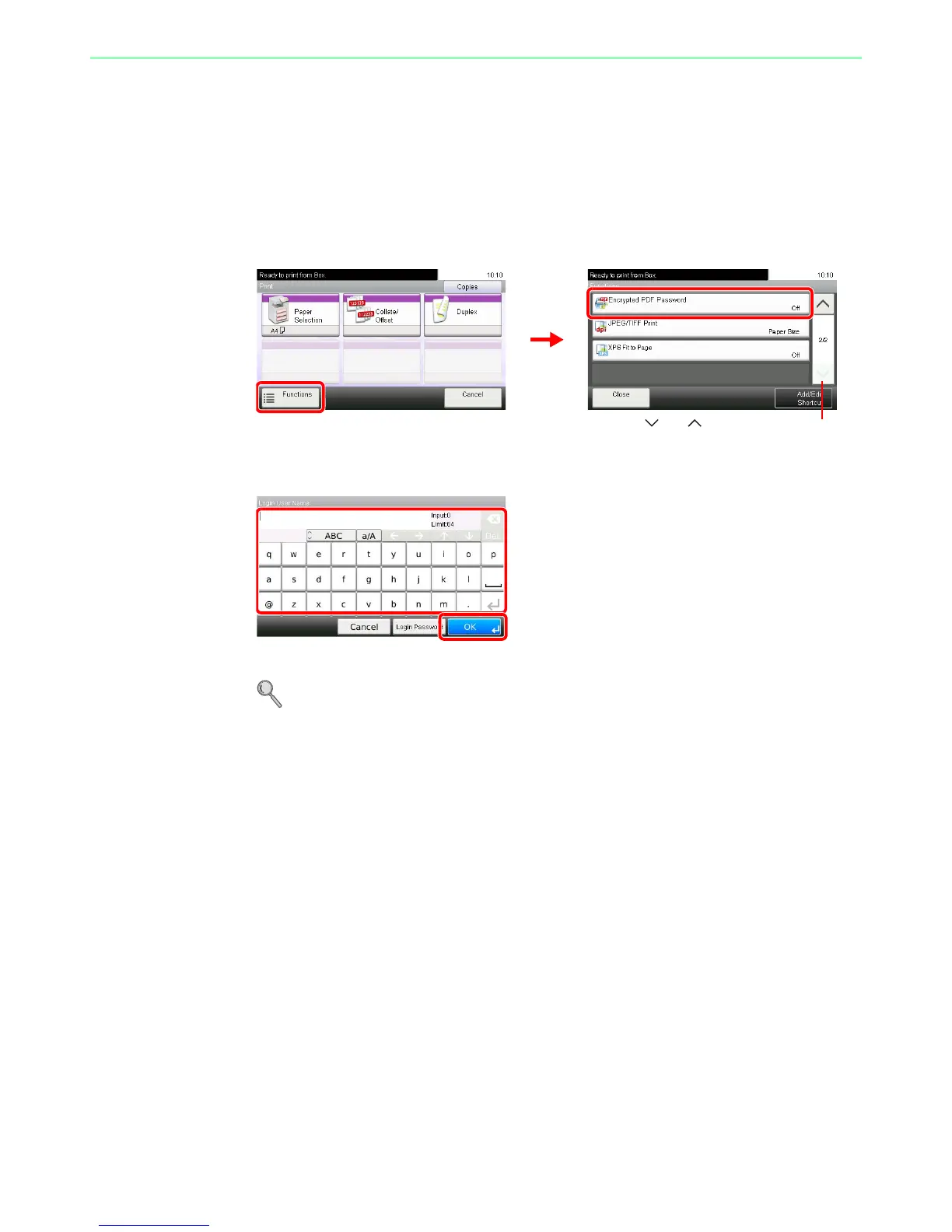
Encrypted PDF Password
Enter the preassigned password to print the PDF data.
1
Display the screen.
1 Referring to Printing Documents Stored in Removable USB Memory on page 7-2, display
the screen.
2
2
Enter the password.
Up to 256 characters can be entered.
Refer to Character Entry Method on page 11-7 for details on entering characters.













 To Next Page