9-34
Setup, Registration, and User Management > User Login Administration
My Panel
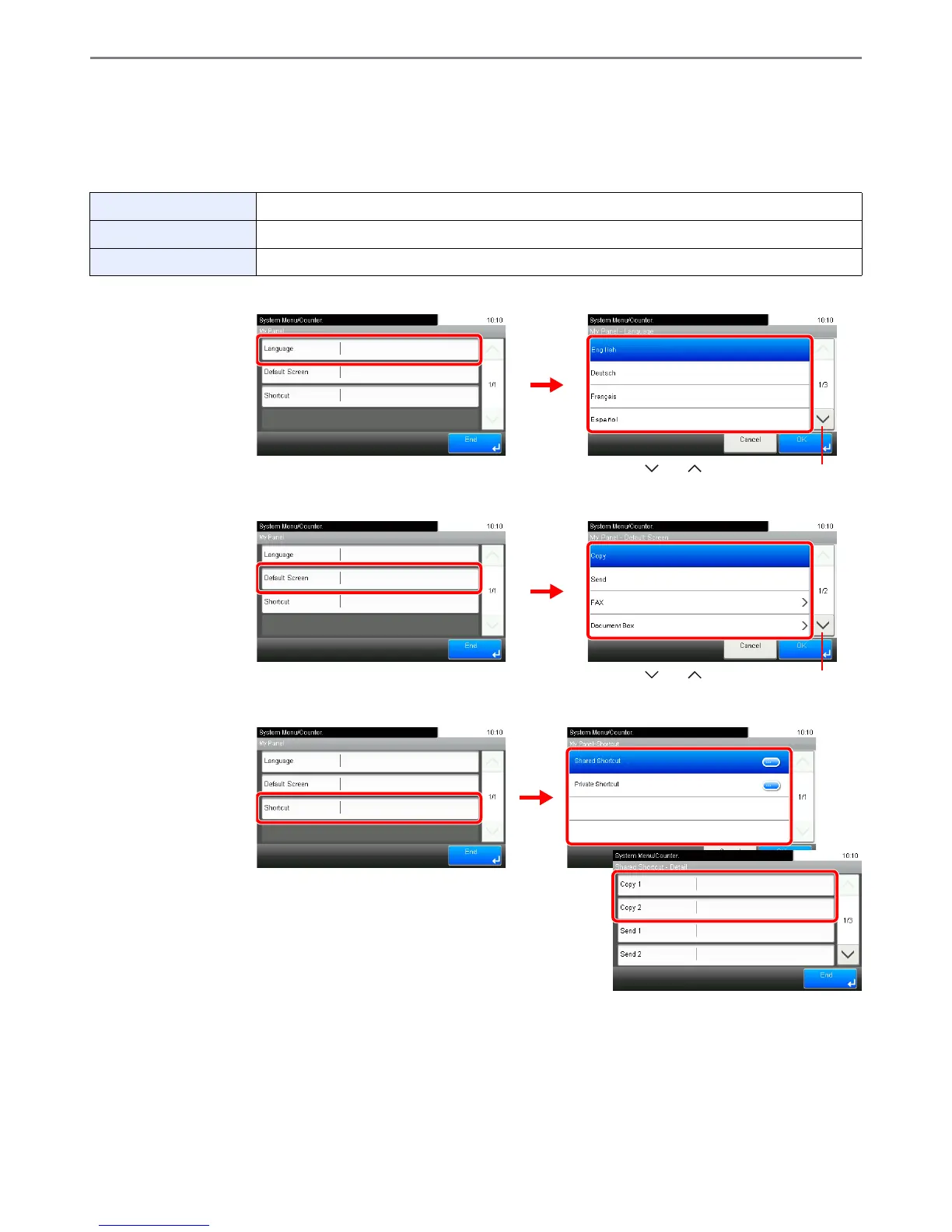
Registers settings for individual users. Settings registered here can be applied simply by logging in. Set when Adding a
User (see page 9-30) or Editing and Deleting Users (see page 9-35).
Environments in which shortcut can be configured
[Language]
[Default Screen]
[Shortcut]
Language Select the language displayed on the touch panel.
Default Screen Set the screen appearing right after the user logs in (default screen).
Shortcut Select either [Shared Shortcut] or [Private Shortcut].













 To Next Page