7-10
Document Box > Functions for Document Box
Duplex
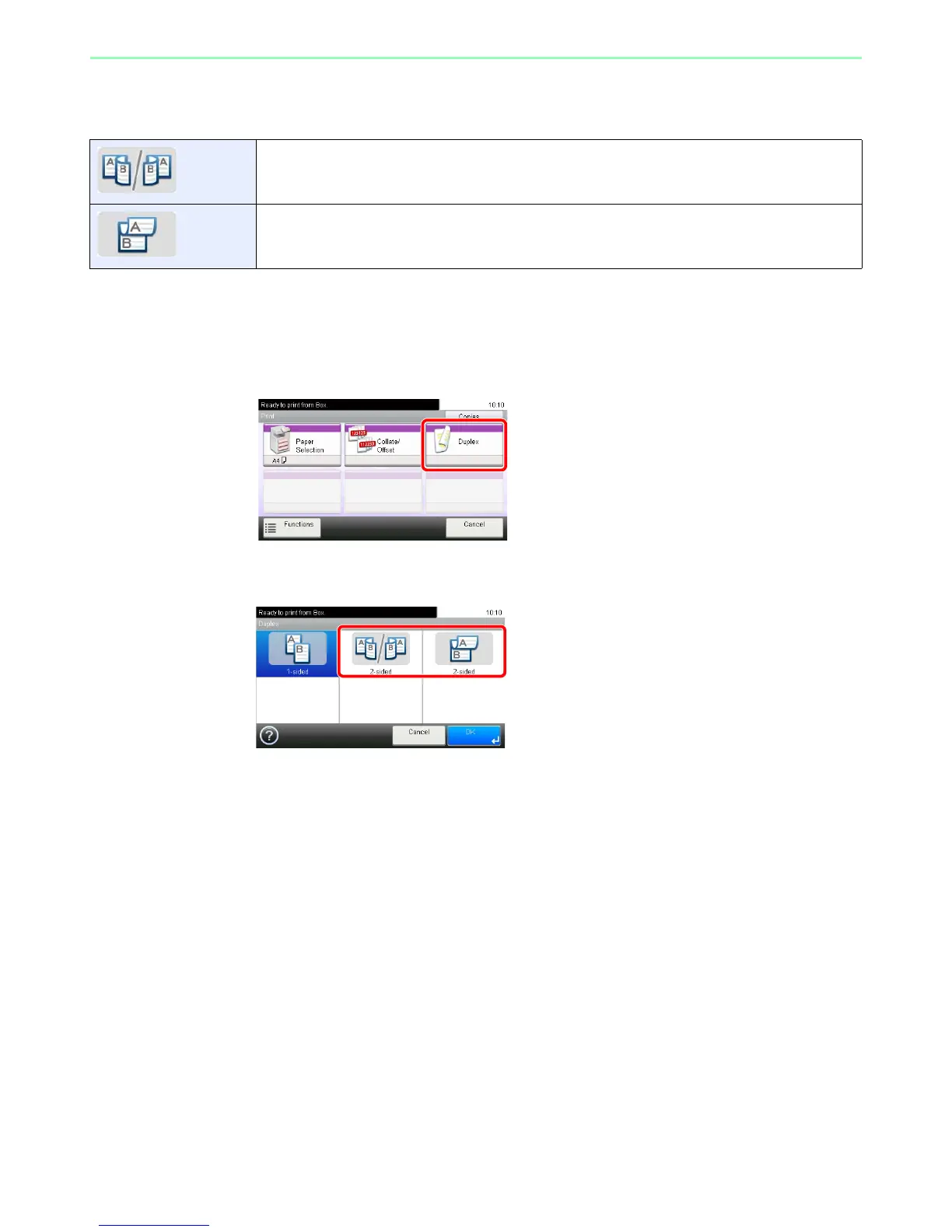
Print a document 1-sided or 2-sided. Select the original binding orientation and desired final binding orientation.
1
Display the screen.
1 Referring to Printing Documents Stored in Removable USB Memory on page 7-2, display
the screen.
2
2
Select the function.
2-sided Print a 2-sided document so that the sheets are aligned properly for binding on the left or right
2-sided Print a 2-sided document so that the sheets are aligned properly for binding on the top.













 To Next Page