3-23
Common Operations > Shortcuts
Editing and Deleting Shortcuts
Change shortcut number/name or delete shortcut.
1
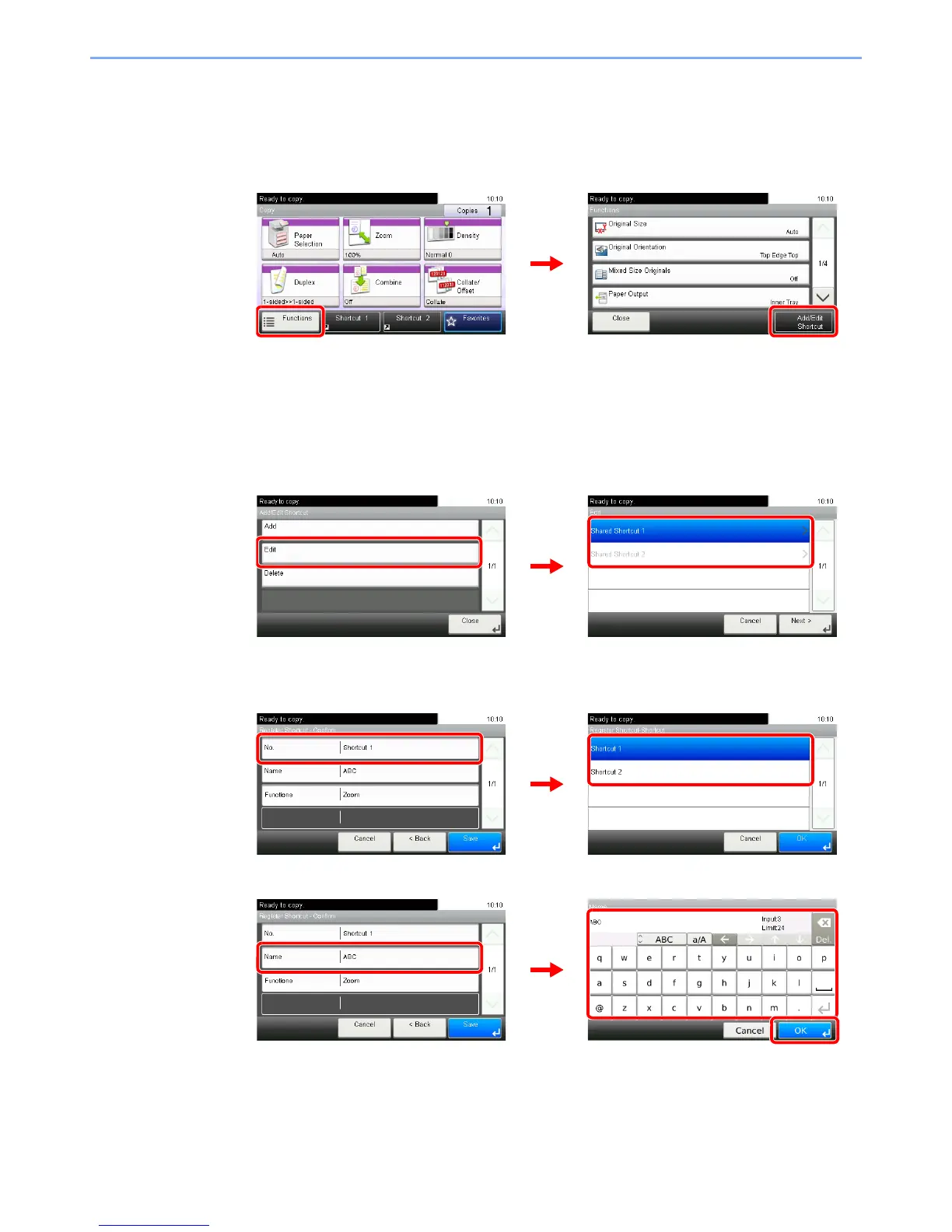
Display the screen.
Press [Functions] on the Copy, Send, or Document Box screen and then [Add/Edit Shortcut].
2
Edit or delete a shortcut.
To edit a shortcut
1 Select the shortcut type and number you wish to edit.
2 Edit the shortcut.
[No.]
[Name]













 To Next Page