2-10
Preparation before Use > Connecting Cables
Connecting Cables
Connecting LAN Cable
The equipment can be connected with a network cable and used as a network printer or network scanner.
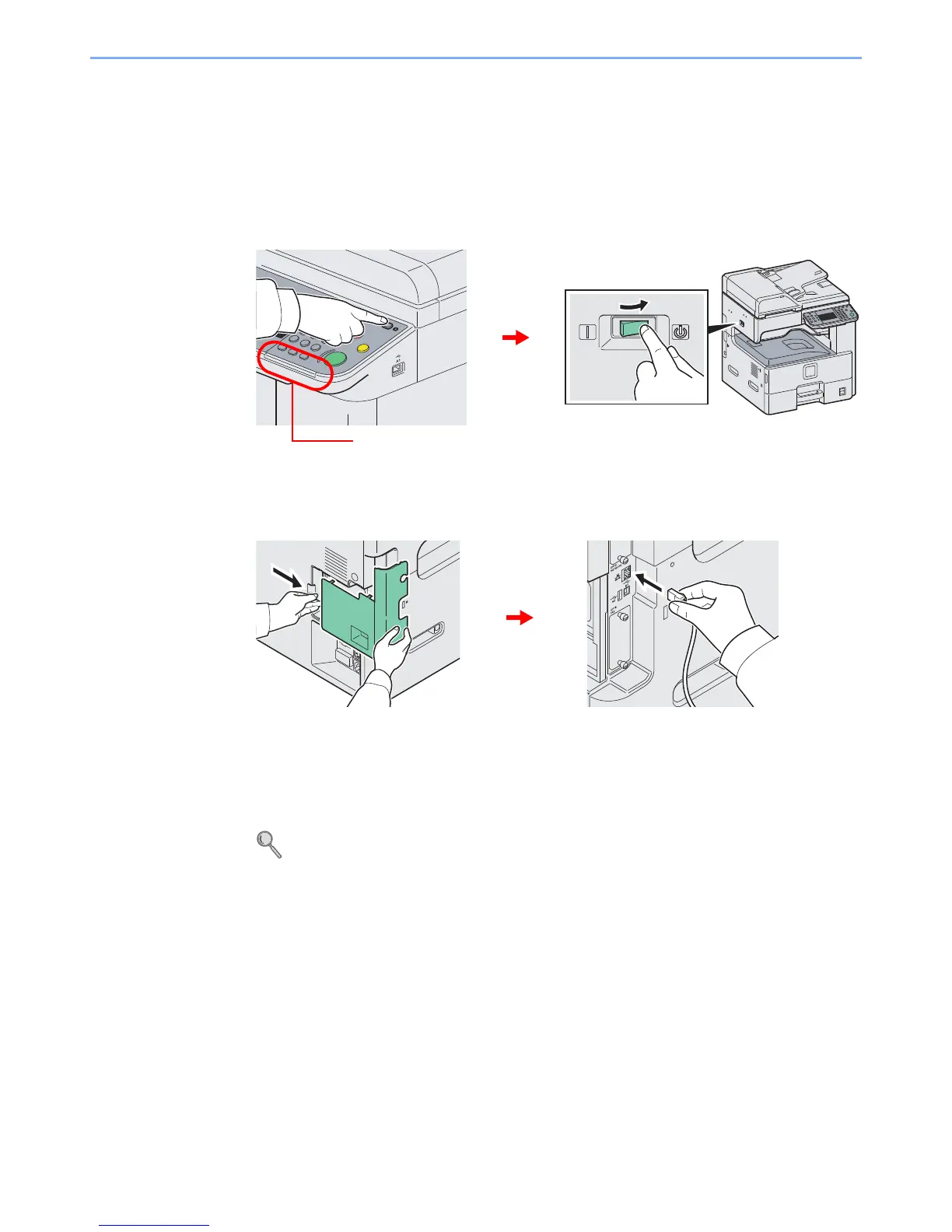
1
Power Off.
2
Connect the machine.
1 Connect the LAN cable to the network interface located on left side of the body.
2 Connect the other end of the cable to the hub.
3
Set up the machine.
Configure the network settings.
For details, refer to Machine Setup Wizard on page 2-22.













 To Next Page