EasyManua.ls Logo

Kyocera TASKalfa 255 - Priority Override

Kyocera TASKalfa 255
360 pages
Print Icon
To Next Page IconTo Next Page
To Previous Page IconTo Previous Page
Loading...
3-62
Common Operations > Using Various Functions
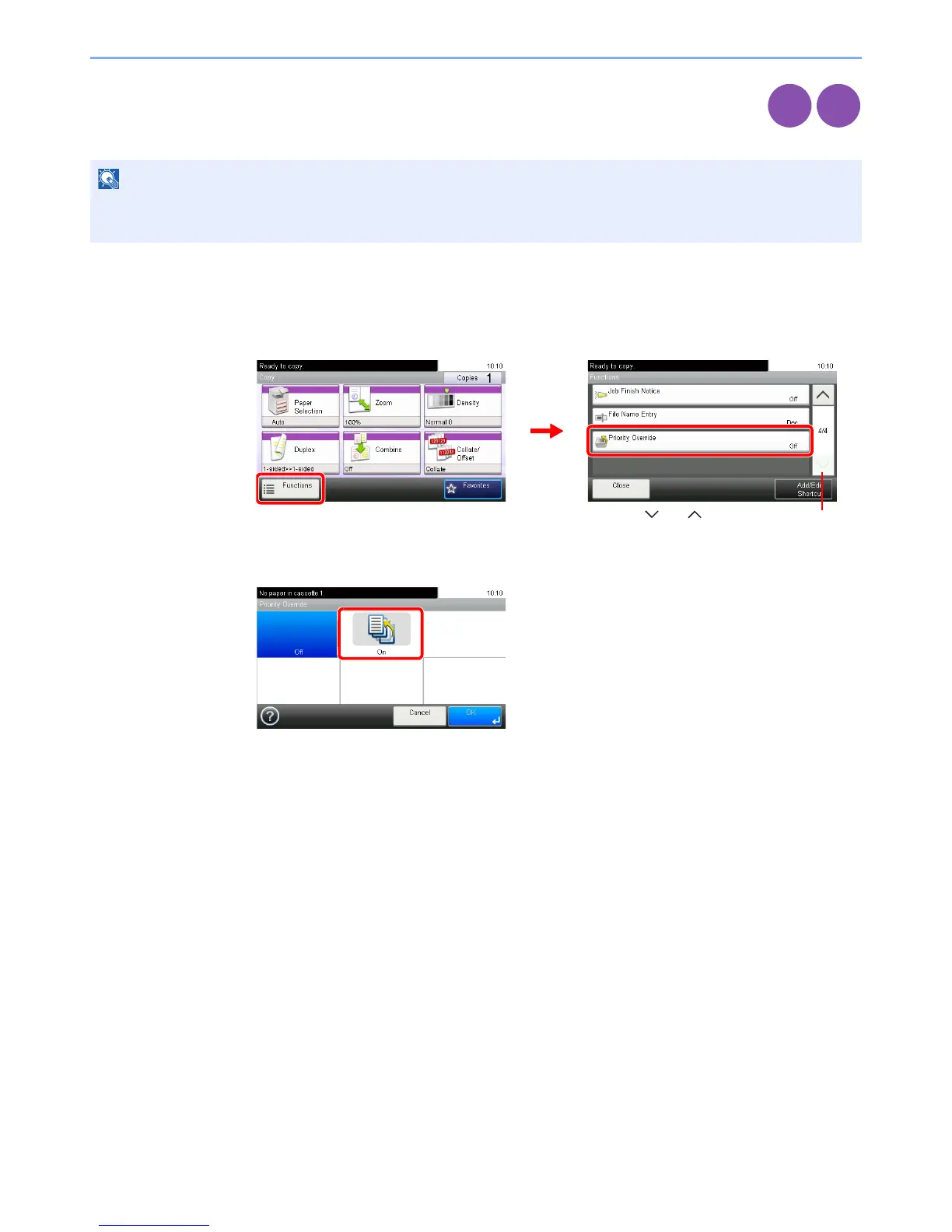
Priority Override
Suspend the current job and give a new job top priority. The suspended job resumes after the other job
is finished.
1
Display the screen.
1 Referring to Using Various Functions on page 3-29, display the screen.
2 Press [Functions] and then [Priority Override].
2
Select the function.
NOTE
This function is not available if current job was an override.
Priority override may not be available depending on the status of the current print job and memory usage.
Copy
Print from
USB
GB0001_01
GB0002_03
1
2
Use [ ] or [ ] to scroll up and down.
GB0069_00

Table of Contents

Other manuals for Kyocera TASKalfa 255

Related product manuals