10-22
Troubleshooting > Clearing Paper Jams
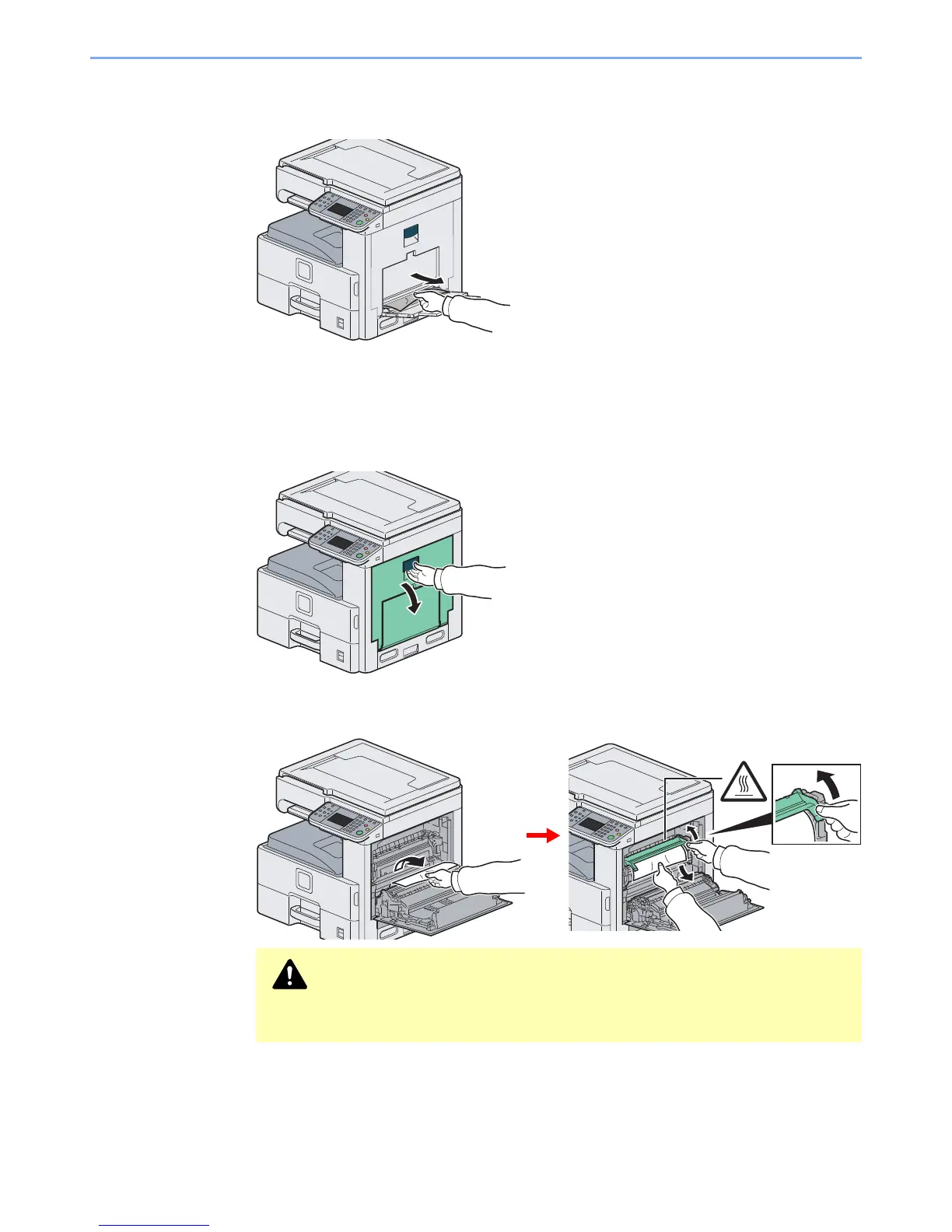
Multi Purpose Tray
Follow the steps below to clear paper jams in the multi purpose tray.
Inside the Right Cover 1
Follow the steps below to clear paper jams inside the right cover 1.
1
2
Caution
The fixing unit is extremely hot. Take sufficient care when working in this area, as
there is a danger of getting burned.













 To Next Page