3-33
Common Operations > Using Various Functions
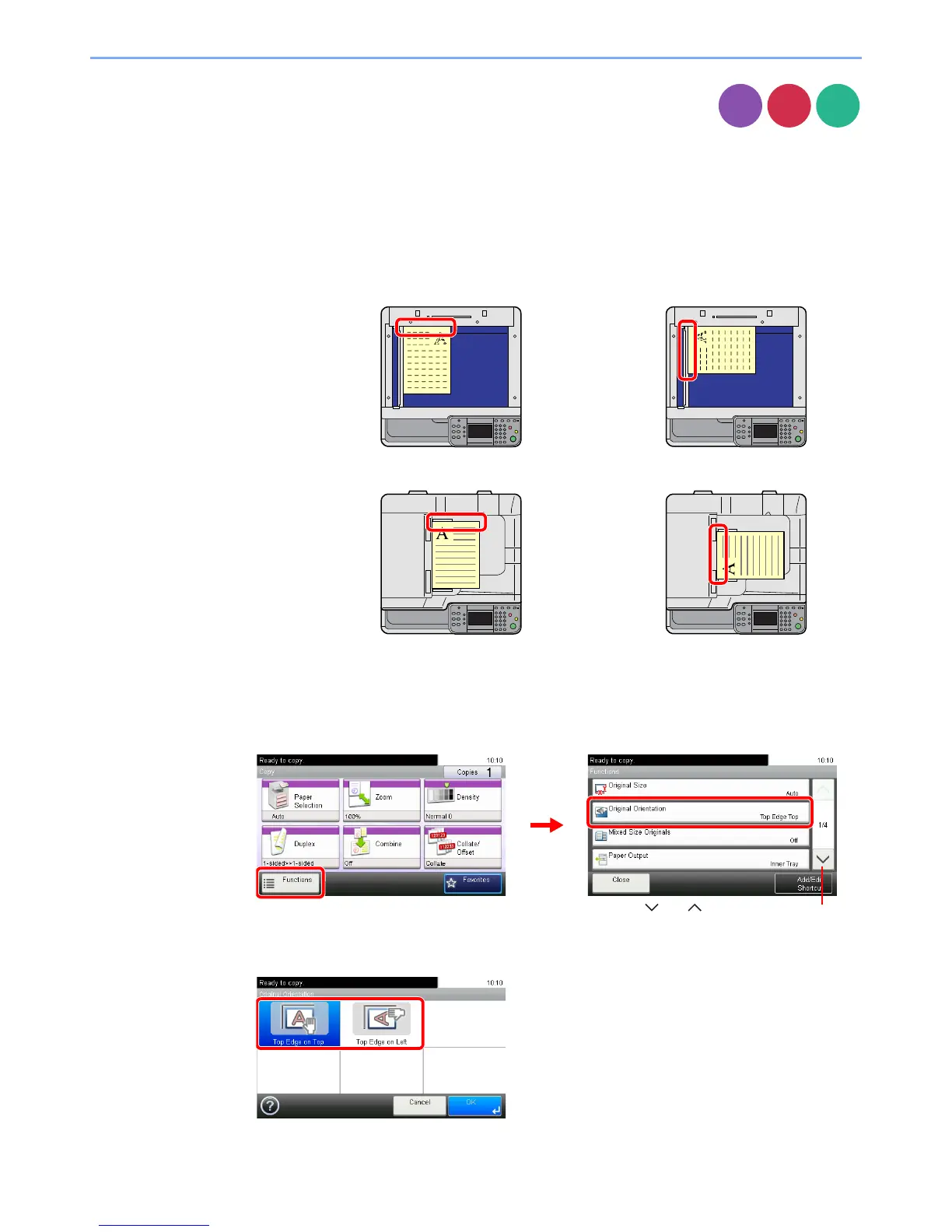
Original Orientation
Select the orientation of the original document top edge to scan correct direction.
To use any of the following functions, the document's original orientation must be set.
•Duplex
• Margin
• Combine
• Staple (option)
When placing originals on the platen
When placing originals on the document processor
1
Display the screen.
1 Referring to Using Various Functions on page 3-29, display the screen.
2 Press [Functions] and then [Original Orientation].
2
Select the function.
Select the original orientation.
Copy













 To Next Page