9-55
Setup, Registration, and User Management > Job Accounting
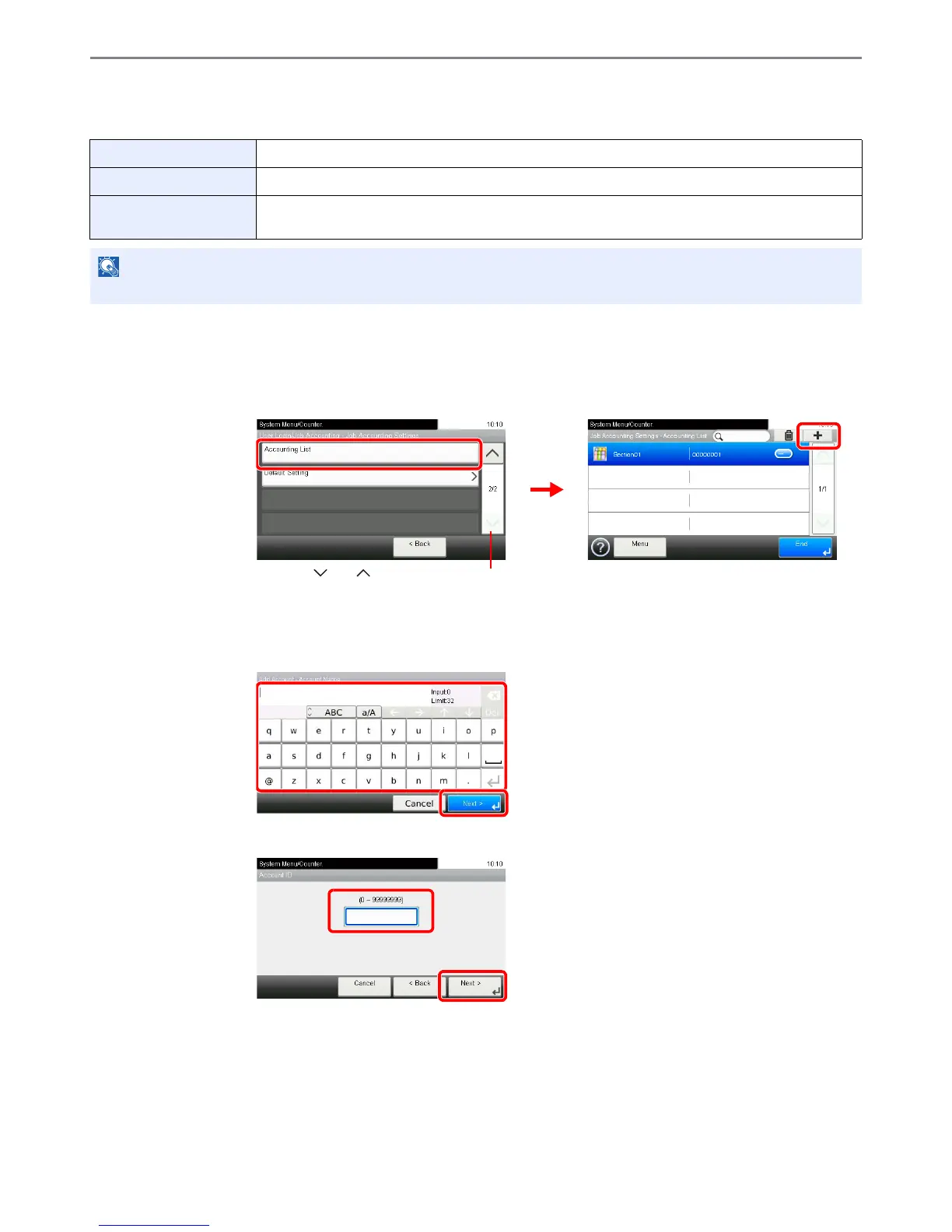
Adding an Account
This section explains how to add a new account. The following entries are required.
1
Display the screen.
1 Referring to Job Accounting Settings on page 9-52, display the screen.
2
2
Enter the account information.
[Account Name]
[Account ID]
3
Check the settings.
Check the settings and change or add information as needed.
Account Name Enter the account name (up to 32 characters).
Account ID Enter the account ID as many as eight digits (between 0 and 99999999).
Restriction This Prohibits printing/scanning or restricts the number of sheets to load. Refer to Restricting the Use
of the Machine on page 9-59.













 To Next Page