11-5
Appendix > Optional Equipment
Optional Function
You can use the optional applications installed on this machine.
Overview of the Applications
The applications listed below are installed on this machine. You can use these applications for a limited period on a trial
basis.
UG-33 (ThinPrint) (This application can only be activated in Europe.)
This application allows print data to be printed directly without a print driver.
Starting Application Use
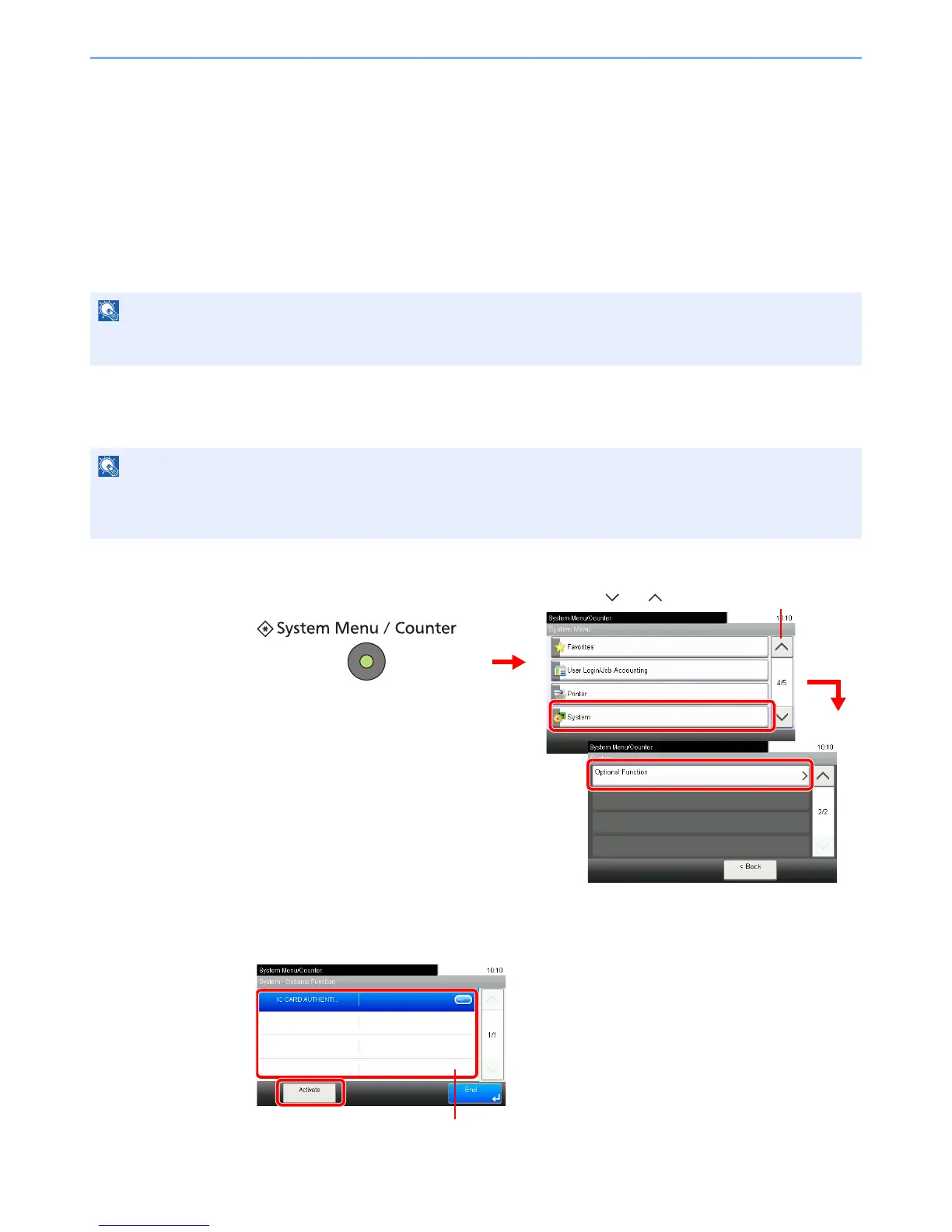
Use the procedure below to start using an application.
1
Display the screen.
2
Start using an application.
1 Select the desired application and press [Activate].
If user login administration is disabled, the user authentication screen appears. Enter your login user name and
password and then press [Login]. For this, you need to login with administrator privileges. Refer to Adding a User on
page 9-30 for the default login user name and password.













 To Next Page