7-3
Document Box > Printing Documents Stored in Removable USB Memory
1 When the machine reads the USB memory, Removable Memory screen may appear.
2 Select and open the folder in which the file you wish to print is stored.
The machine will display documents in the top 3 folder levels, including the root folder. To
return to a higher level folder, press [Up].
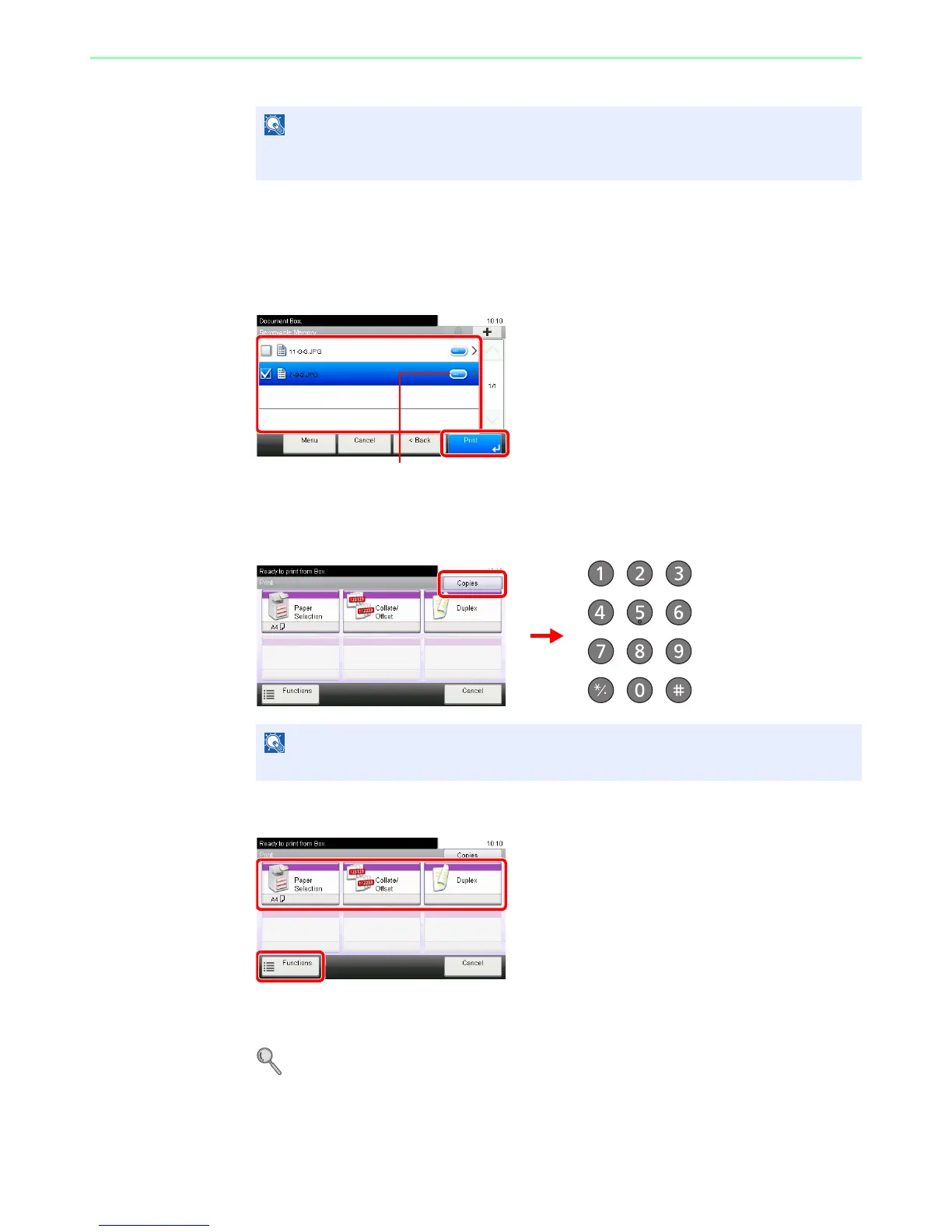
3
Select the file.
Select the file to be printed and press [Print].
4
Enter the quantity.
5
Select the functions.
Select the function to use for Document Box.
Press [Functions] to display other functions.
For details, refer to Functions for Document Box on page 7-9













 To Next Page