3-28
Common Operations > Canceling Jobs
Canceling Jobs
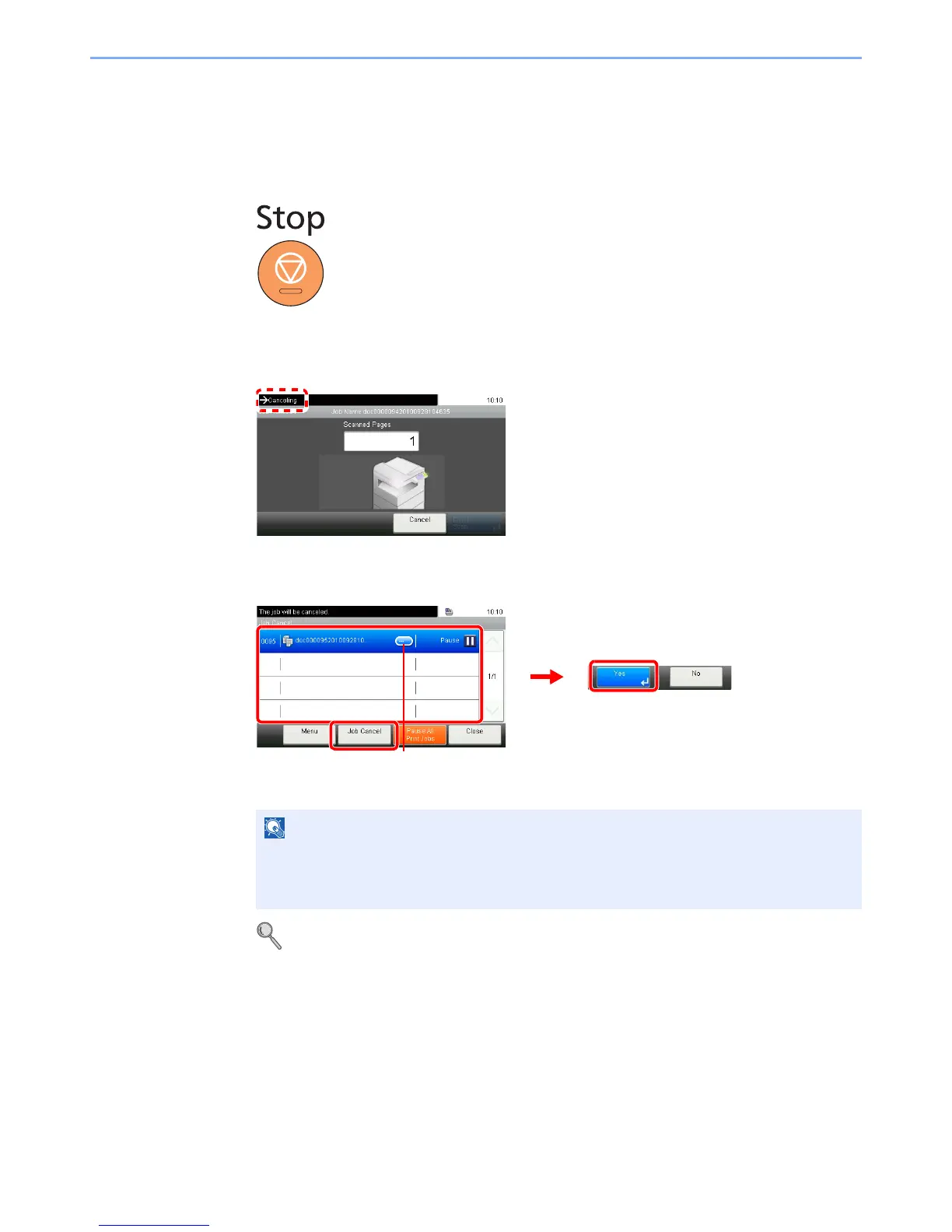
Cancel any print or send job being executed.
1
Press the Stop key.
2
Cancel a job.
When there is a job is being scanned
Canceling… will be displayed, and the current job will be canceled.
When there is a job printing or on standby
Select the job you wish to cancel and press [Job Cancel].
Refer to Status / Job Cancel on page 8-1.
The current print job is temporarily interrupted. Continues without temporarily interrupting
jobs being sent.
You can also cancel executing jobs and jobs on standby after checking their status.













 To Next Page