9-38
Setup, Registration, and User Management > User Login Administration
Simple Login
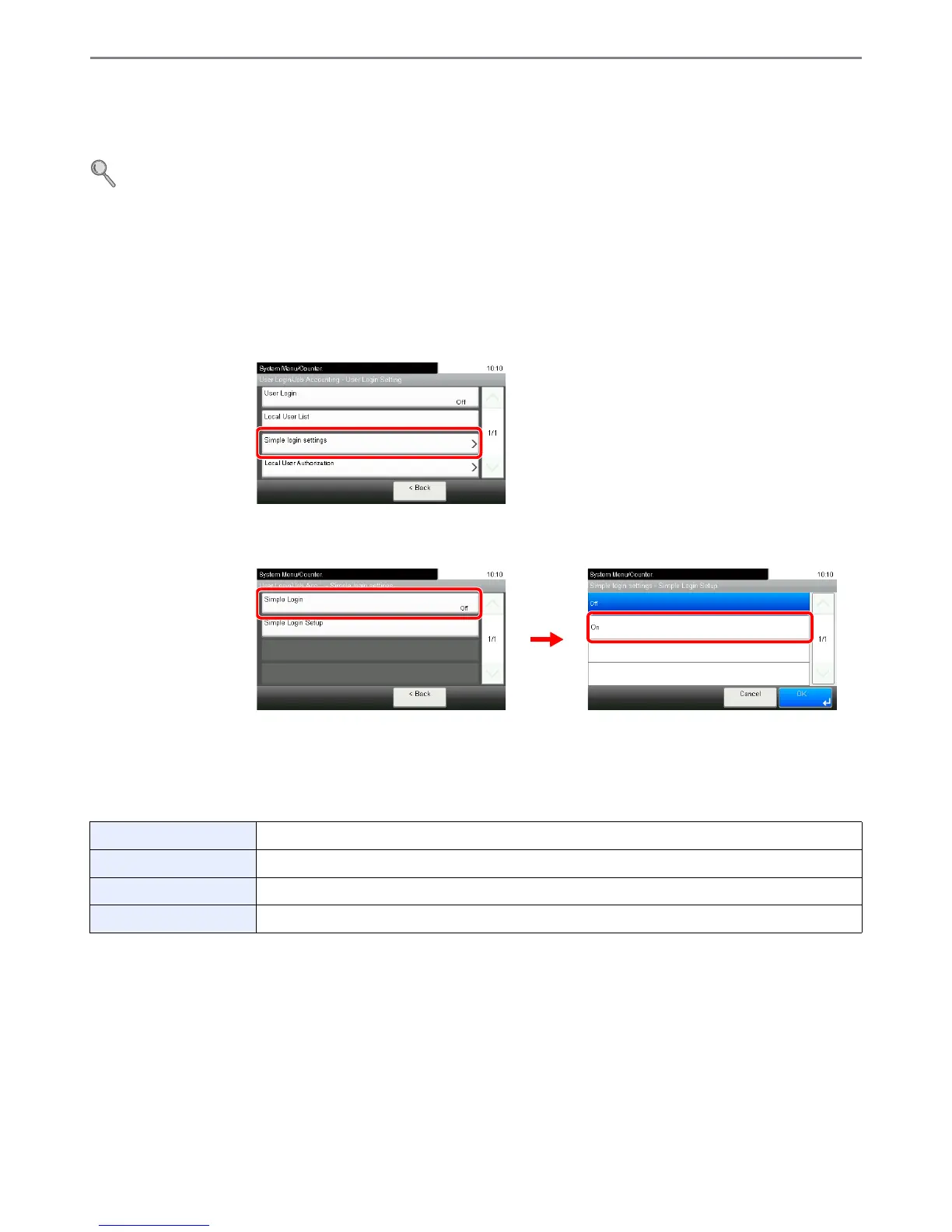
The simple login function allows users to log in simply by selecting a user name. Users must be registered in advance to
use this functionality.
For details, refer to Adding a User on page 9-30.
Simple Login Settings
Enable simple login.
1
Display the screen.
1 Referring to User Login Settings on page 9-26, display the screen.
2
2
Enable simple login.
Register a User
Register users to use simple login. Up to 20 users can be registered.
The table below explains the user information to be registered.
1
Display the screen.
1 Referring to User Login Settings on page 9-26, display the screen.
Name Set the user name to display on the Simple Login screen.
User Select which registered users can use simple login.
Password Login Set whether to require entry of a login password at login.
Icon Select the icon to display on the Simple Login screen.













 To Next Page