6-26
Sending > Registering Destinations in the Address Book
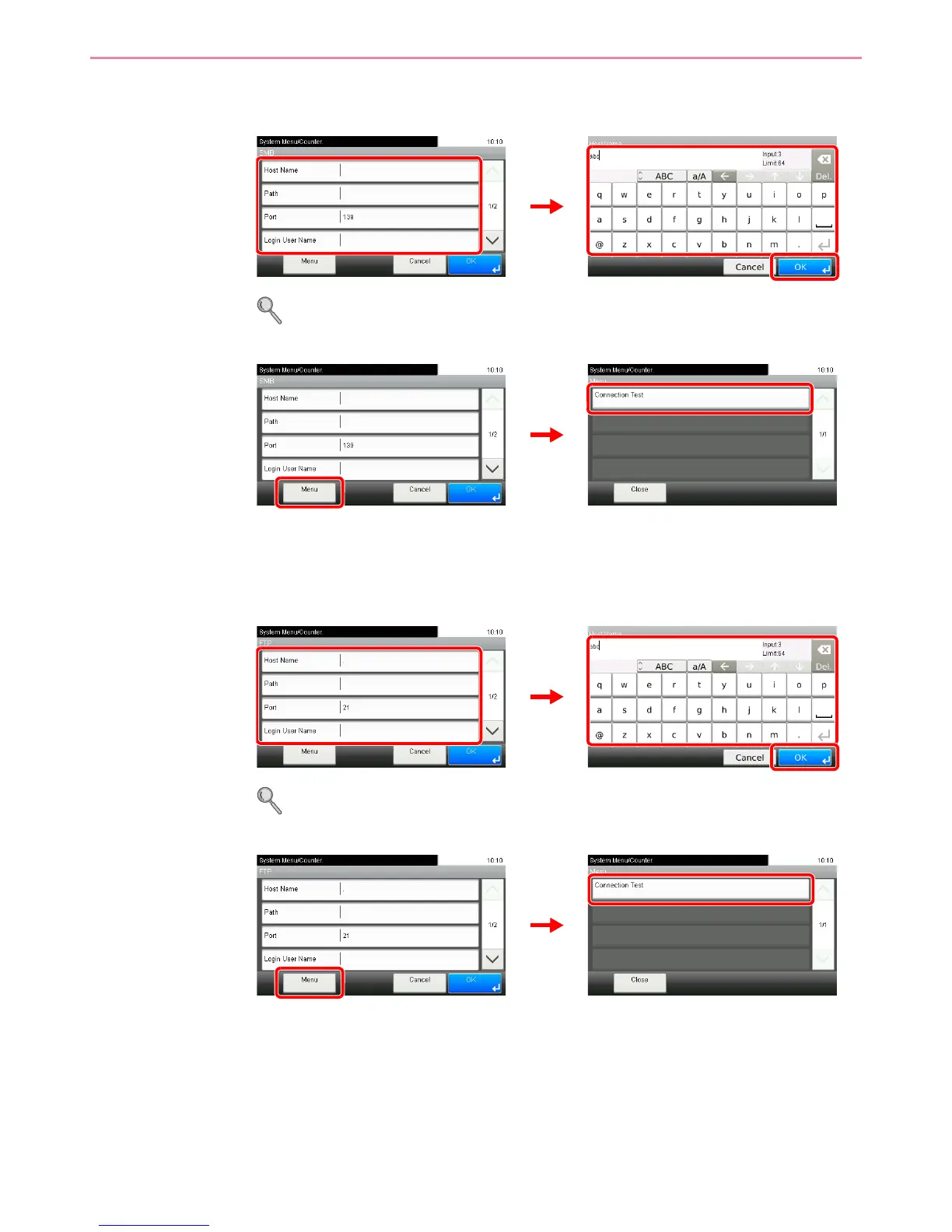
The Folder (SMB) Address
1 Enter Host Name, Path, Login User Name and Login Password.
For more information, refer to Specifying a New PC Folder on page 6-19.
2 Confirm the connection status.
Connected. appears when connection to the destination is correctly established. If Cannot
connect. appears, review the entry.
The Folder (FTP) Address
1 Enter Host Name, Path, Login User Name and Login Password.
For more information, refer to Specifying a New PC Folder on page 6-19.
2 Confirm the connection status.
Connected. appears when connection to the destination is correctly established. If Cannot
connect. appears, review the entry.













 To Next Page