9-45
Setup, Registration, and User Management > User Login Administration
1
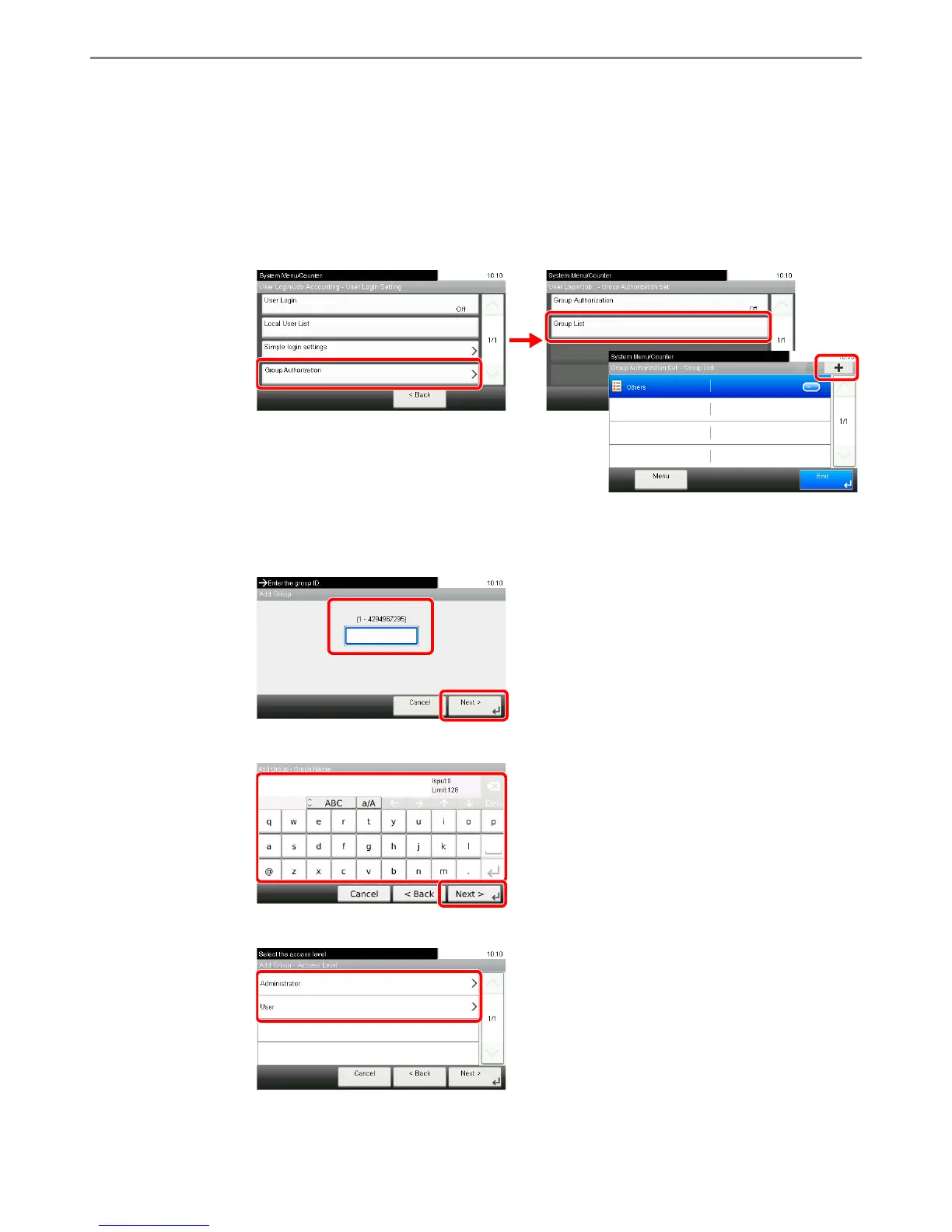
Display the screen.
1 Referring to User Login Settings on page 9-26, display the screen.
2
2
Enter the group information.
[Group ID]
[Group Name]
[Access Level]
* For Group ID, specify PrimaryGroupID assigned by ActiveDirectory of Windows. If you are using Windows Server 2008, check At-
tribute Editor tab of user properties. If you are using Windows Server 2000/2003, check ADSIEdit. ADSIEdit is a support tool in-
cluded on the installation CD-ROM for Windows Server OS (under \SUPPORT\TOOLS).
** This item is displayed when the optional fax is installed.













 To Next Page