1-14
Preface > About this Operation Guide
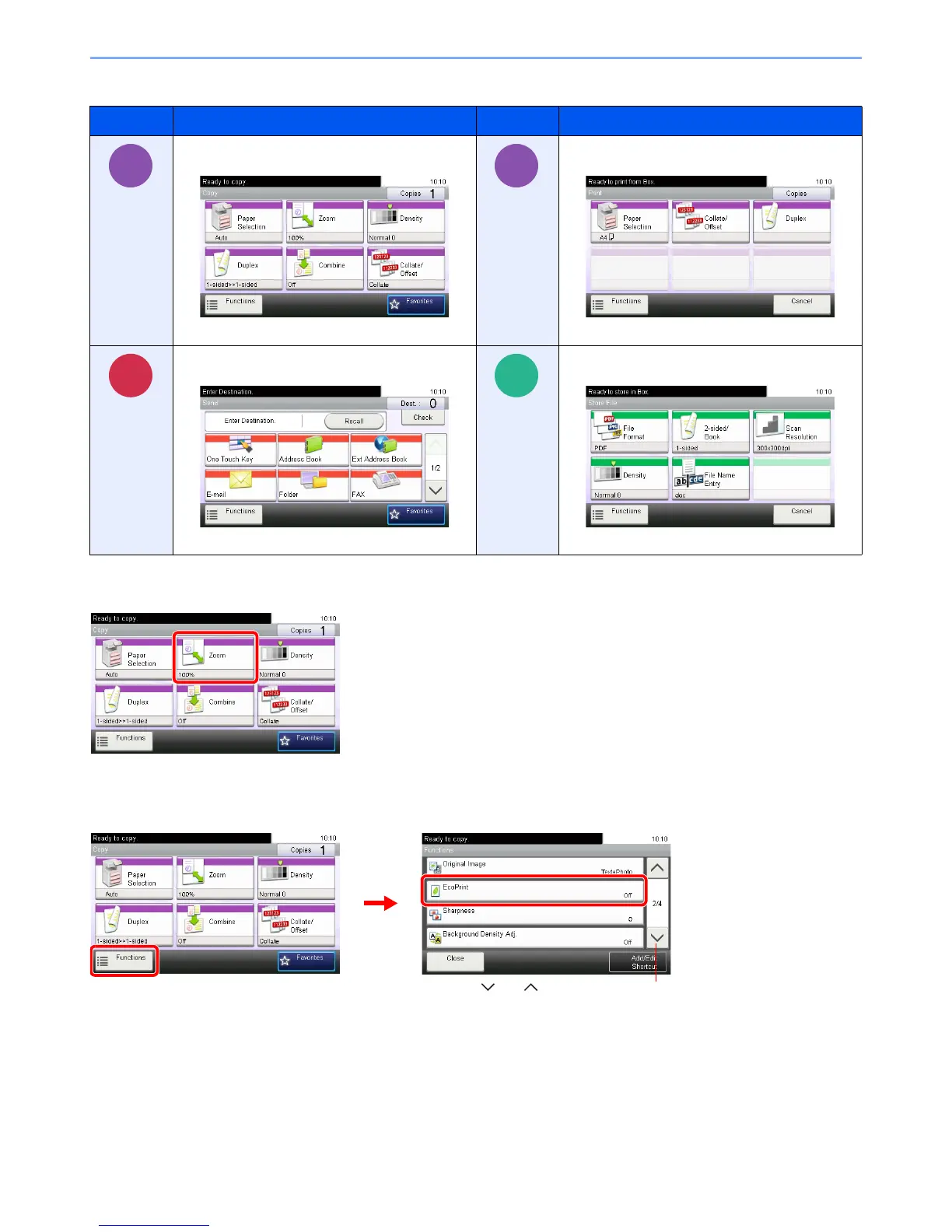
Job types for which each function can be set are shown with icons.
In this guide, steps where touch panel keys are used are outlined in red.
E.g.) Select [Zoom].
Procedures consisting of a series of operation panel and/or touch panel operations are numbered as follows:
E.g.) Select [Functions] and then [EcoPrint].
Icon Description Icon Description
This function can be set while copying a
document.
This function can be set while printing from USB
memory.
This function can be set while sending a
document.
This function can be set while saving a file to USB
memory.













 To Next Page