M A E D A Crawler Crane 5.9 FLY JIB (OPTION)
5/2020 CC1908S-1 5-71
The fly jib remote controller can be used only
while the following screen is displayed:
• Boom telescoping is possible using the
fly jib remote controller.
• Lower the safety lock lever before
operating.
• Operations other than winching are not
possible from inside the cab.
• The boom can be extended to a length of
6.0 m.
Telescoping will stop if an excessive load
is applied while telescoping the boom.
Check that the pins are properly attached
and not impeding telescoping.
If the machine is not in the correct
posture, the machine status recheck
screen will appear. If this screen
appears, repeat the procedure from
step 1 to configure the machine in the
correct posture. The fly jib remote
controller must be disconnected from
the connector in order to operate the
crane. Touch ✓ after configuring in the
correct posture to display the screen
allowing the fly jib remote controller to
be used.
9.
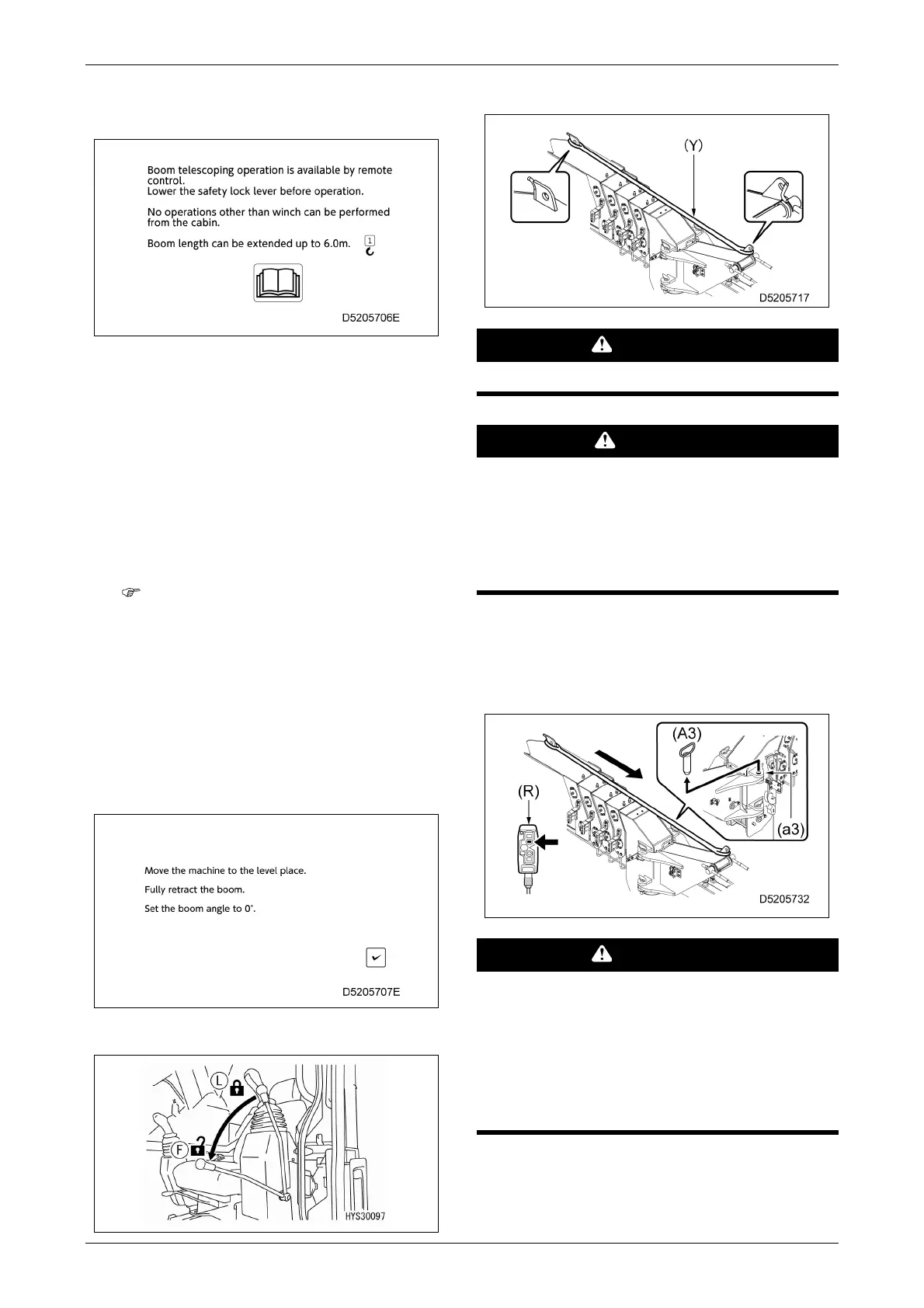
Place the lock lever in the free position (F).
10.
Attach the nylon sling (Y).
WARNING
Be sure to use the dedicated nylon sling.
CAUTION
• Attach the nylon sling making sure it is not
twisted.
• Attach the nylon sling making sure it does
not become caught on the grease nipple on
the top of the boom.
11.
Use the fly jib remote controller (R) to extend
the boom and adjust the hole positions
before removing position pin (A3) from the
upper hole (a3).
WARNING
• Do not extend the boom more than is
necessary.
• Do not insert fingers into the pin holes.
Align the hole positions visually.
• Operate using the fly jib remote controller
while standing on the ground.



 To Next Page