M A E D A Mini-Crawler Crane Section 4 – REMOTE CONTROL SYSTEM VERIFICATIONS
3/2019 MC305C-3 4-97
Verification of the LCD Screen Sign at the
"Crane Mode"
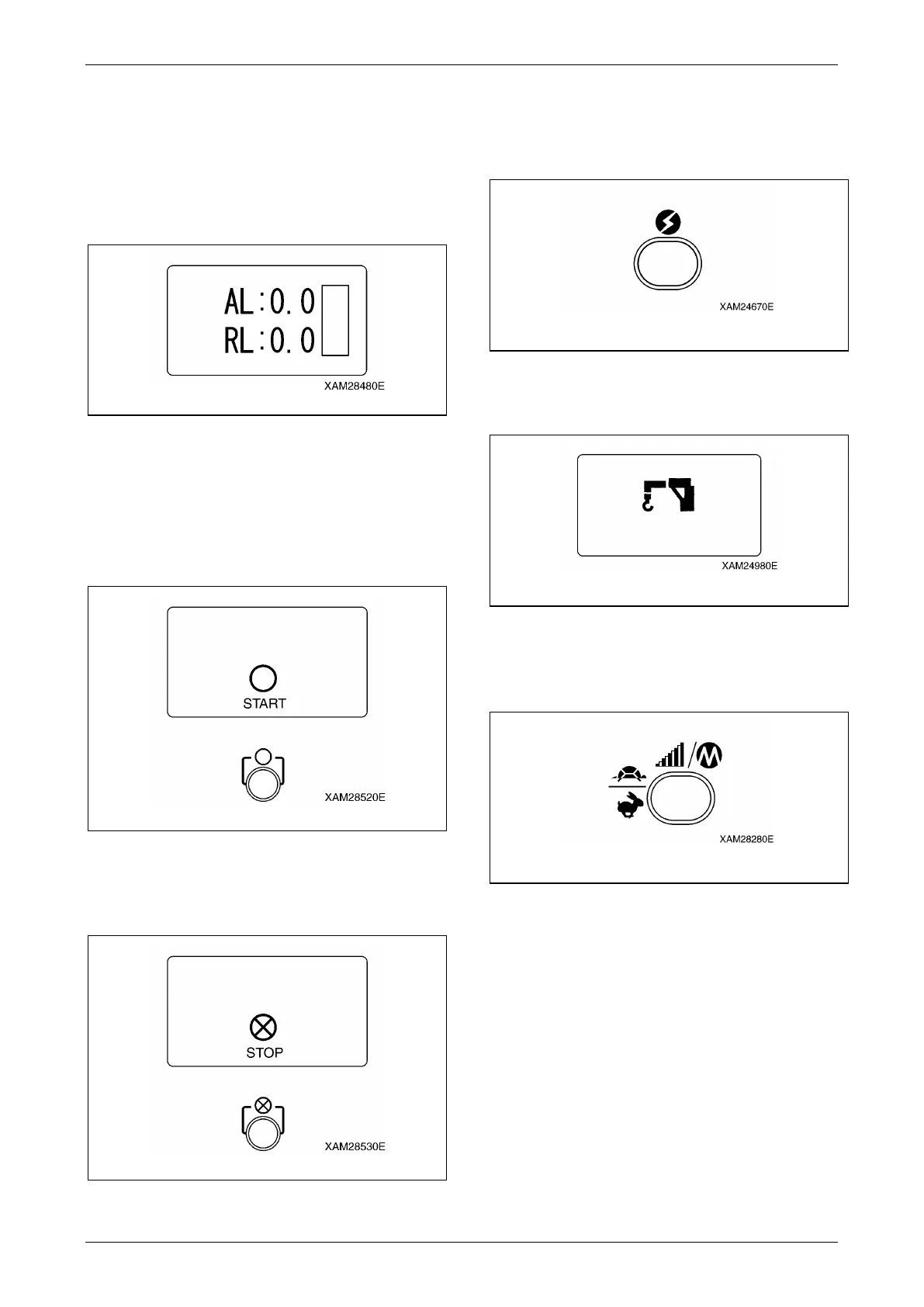
1. Compare the corresponding values in the
Transmitter and Moment limiter, i.e. "AL" to
"Actual Load", "RL" to "Rated Load", and
the "bar chart (in the right)" to "Load Factor",
to verify each is identical.
Fig. 4-268
2. Manipulate each control button and verify
that each indication in the LCD screen is
correct.
3. Verify that "START" is correctly displayed in
the LCD screen when the Start/Reset
button is pushed.
Fig. 4-269
4. Also, verify that "STOP" is correctly
displayed in the LCD screen when the
Stop/EMO button is pushed.
Fig. 4-270
Verification of the LCD Screen Sign at the
"Outrigger Mode"
1. Push the Power switch to once turn OFF the
Transmitter.
Fig. 4-271
2. Push the Power switch again to turn ON the
Transmitter.
Fig. 4-272
3. While the "Crane mark" is shown in the LCD
screen (for approx. 2 seconds), push the
Speed/Mode button for 2 seconds.
Fig.4-28
9
Fig. 4-273



 To Next Page