18.3.3 Lithium-ion battery pack – removal and replacement
The battery pack will need charging before you use it for the first time. It is charged outside the instrument.
WARNING : The Megger Li-ION battery pack must ONLY be charged using the approved Megger battery
charger MBC2100. These chargers are regulated for the Megger battery pack with internal charge control
and thermal protection. Using any other charger can be dangerous and may damage the battery.
The battery pack must be removed from the instrument for charging.
No tools are needed to remove the battery pack from the instrument.
To remove and replace the pack:
1. Turn the left-hand rotary knob to the off position.
2. Disconnect the test-leads from the instrument.
3. Pull apart the two spring loaded catches on the bottom of the instrument. The battery pack will pop up slightly
and is now free to remove.
4. Charge the battery pack with the MBC2100 battery charger.
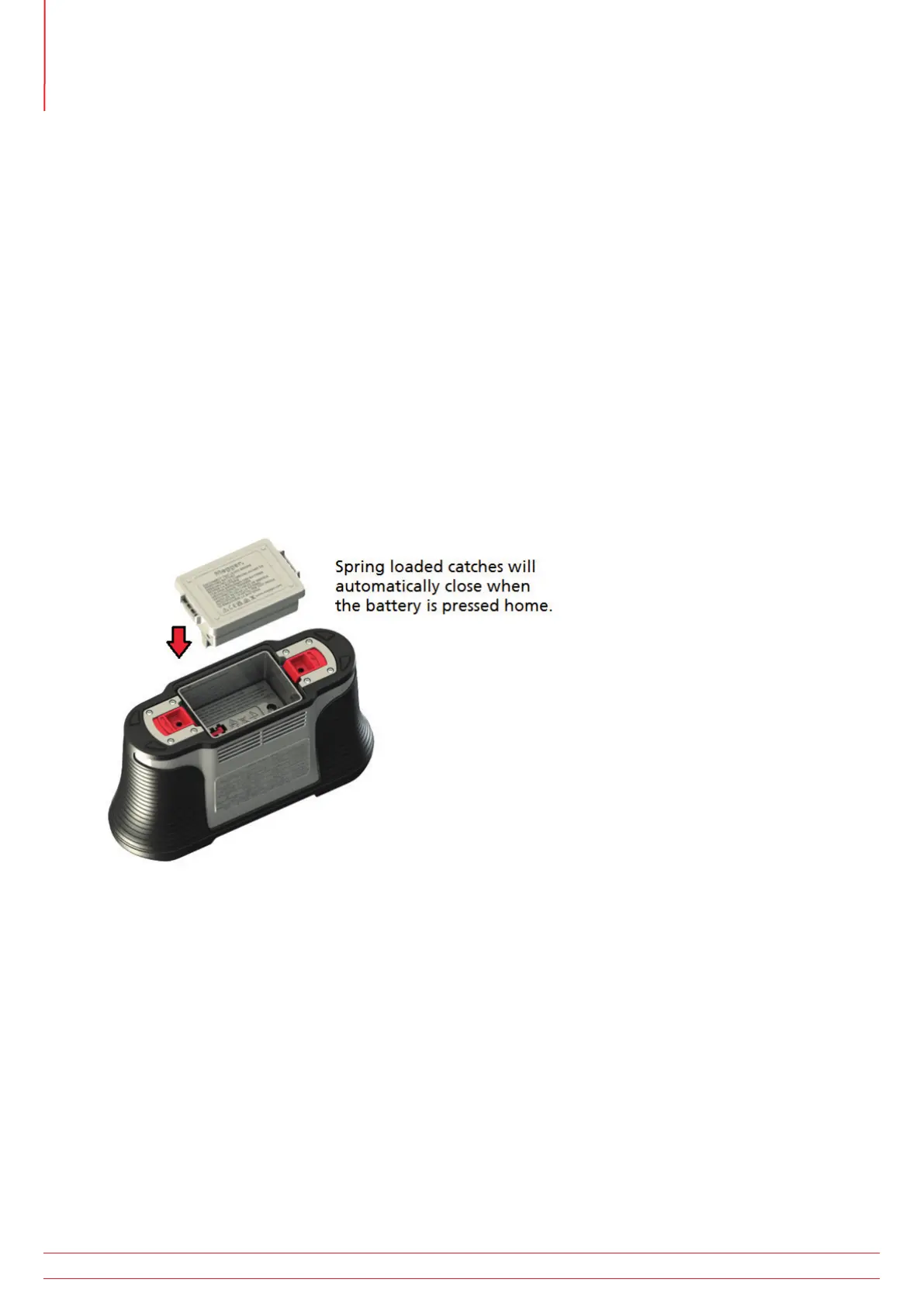
5. When charged, insert the battery pack into the instrument and push the battery pack fully home. The retaining
clips will automatically click into place.
Fig 58: Battery insertion
www.megger.com
MFT-X1
100
Service and maintenance



 To Next Page