9.3 Two-pole (2P) earth resistance measurements
WARNING : Electrically isolate the electrical supply to the installation connected to the earth electrode
you are testing. Confirm that it is isolated and that it cannot be accidentally re-energized. Only disconnect
the earth electrode where it is safe to do so otherwise dangerous voltages can be created on the building
earthing network.
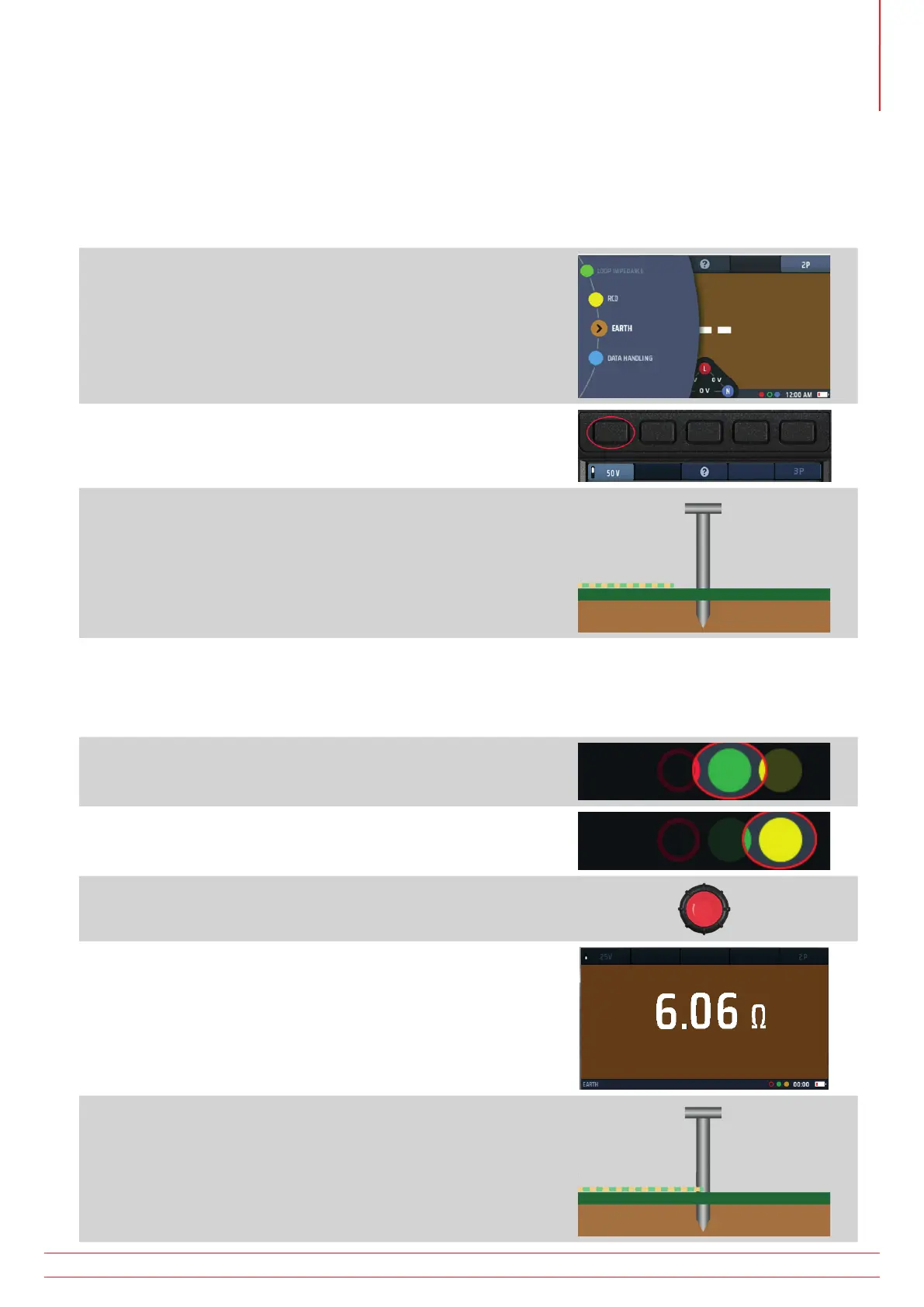
1. Turn the left-hand rotary knob to the earth test position (RE).
The display illuminates with a brown background.
2. Press Hot key 1 to select a test voltage of 25 V or 50 V.
NOTE : 50 V is usual, but 25 V can be used where 50 V may
present a risk to livestock
3. Disconnect the earth electrode if connected.
4. Drive a test stake into the ground at least 2 m away from the
electrode you are testing.
NOTE : Ideally the test stake should be as far away from the
main earth spike as the test-lead will allow (up to 30 m).
5. Plug a test lead into the green socket and connect it to the
electrode under test.
6. Plug a test lead into the yellow socket and connect it to the
test stake.
7. Press and release the test button.
8. At the end of the test, the main area of the display shows the
earth resistance.
9. Reconnect the earth electrode.
www.megger.com MFT-X1
39
Earth resistance measurement



 To Next Page