15.5.5 Setting the time
1. Select the time option, Refer to 15.5 General settings on page 78..
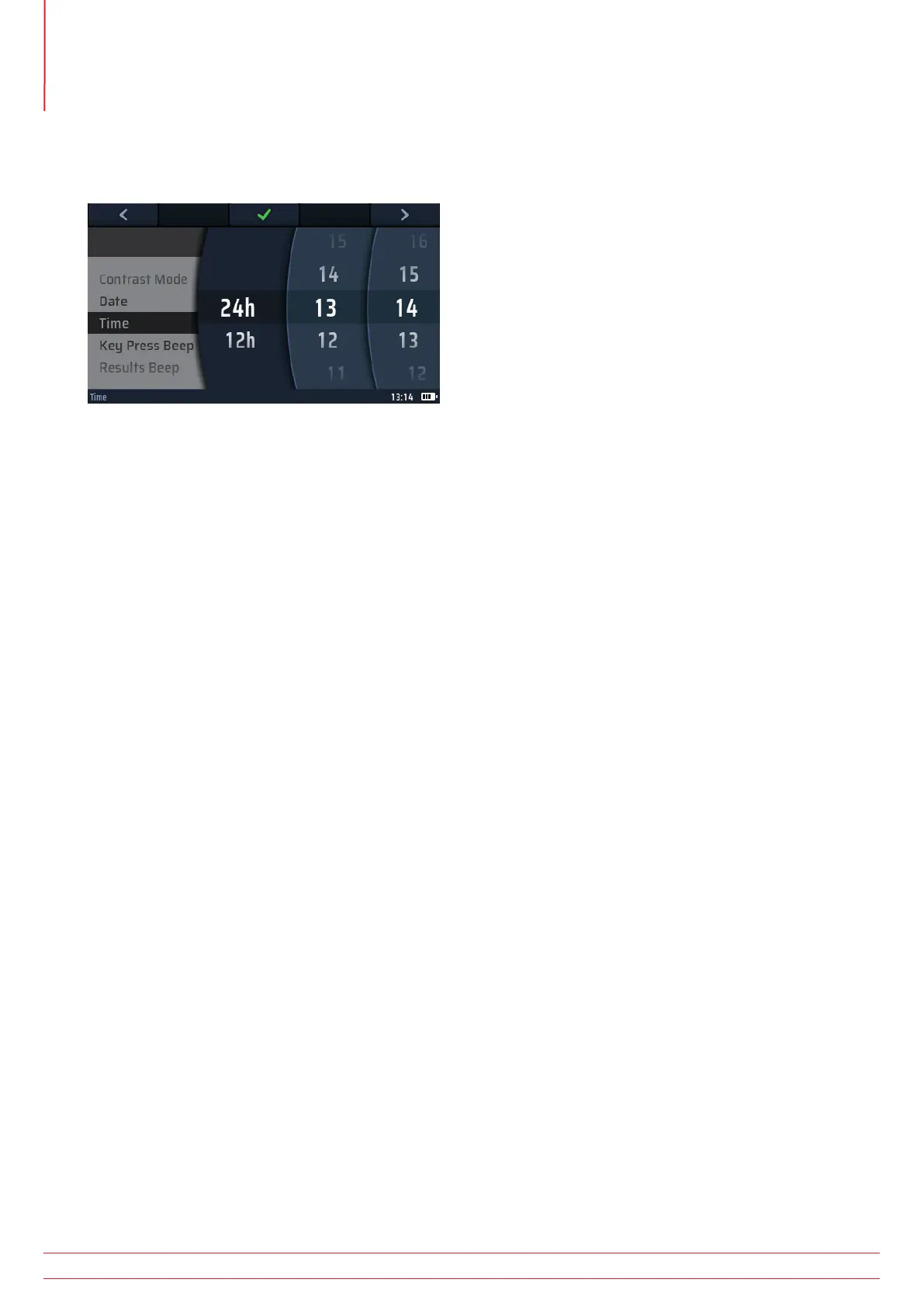
2. The main area of the display changes to show four discs
Fig 54: Setting the time
3. To rotate a disc, select it using Hot key 1 and Hot key 5, then turn the right-hand rotary knob.
4. Select the left-hand disc.
5. Rotate it to select either 24 hour or 12 hour clock.
NOTE : Selecting 12 hour clock will add a fourth wheel for AM or PM
6. Use Hot key 5 to move to the second disc from the left.
7. Rotate the disc to select the hour.
8. Use Hot key 5 to move to the third disc from the left.
9. Rotate the disc to select the minutes.
10. Use Hot key 5 to select the fourth disc from the left for AM or PM if a 12 hour clock is selected.
11. Rotate the disc to select either AM or PM (this setting is not available if you have chosen the 24 hour clock
setting).
12. Press Hot key 3 to confirm and store the time setting.
15.5.6 Key press beep
1. Select the key press beep option.
NOTE : If this option is on, the instrument beeps every time you press a key.
2. Press Hot key 3 to turn the key press beep off or on.
3. Your choice is stored automatically.
15.5.7 Results beep
1. Select the results beep option.
If this option is on, the instrument beeps when a measurement is complete and the results are ready.
2. Press Hot key 3 to turn the results beep off or on.
3. Your choice is stored automatically.
www.megger.com
MFT-X1
80
Instrument settings navigation



 To Next Page