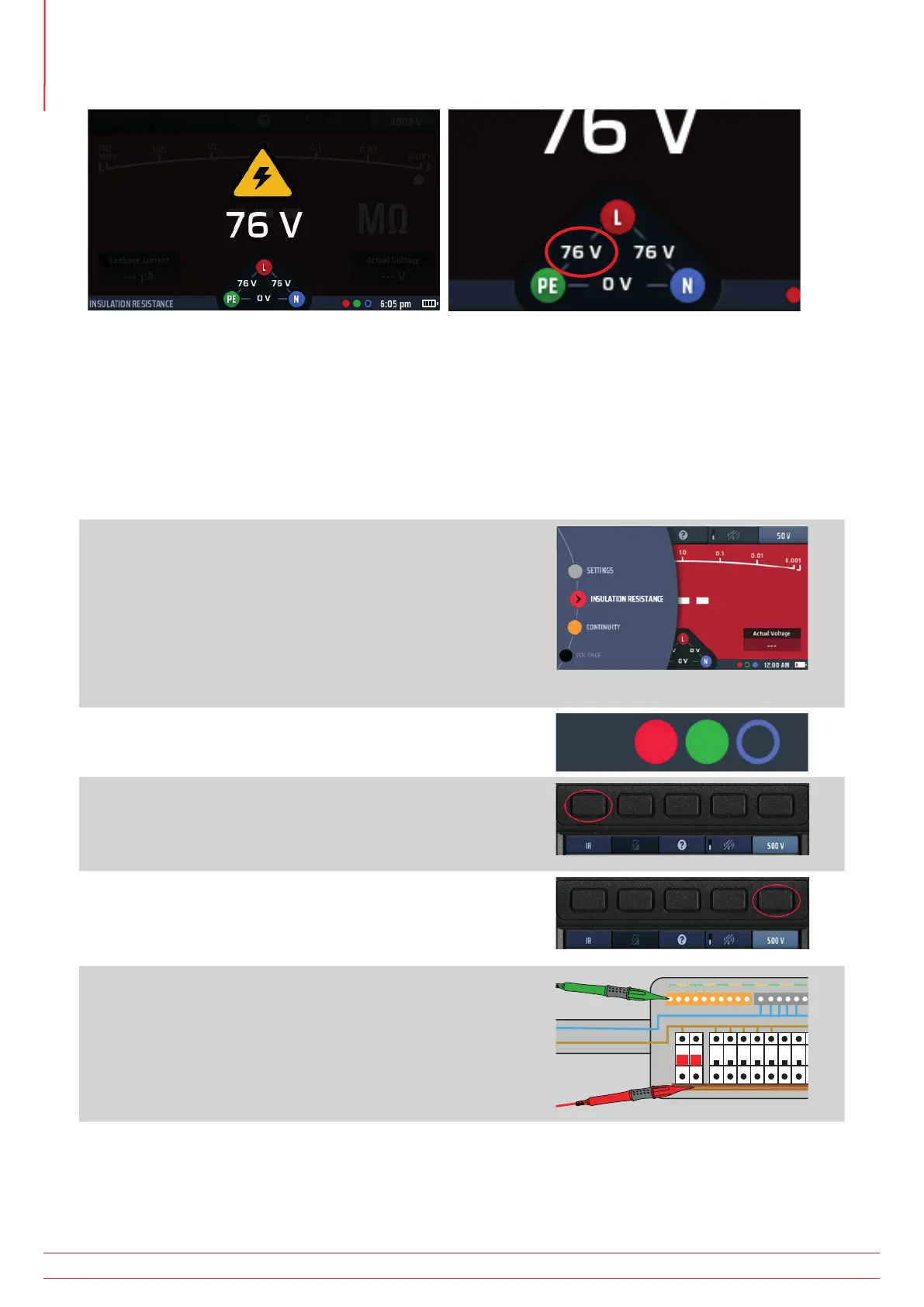
Fig 21: Live circuit warning screen Live circuit widget
The insulation test is inhibited.
The voltage widget will state where the live circuit connection is located.
The default live voltage limit is set to 30 V, but you can change this to 50 V or 75 V in settings
Refer to 15.7.1
Live voltage limit on page 83.
8.5 Insulation testing
1. Turn the left-hand rotary knob to the insulation test
position (MΩ).
The display illuminates with a red background.
2. Plug your test leads into the red and green sockets as
indicated in the INFO bar.
3. If necessary, repeatedly press Hot key 1 until the test type
shown below it is “IR”.
3.1. Alternatively, press Hot key 1 once and use the
right-hand rotary knob to select test type “IR”.
4. Press Hot key 5 until the test voltage you want is shown
below it.
4.1. Alternatively, press Hot key 5 once and use the
right-hand rotary knob to select the test voltage.
5. Connect your test-leads to the circuit or asset you want
to test.
www.megger.com
MFT-X1
34
Insulation testing



 To Next Page