14.12.3 Setting i-vdrop
i-vdrop is set manually
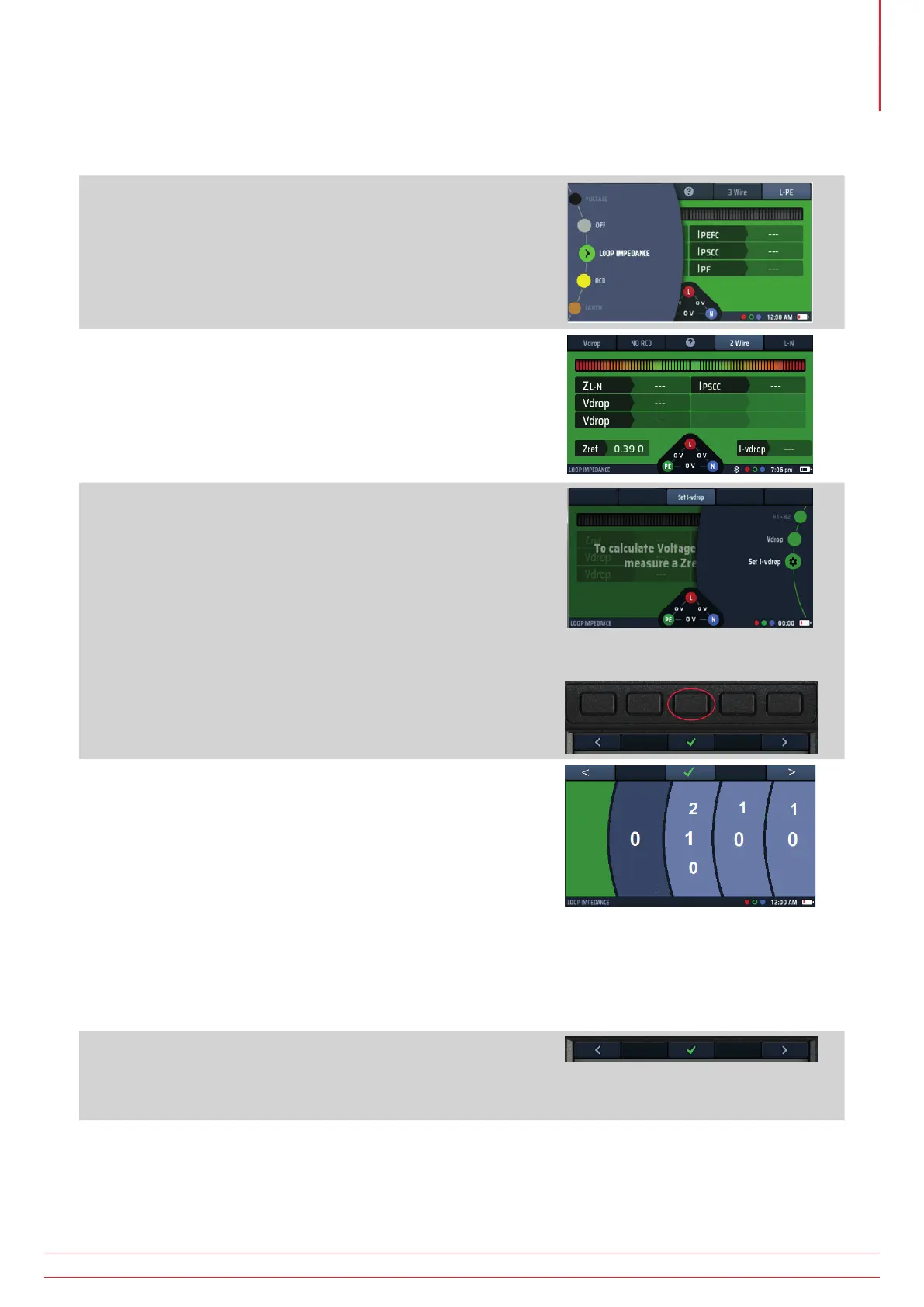
1. Turn the left-hand rotary knob to the Loop Impedance test
position (Z).
The display illuminates with a green background.
2. Repeatedly press Hot key 1 until Vdrop is shown.
2.1. Alternatively, press Hot key 1 once and use the right-
hand rotary knob.
3. Turn the right rotary knob to select Set i-vdrop.
Hot key 3 will change to Set i-vdrop for 3 seconds.
Press Hot key 3 to accept.
Fig 51: Set i-vdrop option
4. The main area of the display changes to show four
numbered discs. These represent the maximum circuit
current.
Typically, this can be found on the MCB protecting that
circuit.
5. To set the circuit current each disc is rotate to dial up the
correct current in mA.
Select a disc using Hot key 1 and Hot key 5, then turn the
right-hand rotary knob.
Rotate each of the discs until the maximum current for
the circuit in amps, is shown across the centre of the
display. For example, the diagram shows a current rating
of 32 A.
6. When you have selected the current rating you want, press
Hot key 3 to confirm it.
The circuit maximum current (i-vdrop) is now set and will
be shown in the lower right of the V-drop display.
7. To change the i-vdrop current, repeat this procedure,
remembering to press Hot key 3 to confirm the new setting.
www.megger.com MFT-X1
75
Earth Loop Impedance testing – TrueLoop™



 To Next Page