13.9.2 Setting the VAR option
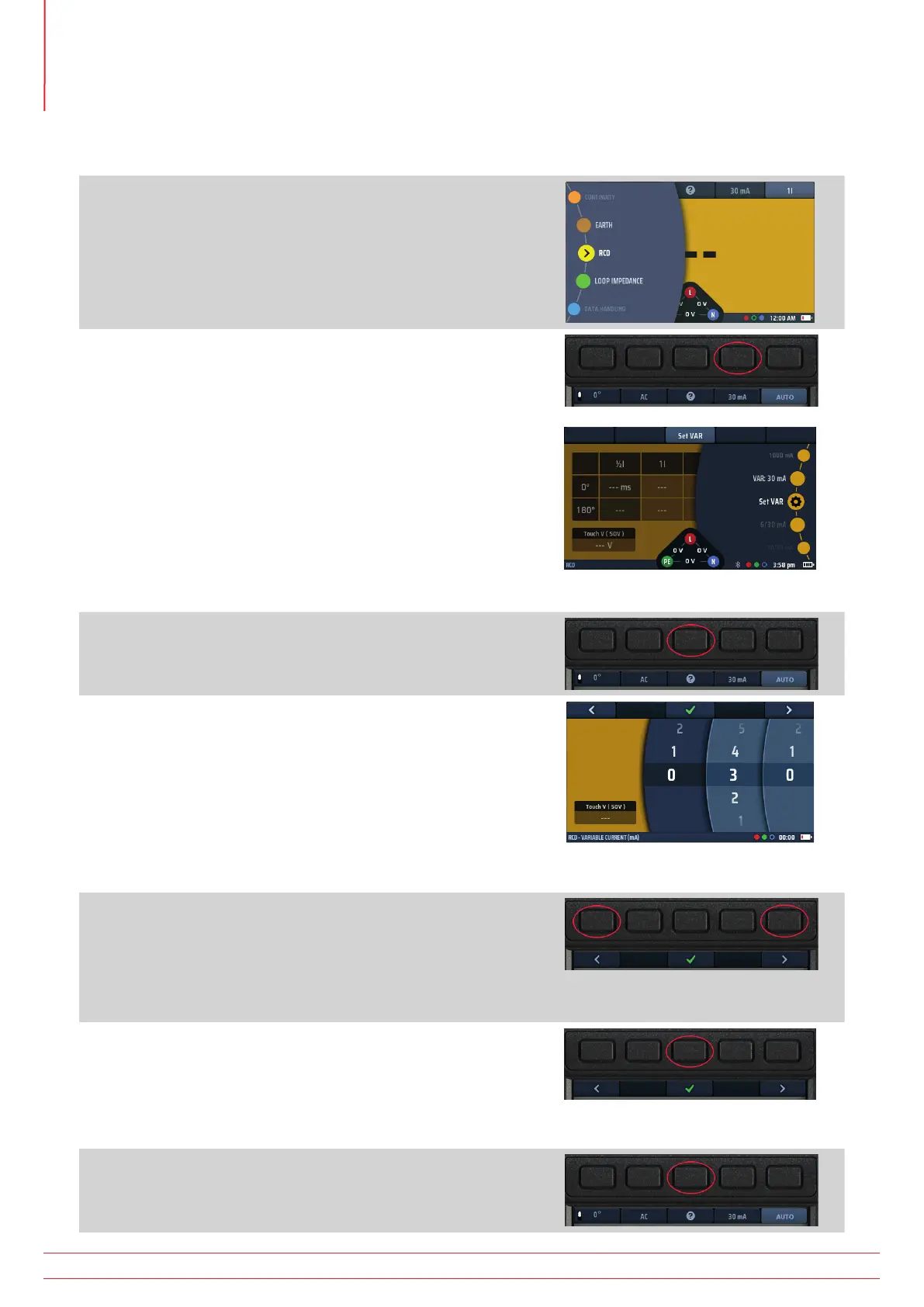
To set the VAR option
1. Turn the left-hand rotary knob to the RCD test position
(RCD).
The display illuminates with a yellow background.
2. Press Hot key 4 to activate options and turn the right rotary
knob to select Set VAR.
The Set VAR option will automatically appear under
Hot key 3
Be careful to choose the Set VAR option!
This is not the same as the VAR option.
NOTE : This function can ONLY be accessed on the right
rotary knob.
Fig 45: Set VAR option
3. When you have selected Set VAR on the rotary knob, press
Hot key 3, Set VAR.
4. The main area of the display changes to show three
numbered discs. These discs show the rating of the RCD
in mA.
The dark wheel is the active wheel.
So:
011 = 11 mA
127 = 127 mA
990 = 990 mA etc
Fig 46: Set VAR numbered discs
5. To rotate a disc, select it using Hot key 1 and Hot key 5, then
turn the right-hand rotary knob. The active disc is in dark
blue
6. Rotate each of the discs until the current rating, in mA, of
the RCD you want to test is shown across the centre of the
display.
7. When you have selected the current rating you want, press
Hot key 3 to confirm it.
The VAR option is now set.
Pressing a test button will now run the selected test with the
VAR value.
8. To change the VAR setting, repeat this procedure,
remembering to press Hot key 3 to confirm the new setting.
www.megger.com
MFT-X1
60
Residual current device (RCD) testing



 To Next Page