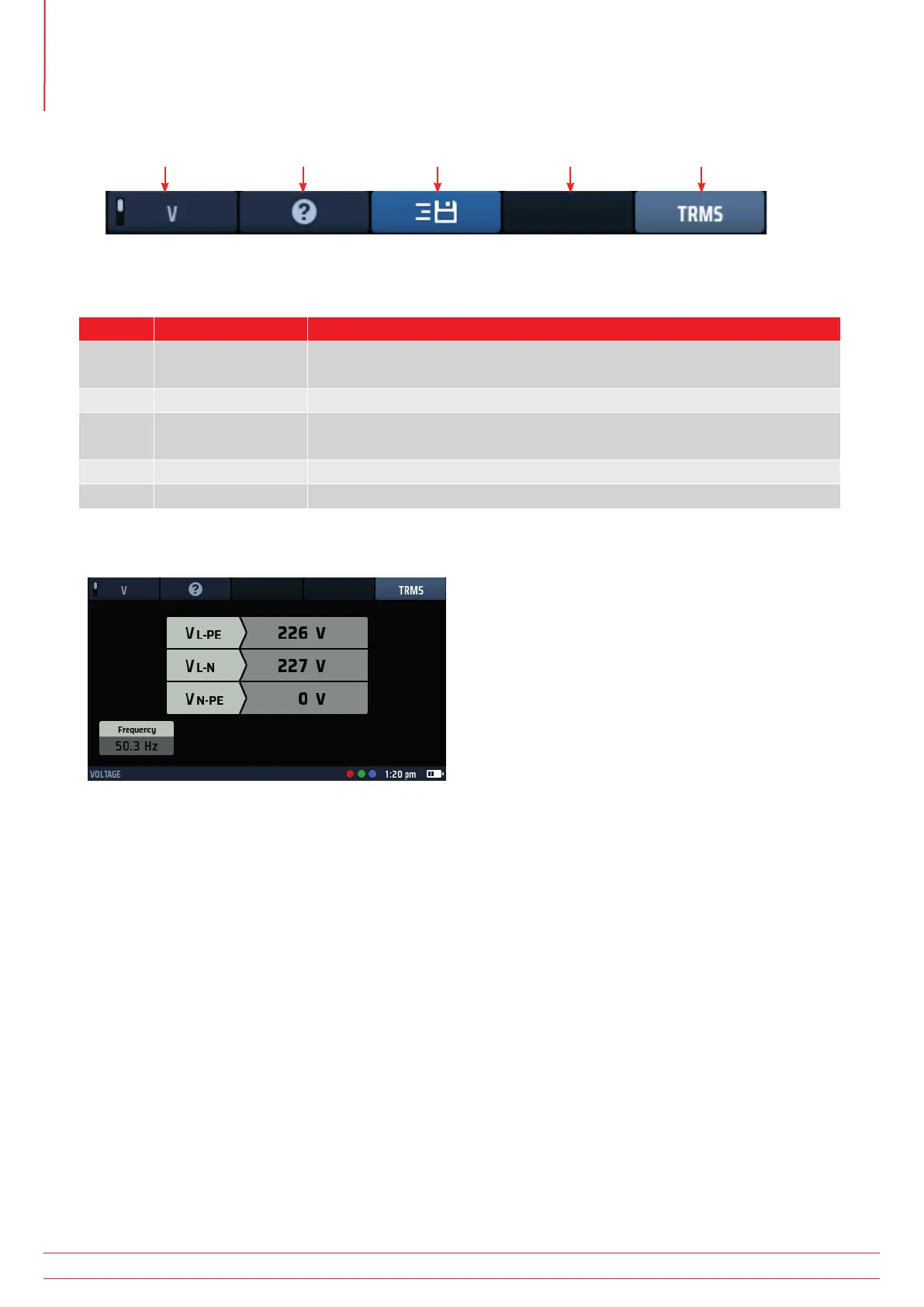
11.2 Hot keys for voltage measurements
Hot key 1 Hot key 2 Hot key 3 Hot key 4 Hot key 5
Fig 32: Voltage Hot keys
Hot key Function Description
1 Volt/millivolt
Press to select millivolt measurement, press again to return to normal
voltage mode.
2 Help Press for help on voltage measurement.
3 Save to CertSuite
Press to send the results to a connected Bluetooth
®
device Refer to 16.7
Sending test results to CertSuite™ on page 92.
4 Not used.
5 Measurement type Press repeatedly to switch between TRMS, AC and DC measurements.
11.3 Display for voltage measurements
Fig 33: Voltage single phase
11.4 All voltage measurements
The displayed voltage updates continuously but if you want to send your results to a connected Bluetooth
®
device you can do this by pressing Hot key 3.
The default mode for voltage measurements is TRMS. To select AC-only or DC-only modes, press the Hot key 5
until the box below it on the screen shows the mode you want.
Alternatively, you can select the mode by pressing Hot key 5 once and using the right-hand rotary knob.
To get help, press Hot key 2 at any time.
The voltage widget is inhibited during voltage tests as the main bar of the display shows the voltages more
accurately.
www.megger.com
MFT-X1
44
Voltage measurement



 To Next Page