4.2.2 High contrast mode
Alternatively the display can be set to a black-on-white high contrast mode for bright sunlit environments.
Refer to 15.5.3 Contrast mode on page 79.
4.3 Instrument controls
The MFT-X1 has two rotary selector knobs. These allow the user to select the main measurement functions and the
Hot key minor measurement functions:
Left rotary selector – Main measurement modes
Right rotary selector – Hot key selection options
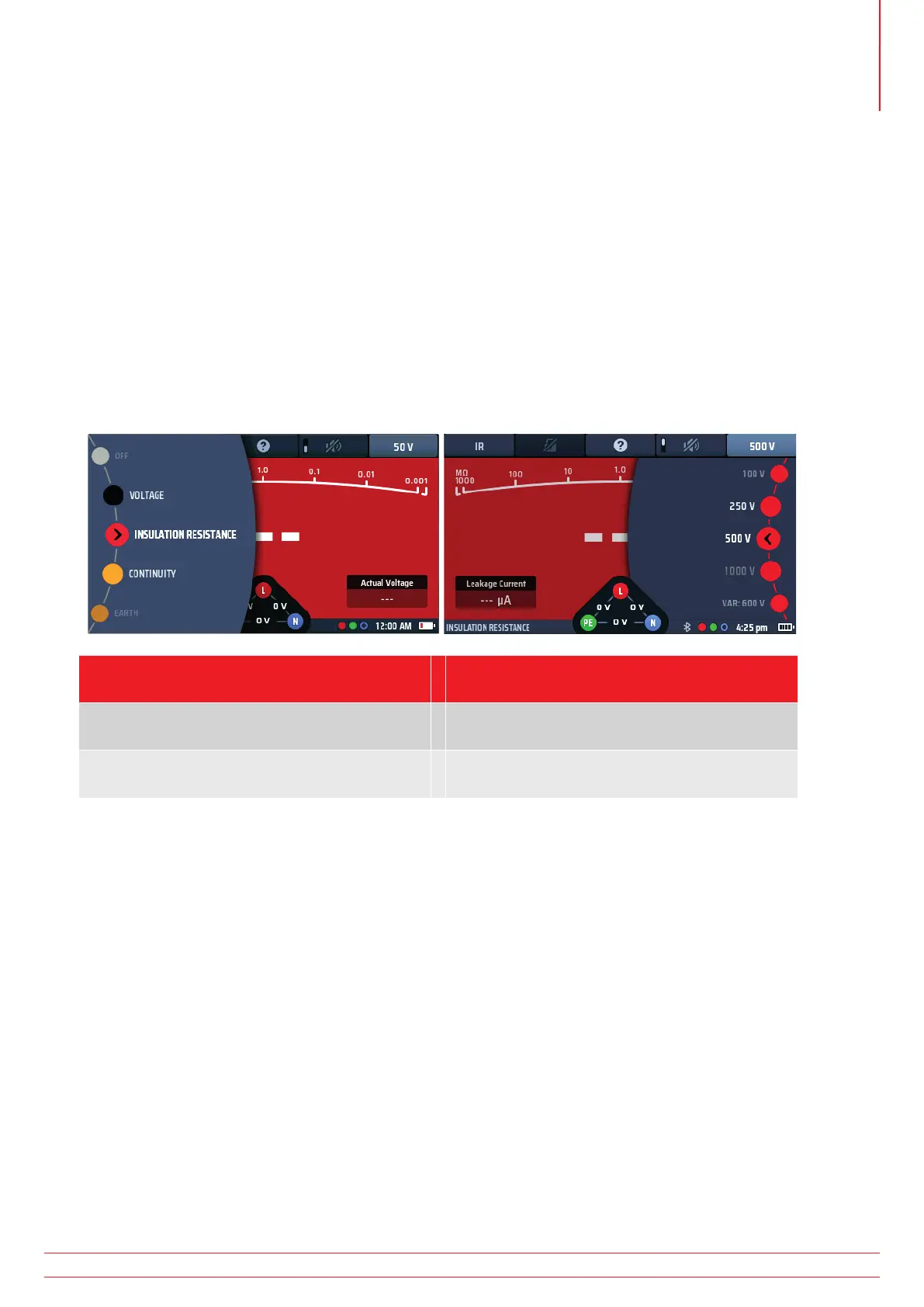
When you turn either of the rotary knobs, the part of the main display area close to that knob shows the options
you can select and which of them you have currently selected. When you stop turning the knob, this option display
disappears after two seconds.
Turning the LEFT selector wheel Turning the RIGHT selector wheel*
(see note below)
Shows the options and the selected function for
the main test modes
Shows the options and selection of the current
active Hot key
Options never change unless instrument
operating system is upgraded
Options change depending on Hot key selected.
NOTE : The right selector wheel is only available where a Hot key has more than two options available,
such as Insulation test voltage. Buzzer ON or OFF will not call a selector wheel.
4.3.1 The left-hand rotary knob
The left-hand rotary knob is used to turn the instrument off and to select the main test functions. It is also used to
select the instrument set-up mode.
This knob calls the main function options in the display screen.
As the rotary knob is turned the selected function turns in the display.
The functions are colour coded to match the display colours.
4.3.2 The right-hand rotary knob
The right-hand rotary knob selects the secondary test options. For example, when you are measuring insulation
resistance, you can use this knob to select the test voltage, as shown below:
The options you can select with the right hand knob depend on the type of test you are carrying out and on which
Hot key you have pressed.
In the example above, Hot key 5 is active, allowing the range knob to show the available test voltages.
www.megger.com MFT-X1
19
Instrument Controls



 To Next Page