4.3.5 Voltage widget
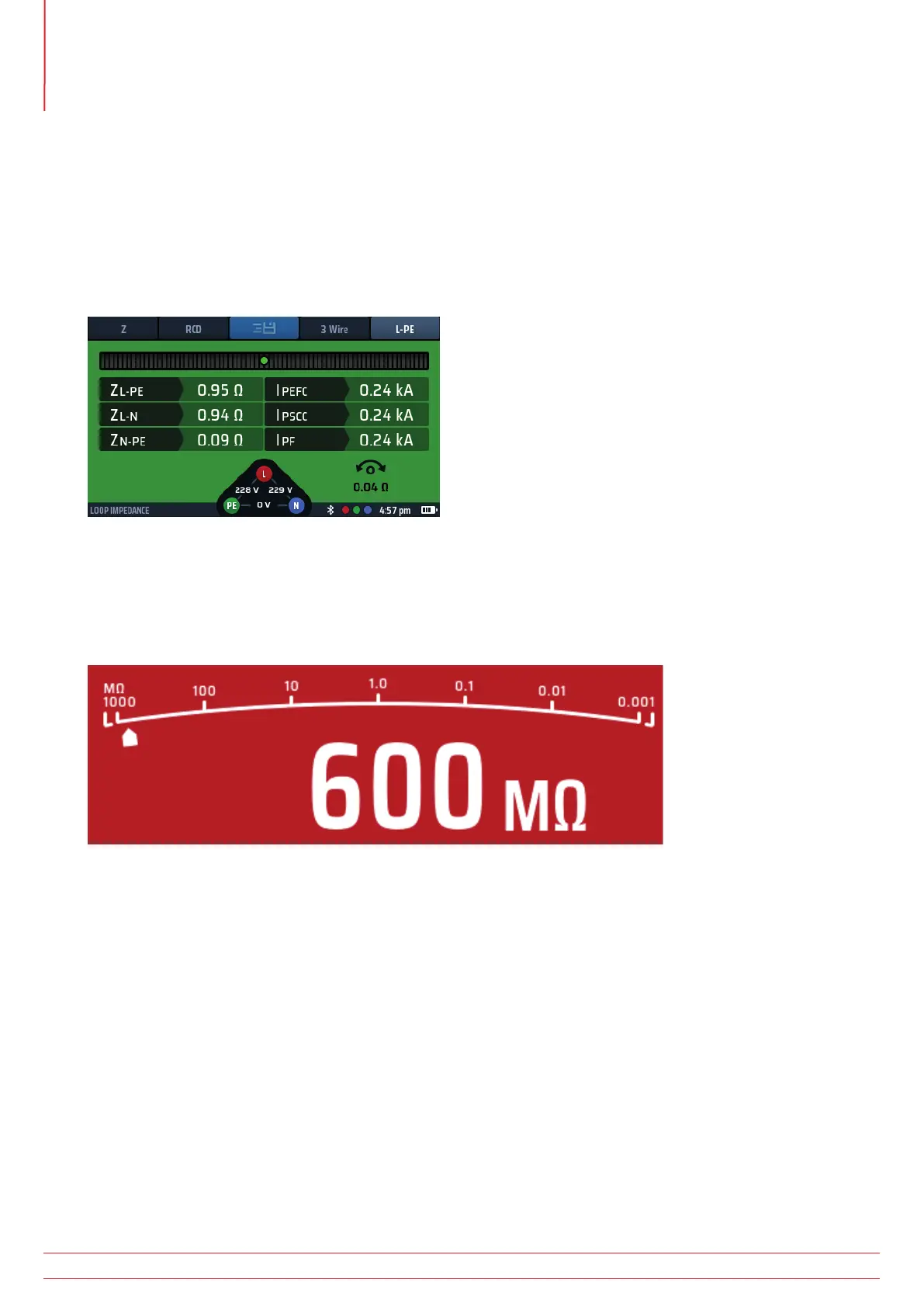
At the bottom centre of the screen is the voltage widget, which appears when you select any test mode except
voltage or current measurement.
The widget is a triangular with a dot in each corner. The dots are coloured green, red and blue, and they correspond
with the test sockets on the rear of the instrument which have the same colours.
The widget continuously shows the voltages between the test sockets.
The widget will disappear during a live test but appear immediately after the test has stopped.
Fig 6: Voltage widget
4.3.6 Analogue arc
When you are carrying out Continuity, Insulation Resistance or RCD ramp tests, an analogue arc appears across the
top of the main bar area of the display.
Fig 7: Analogue arc
All the arcs used in the instrument, with the exception of the RCD ramp test are log scale arcs. The value at each of
the markers increases by a multiple of ten. This allows the arc to give good resolution at the lower values but cover a
very wide measurement range without having multiple range changes.
The ‘pointer’ on this arc moves across the arc to give an indication of the measured value. The behavior of the pointer
can provide extra information about the condition of the circuit. Refer to 8. Insulation testing on page 32.
www.megger.com
MFT-X1
22
Instrument Controls



 To Next Page