15.5.1 Screen brightness
1. Select the screen brightness option and press the check Hot key (3) to enter.
2. Turn the right-hand rotary knob to select the brightness setting you want.
The choices are 10% to 100% in 10% steps
3. When you have made your selection either press Hot key 3 to confirm it or wait three seconds for
automatic confirmation.
15.5.2 Backlight timer
1. Select the backlight timer option and press the green check Hot key 3.
2. Turn the right-hand rotary knob to choose how long the backlight stays on before being turning off
automatically. The choices are:
20 seconds
60 seconds
Never – The backlight stays on permanently. This can cause excessive battery usage.
3. When you have made your selection either press the green check button (Hot key 3) to confirm or wait three
seconds for automatic confirmation.
15.5.3 Contrast mode
1. Select the screen contrast mode option.
2. Press Hot key 3 to swap between colour and black-and-white.
3. Your choice is stored automatically.
15.5.4 Setting the date
1. Select the date option.
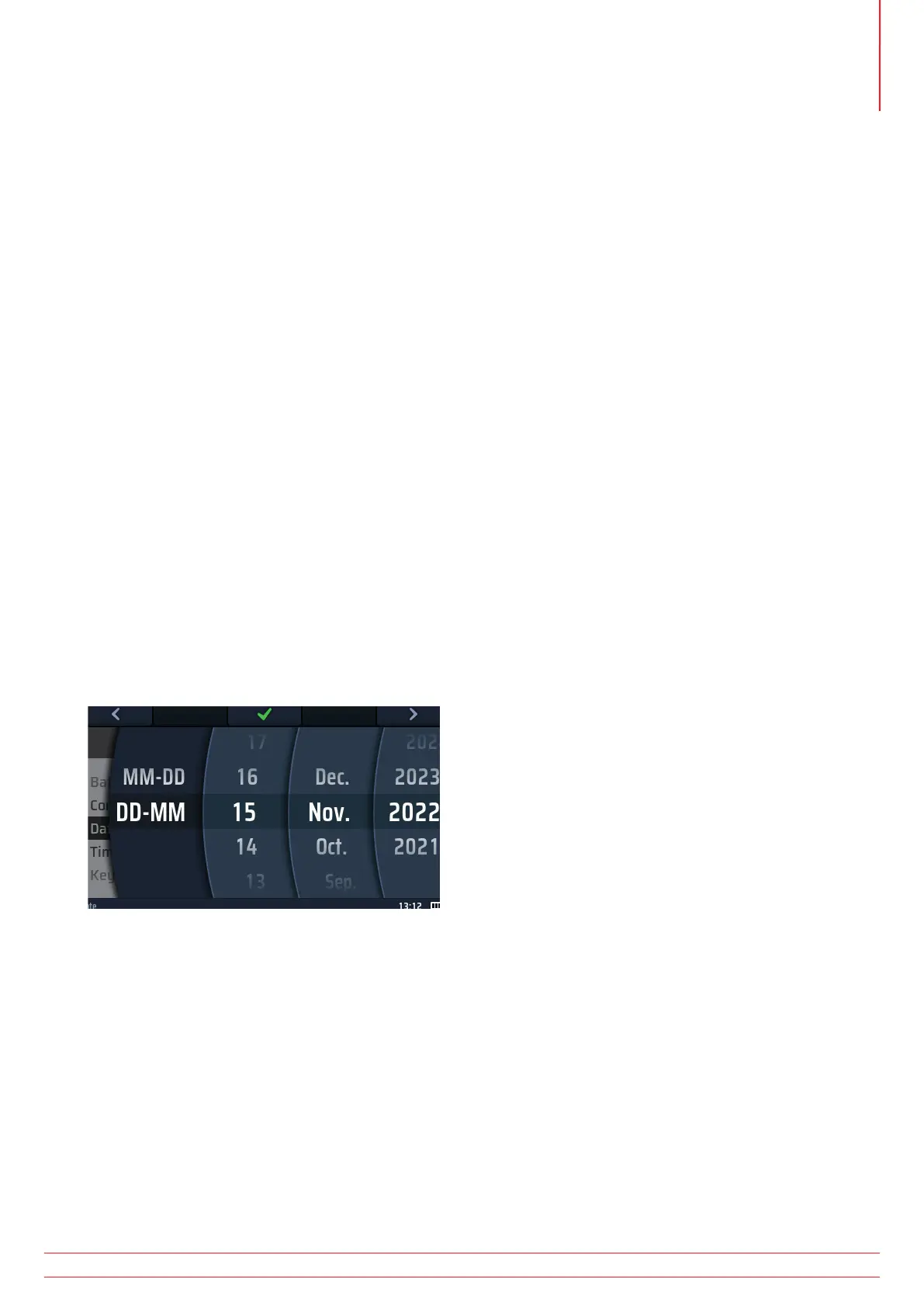
2. The main area of the display changes to show four discs (see the diagram below).
Fig 53: Setting the date
3. To rotate a disc, select it using Hot key 1 and Hot key 5, then turn the right-hand rotary knob.
NOTE : The dark disc is the active disc.
4. Select the left-hand disc.
5. Rotate it to select the date format. The choices are MM-DD (month, day) or DD-MM (day, month).
6. Use Hot key 5 to move to the second disc from the left.
7. Rotate the disc to select the day of the month.
8. Use Hot key 5 to move to the third disc from the left.
9. Rotate the disc to select the month.
10. Use Hot key 5 to select the fourth disc from the left.
11. Rotate the disc to select the year.
12. Press Hot key 3 to confirm and store the date setting.
www.megger.com MFT-X1
79
Instrument settings navigation



 To Next Page