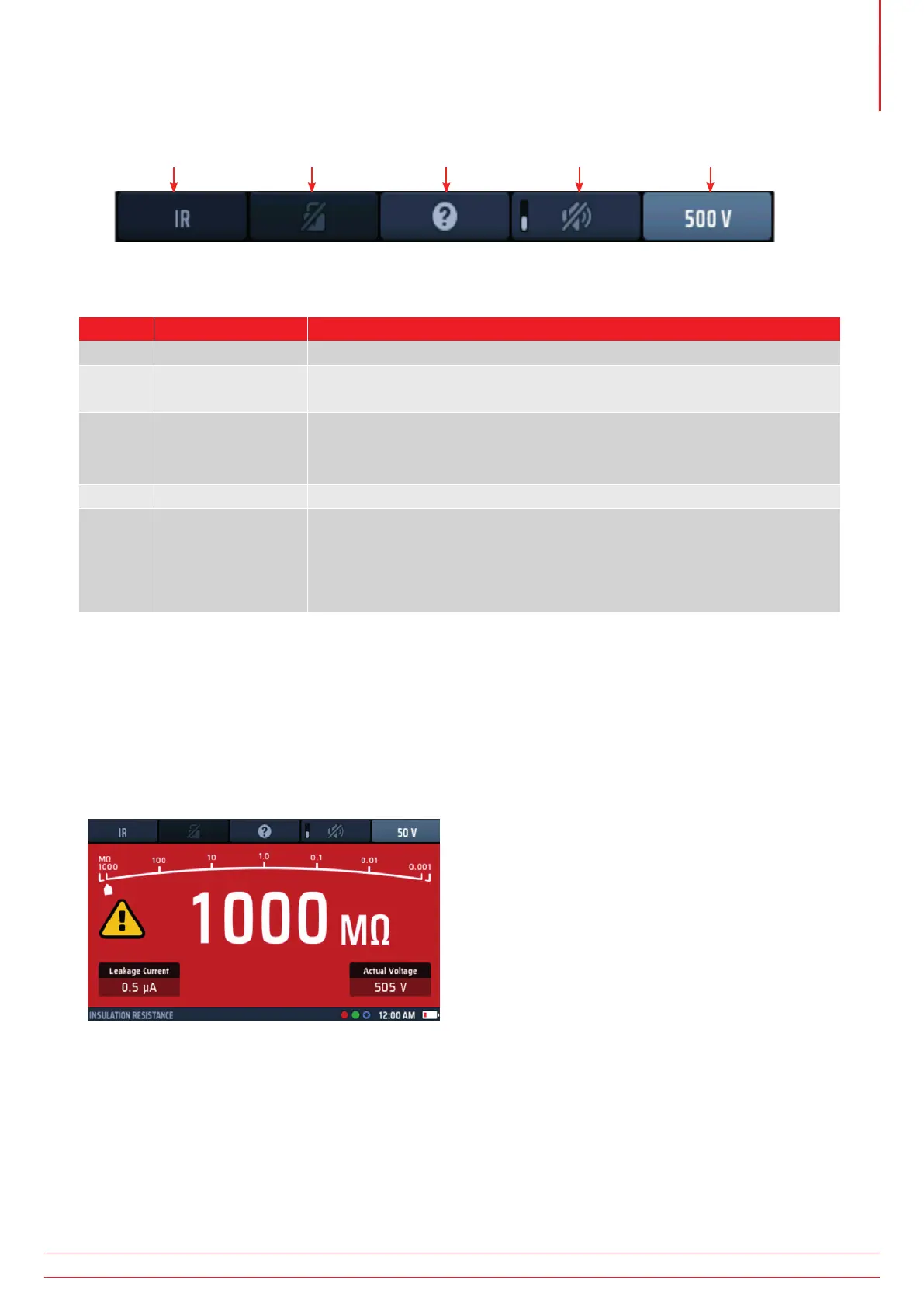
8.3 Hot keys for insulation tests
Hot key 1 Hot key 2 Hot key 3 Hot key 4 Hot key 5
Fig 19: Insulation test Hot keys
Hot key Function Description
1 Not used
2 Test lock
Press after the test has started to lock the test on and press again to stop
the test. Alternatively press the TEST button to stop the test.
3 Help/Save
Before starting a test, press for help on insulation testing.
When the test is complete, press to transfer the result to a connected
Bluetooth
®
device.
4 Buzzer On/Off Press to enable the buzzer, press again to disable the buzzer.
5 Test voltage
Press repeatedly to select the test voltage.
Available options are 50 V, 100 V, 250 V, 500 V, 1,000 V and VAR (variable).
NOTE : 1000 V is disabled from the factory but can be enabled in
SETUP. VAR value is changes in SETUP
8.4 All insulation tests
The test button must be held down for the duration of the test or the lock button (Hot key 2) pressed during the
test.
For 1,000 V tests, the display flashes during the three second delay period before the test starts and a progress
bar is displayed.
When the test voltage is turned on, or the circuit under test is not fully discharged, a warning triangle is shown
at the left of the display.
Fig 20: Insulation test in progress
The leakage current flowing in the circuit under test is shown at the bottom left of the display.
The test voltage you have selected is shown on Hot key 5. The instrument also shows the actual test voltage at
the lower right of the display.
When the instrument is discharging a circuit at the end of a test, the residual voltage is shown and the display
flashes.
If you have an insulation test selected and you connect the test-leads to a circuit carrying a voltage greater than
the live voltage limit, a lightning warning symbol flashes in the display, an audible warning sounds and the
voltage widget appears, as shown below:
www.megger.com MFT-X1
33
Insulation testing



 To Next Page