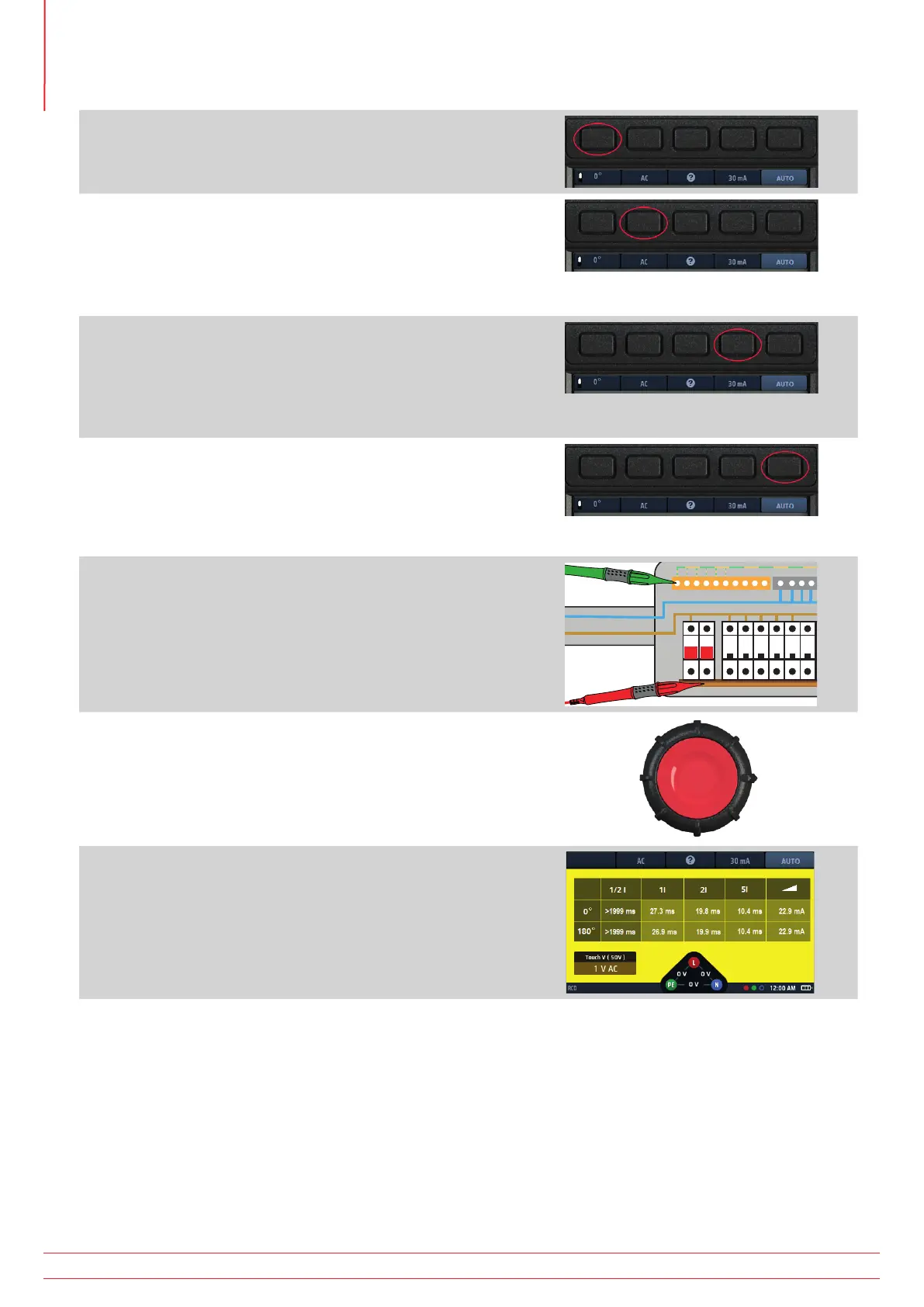
3. Press Hot key 1 to select either a 0º or a 180º test
4. Repeatedly press Hot key 2 until the type of RCD you are
testing is shown.
4.1. Alternatively, press Hot key 2 once and use the right-
hand rotary knob to select the type of RCD you are
testing.
5. Repeatedly press Hot key 4 until the current rating of the
RCD you are testing is shown.
5.1. Alternatively, press Hot key 4 once and use the right-
hand rotary knob to select the current rating of the
RCD you are testing as shown on the right.
6. Repeatedly press Hot key 5 until the test current option you
want is shown.
Available options are ½ x I, 1 x I, 2 x I and 5 x I.
6.1. Alternatively, press Hot key 5 once and use the right-
hand rotary knob to select the current option
7. Connect your test-leads to the circuit on the load side of the
RCD you want to test.
Use a three-wire connection if you want the instrument to
warn you of reversed L and N.
8. Press and release the test button
NOTE : If the auto-start option is enabled the TEST button
can be pressed before connection of the test-leads. When
the instrument detects the live circuit the test will start.
Refer to 15.9.3 AUTO start test on page 86.
9. At the end of the test, the main area of the display shows
the trip times for the test.
The display also shows the touch voltage calculated for the
1 x I current.
If the RCD does not trip the display shows:
>1999 ms or >500 ms for the ½ x I test. This indicates the RCD has passed the test.
>300 ms for the 1 x I test. This indicates the RCD has failed the test by not tripping or tripping too late
>150 ms for the 2 x I test. This indicates the RCD has failed the test by not tripping or tripping too late
>40 ms for the 5 x I test. This indicates the RCD has failed the test by not tripping or tripping too late
NOTE : Connection can be made at the end of the circuit, in the distribution board or on the RCD.
NOTE : Some RCBOs will not trip if tested by connecting directly onto the screw terminals of the RCBO.
They should be tested from further down-stream, either in the distribution board or at a local socket.
www.megger.com
MFT-X1
56
Residual current device (RCD) testing



 To Next Page