Section 3 - Screen Overview and Operation
90-8M0070299 eng MAY 2012 Page 49
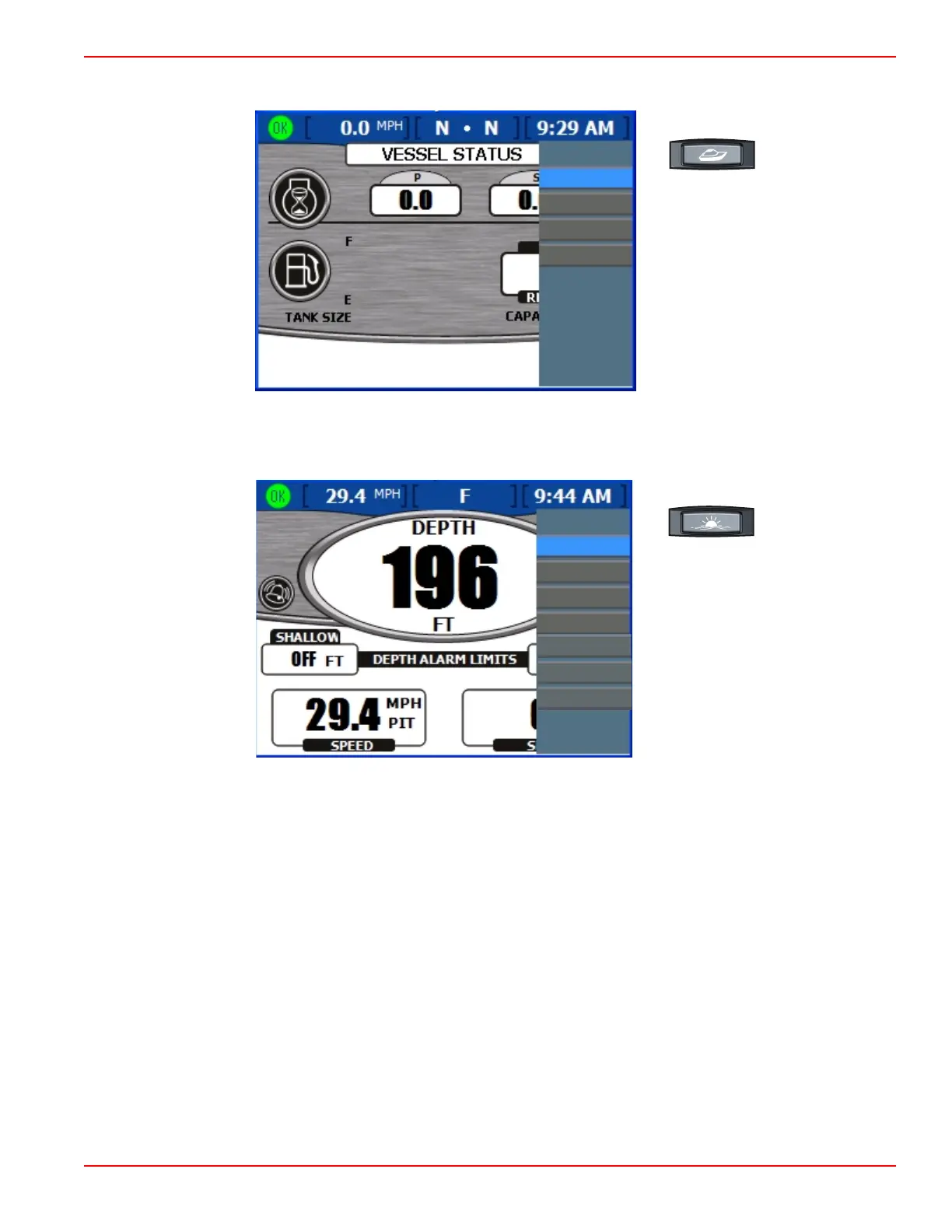
b. To see the available vessel screens, press the vessel button and then the menu button. The "Vessel" menu panel
appears.
Vessel
Vessel Status
Tank Status
Generator
Steer Position
34569
Vessel menu panel
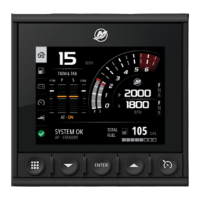
c. To see the available environment and navigation screens, press the environment and navigation button and then the
menu button. The "Env/Nav" menu panel appears.
Env Nav
Depth
Trip Log
Navigation
Fuel To Wpt
/
37089
Autopilot
Joystick
Skyhook
Environment/Navigation menu panel









 To Next Page