84 Panel Functions
_________________________________________________________________________________________
_________________________________________________________________________________________
Microplex logiJET TC8 Edition 1.2
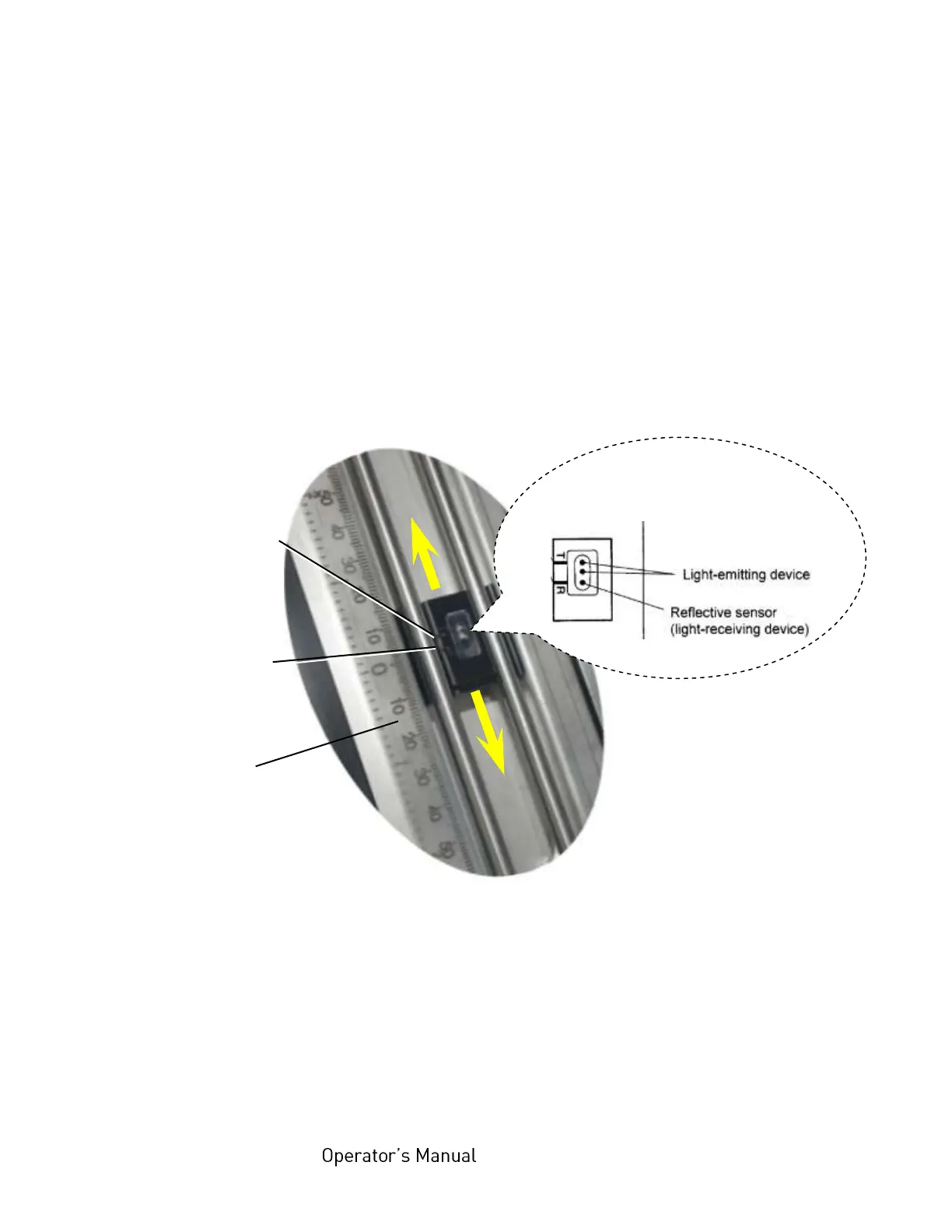
8. Use the correct mark for this (transparent or reflex, compare the
following figure).
Example:
When the media is a center-punched hole or notched tag, first align
the lower sensor position mark 'T' with the hole or notch of the media.
9. Read the value of the scale on the media guide plate pointing the 'T'
mark. (The transparent sensor has to be set to the same value,
compare step 10.)
Fig. 7.2.1.c Setting the lower sensor to the right position
10. Swivel the transparent sensor guide downward.
Mark of the
transparent
sensor: T
Mark of
the reflex
sensor: R
Schematic drawing of the lower
sensor:
Scale
on the media
guide plate of the
rear printhead



 To Next Page