1-6 QX-830 Compact Industrial Scanner User’s Manual
Select Model
Step 5 — Select Model
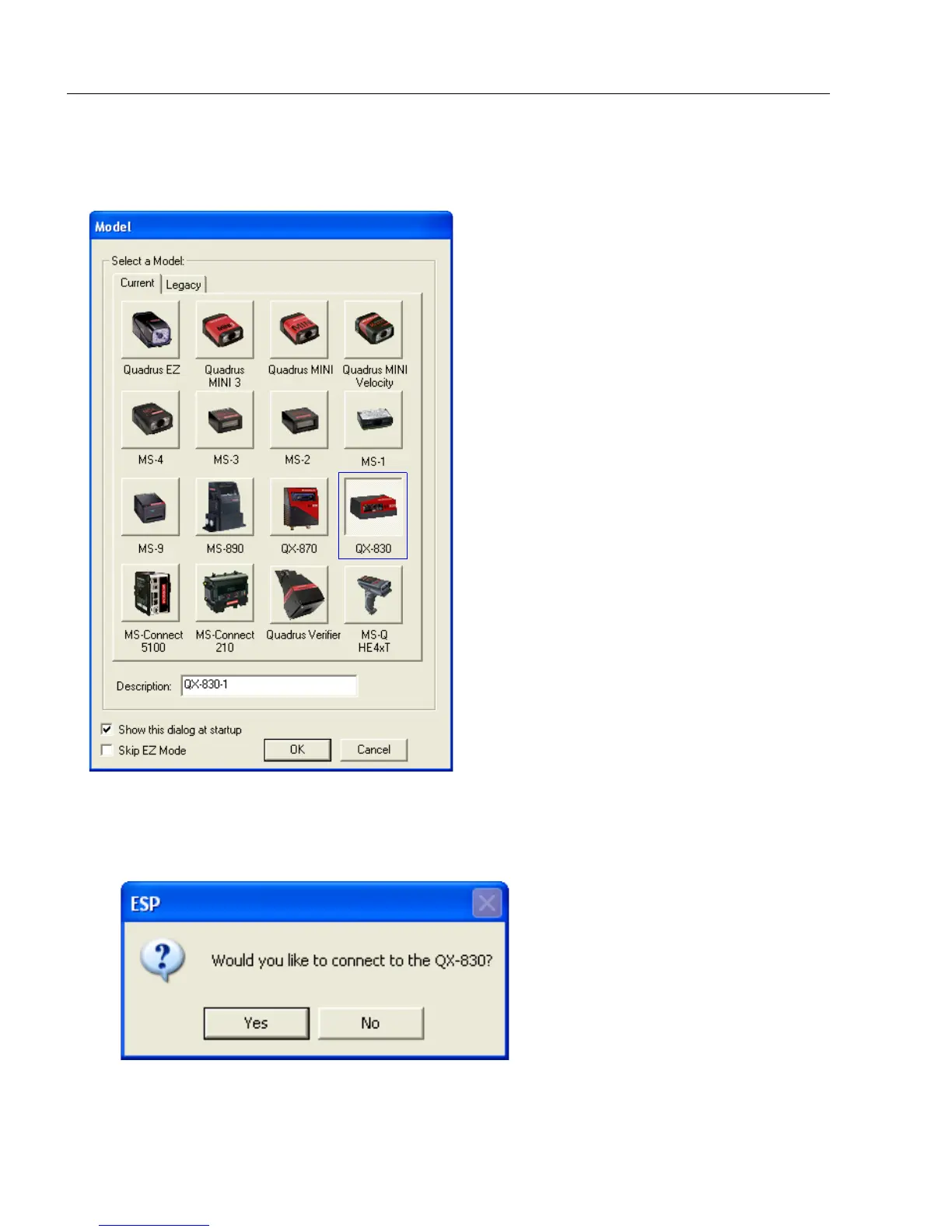
When ESP is opened, the following menu will appear:
1. Click the button showing the QX-830.
2. Click OK.
Note:
The QX-830 can also be selected by double-clicking the button showing the QX-830.
3. Click Yes when this dialog appears:
Note: To select another model later, click the Switch Model button near the top of the
screen or use Model > New Model in the menu toolbar.



 To Next Page