EasyManua.ls Logo

Microscan QX-830 - Chapter 5 Scanner Parameters; Communication

Microscan QX-830
395 pages
Print Icon
To Next Page IconTo Next Page
To Previous Page IconTo Previous Page
Loading...
5-2 QX-830 Compact Industrial Scanner User’s Manual
Communication
Communication
Note: Communication settings can also be sent to the scanner from ESP’s Terminal using
Microscan’s K command format. Refer to the Communication section of Appendix D.
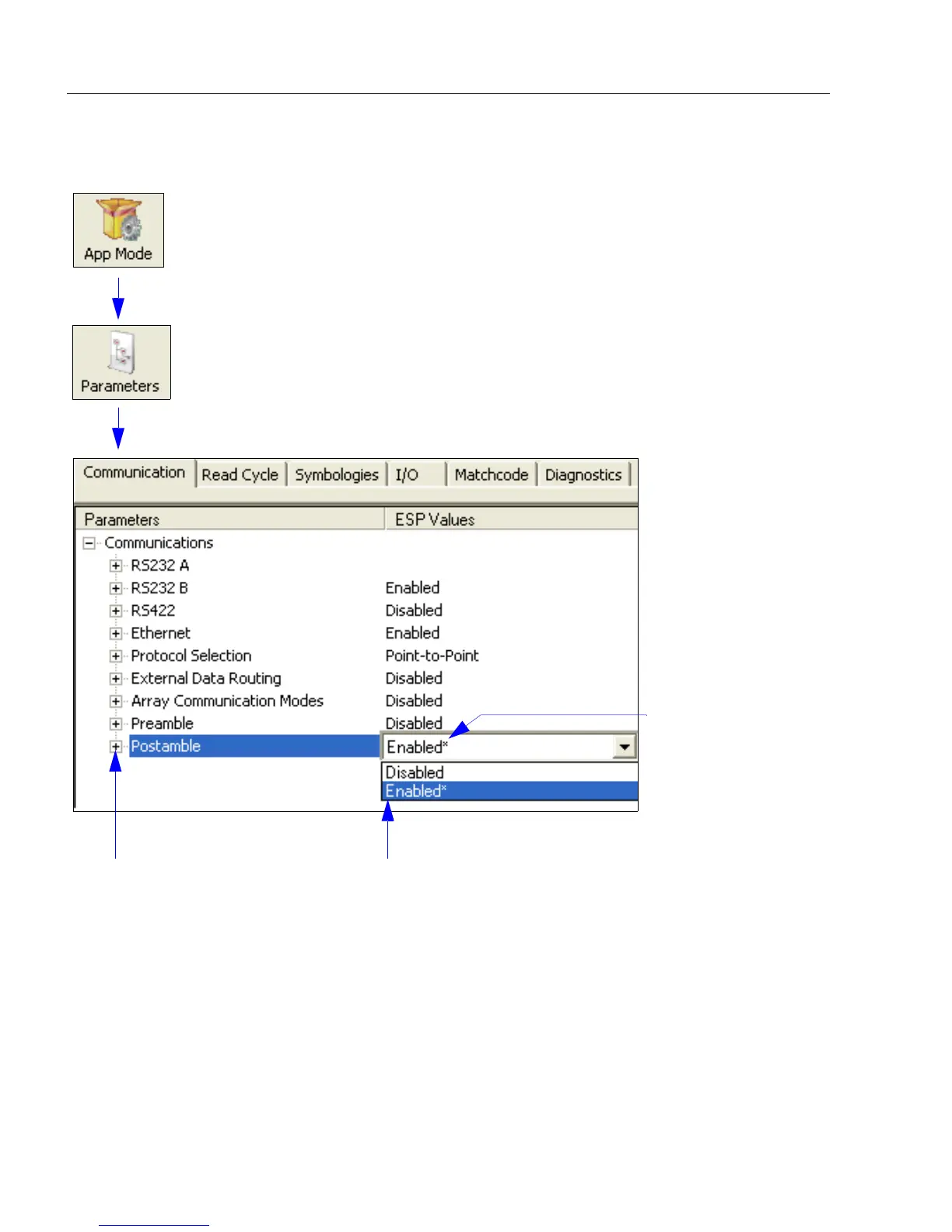
Click the App Mode button and then the Parameters button to display the
tree control tabs.
Then click the Communication tab to display the Communication tree control.
To open nested options,
single-click the +.
To change a setting, double-click the
setting and use the cursor to scroll
through the options.
The * indicates
that the setting
is the default.

Table of Contents