4-2 QX-830 Compact Industrial Scanner User’s Manual
Calibration
Calibration
The settings in the Calibration interface can also be configured using the <@> and
<@CAL> serial commands, and the Calibration Options command.
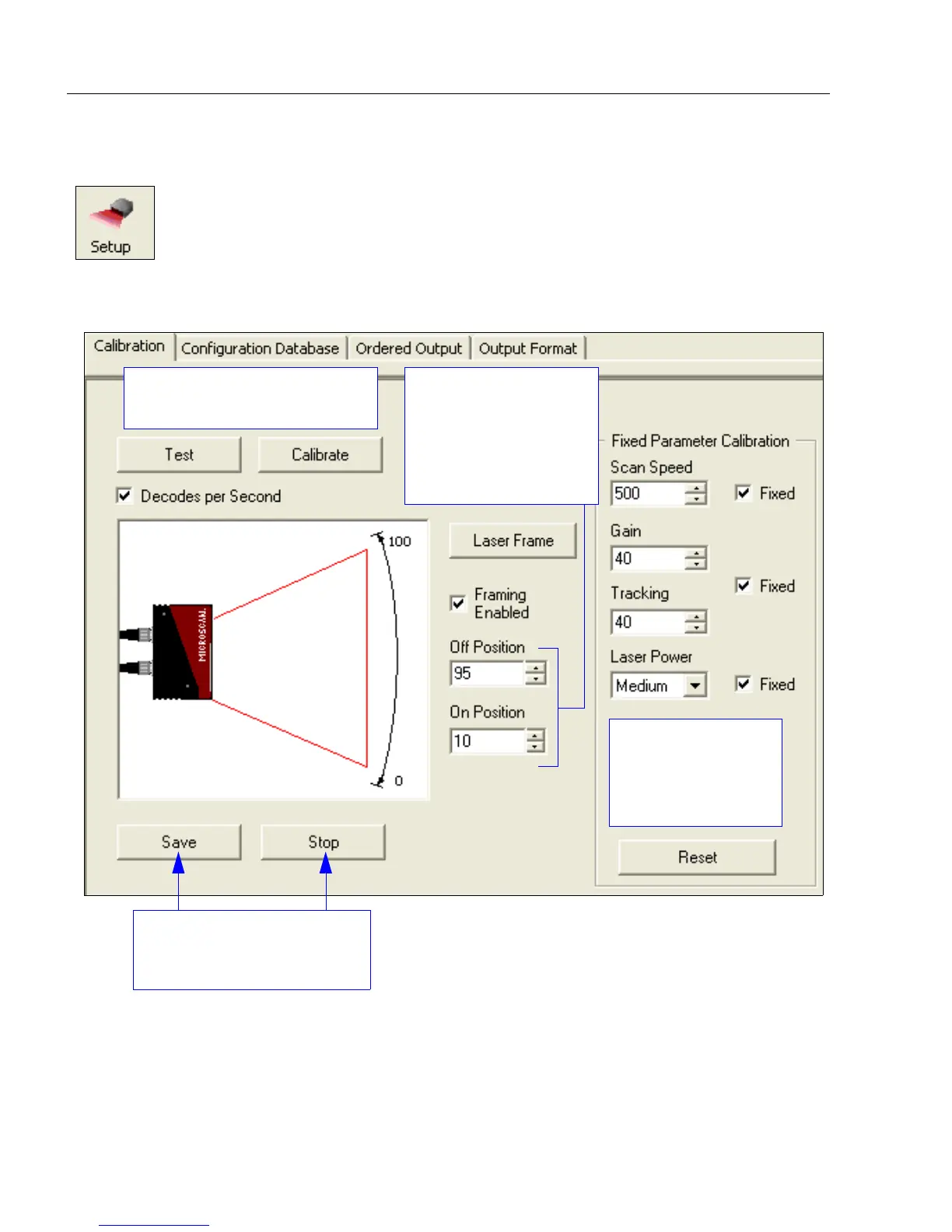
Click the Setup button and then the Calibration tab
to display the Calibration view.
The Test and Calibrate features
are also available in EZ Mode.
Scan Speed, Gain,
and Tracking can
also be configured
in the Reader
Setup command.
Click Save to save calibration
settings, or Stop to cancel the
calibration process.
Laser Off Position
and Laser On Position
can be entered using
the fields below, or by
clicking and dragging
the edges of the laser
arc in the picture.



 To Next Page