5-126 QX-830 Compact Industrial Scanner User’s Manual
I/O Parameters
Status Indicators
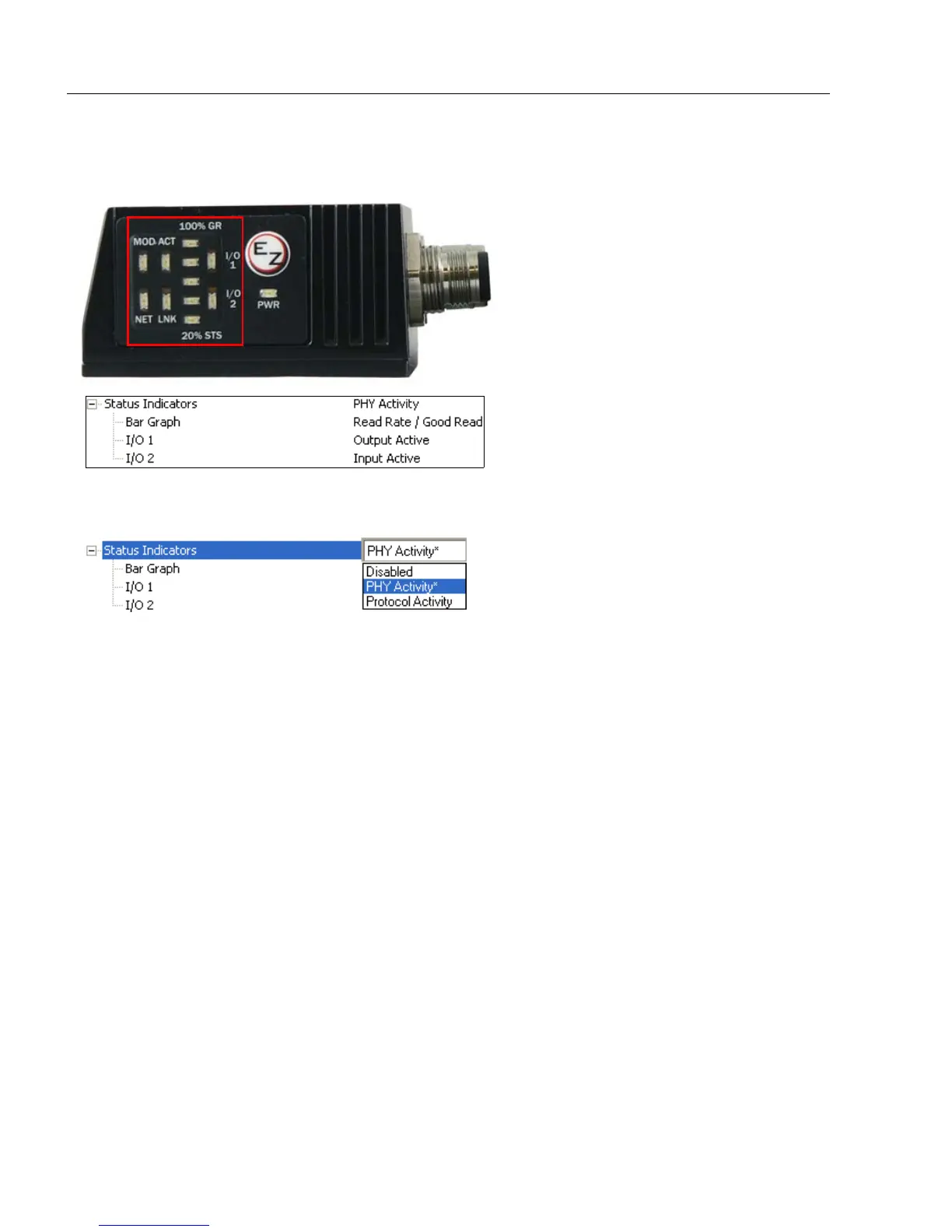
The side of the QX-830 features an array of LEDs that indicate various aspects of scanner activity.
Controls the operation of the MOD/ACT and NET/LNK LEDs.
Note: MOD and ACT function as one combined LED, as do NET and LNK.
Disabled
When set to Disabled, the MOD/ACT and NET/LNK LEDs are always off.
Note: All green and red LEDs will turn on briefly during power-on or reset to confirm that
they are functioning.
PHY Activity
If Ethernet is available:
LNK = Solid green when transceiver is linked.
ACT = Blinking green when transceiver detects Tx or Rx activity.
Otherwise, for all RS232 and RS422/485 activity:
LNK = Blinking green with Tx data activity.
ACT = Blinking green with Rx data activity.
Note: Red is never turned on.
Protocol Activity
If EtherNet/IP is enabled:
MOD = Module status, per EtherNet/IP specification
NET = Network status, per EtherNet/IP specification
Otherwise, the MOD and NET LEDs are always off.



 To Next Page