4-6 QX-830 Compact Industrial Scanner User’s Manual
Ordered Output
Ordered Output
Output filtering is a method of providing a set of good read qualifiers and also providing
ordered output. There is a filter for up to the first 10 positions in a multisymbol output. The
first filter corresponds to the first symbol output at
the end of the read cycle. Each filter has
settings for the following six parameters: Filter Number, Symbology Type, Length,
Wildcard, Placeholder, and Matching Data.
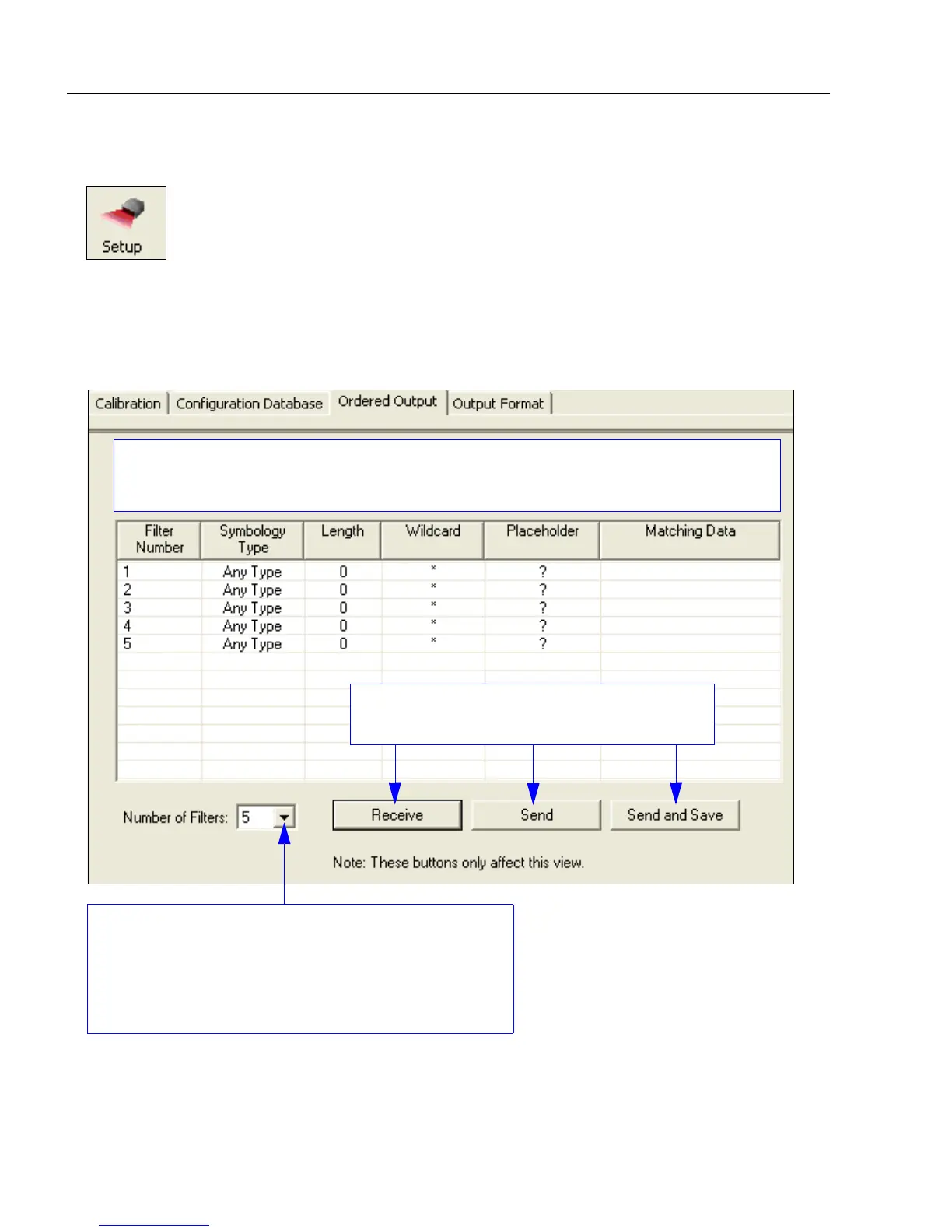
Click the Setup button and then the Ordered Output tab
to display the Ordered Output view.
Number of Filters refers to the number of active output
filters. 0 disables all output filters. Any non-zero numeral
will enable output filtering to be performed using the filter
indexes covered by this value.
For example, if the number of filters is 5, then filter
indexes 1, 2, 3, 4, and 5 will be applied.
Filter Number, Symbology Type, Length, Wildcard, Placeholder, and Matching Data are all
displayed in the table below. Double-clicking on any row of the table will display the Ordered
Output Filter Settings dialog, where settings can be changed.
Receive settings from the scanner, Send settings
to the scanner, or Send and Save settings.



 To Next Page