QX-830 Compact Industrial Scanner User’s Manual 5-135
Scanner Parameters
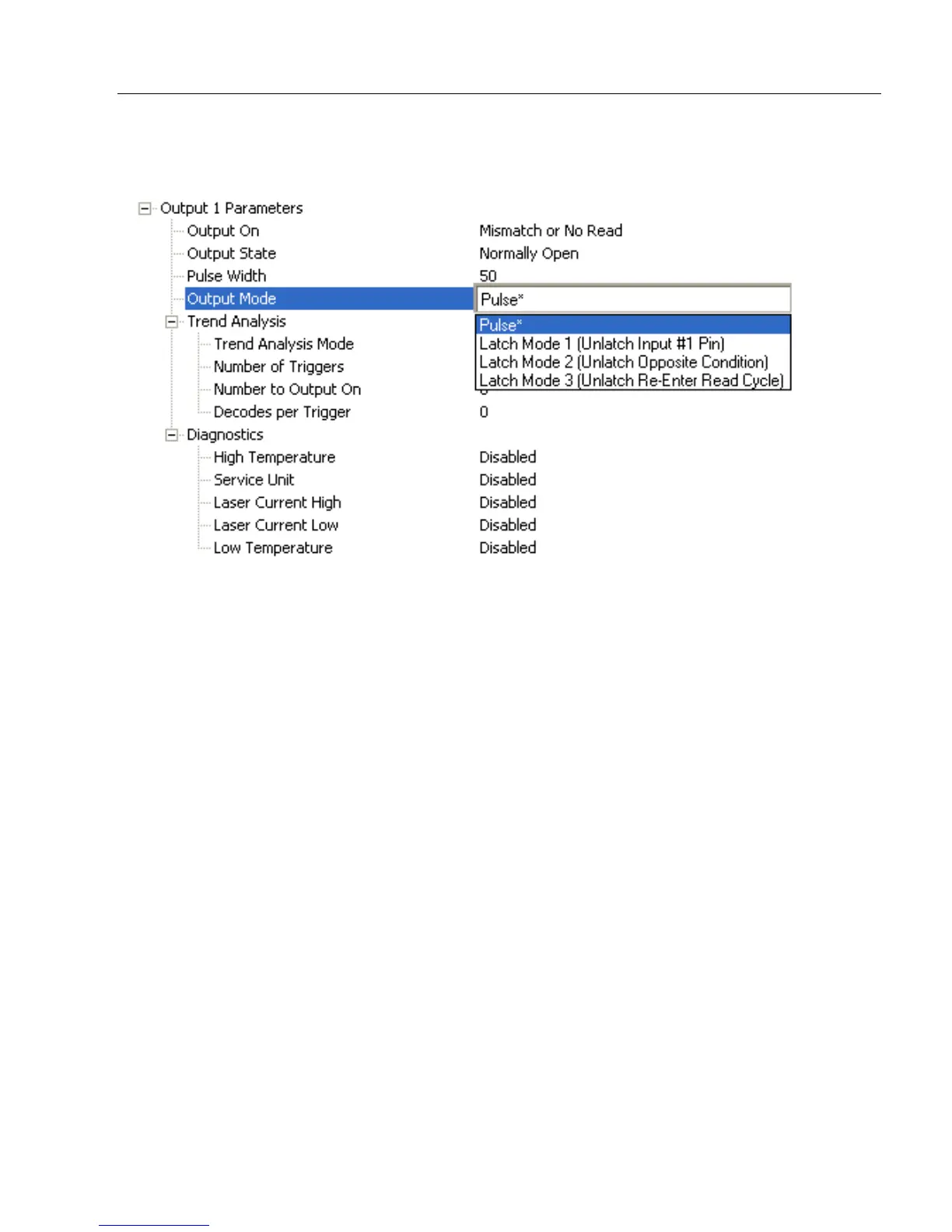
Output Mode
Sets the condition in which the discrete output is de-activated.
Pulse
This is the default mode of operation in which the programmable output is activated when
the Output On condition has been met and held active for the duration of the selected
pulse width.
Latch Mode 1 (Unlatch Input # 1 Pin)
The programmable output is activated when the Output On condition has been met and
held active until the Input # 1 Pin transitions.
Note: Input 1 must be set to Unlatch Output for Latch Mode 1 to function.
Latch Mode 2 (Unlatch Opposite Condition)
The programmable output is activated when the Output On condition has been met and
held active until the opposite condition selected under Output On has been met.
For example, if No Read is enabled under Output On, the programmable output will go
active on a No Read and remain active until the opposite condition, a good read, occurs.
Latch Mode 3 (Unlatch Re-enter Read Cycle)
The programmable output is activated when the Output On condition has been met and
held active until a new read cycle begins.
Note: All of the Output On modes are inhibited when any Diagnostic Warning is active
for Output 1.



 To Next Page