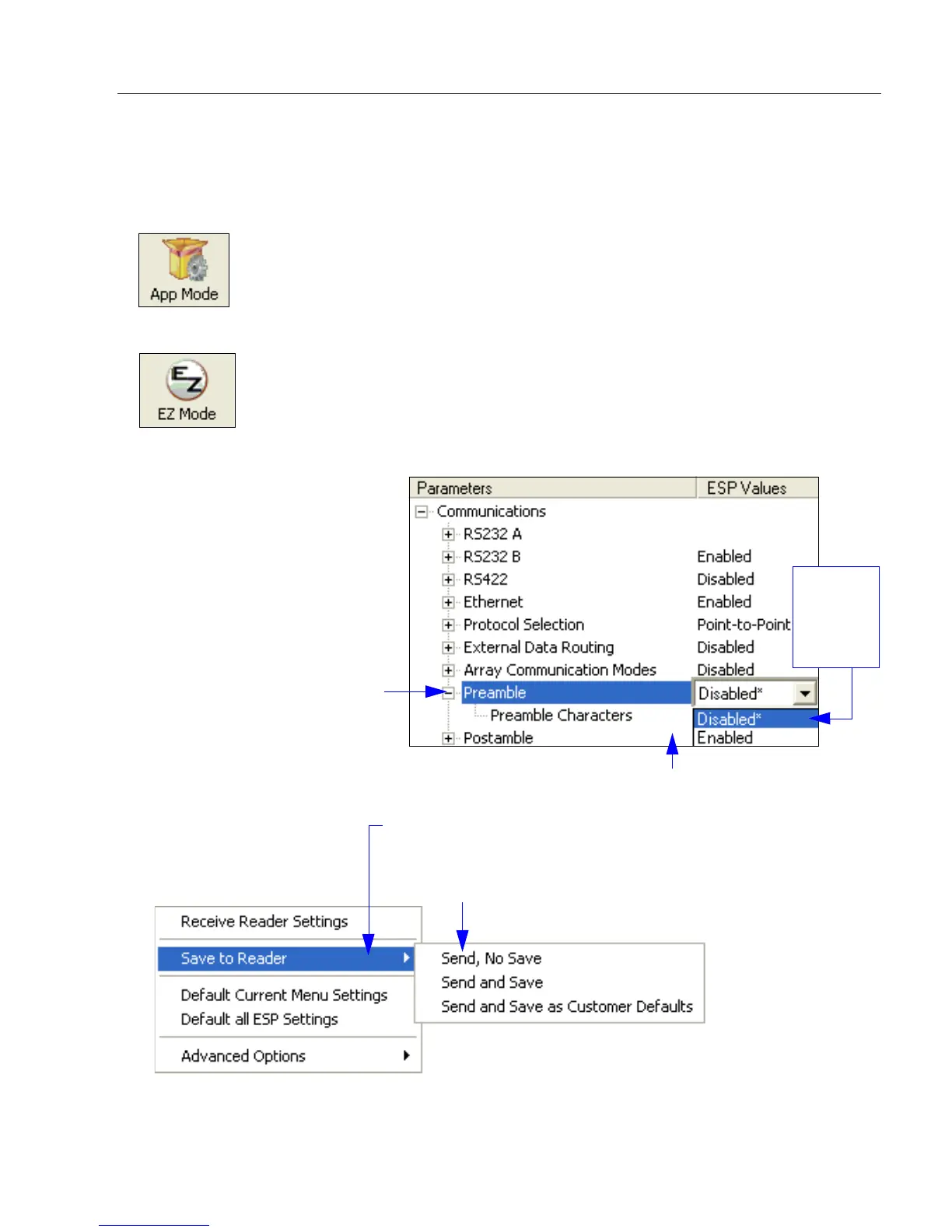
1. Left-click on the + to expand
menu items.
2. Double-click the desired
parameter and single-click
in the selection box to view
options.
3. Place the cursor in the
selection box, scroll down
to the desired setting, and
single-click the setting.
4. Left-click again on the open screen to complete the
selection.
5. Right-click on the open screen and select Save to
Reader to implement the command in the scanner.
The command can be sent without saving, or sent
and saved simultaneously.
The X
indicates
that the
setting is
default.



 To Next Page